【笔记】购买国外虚拟专用服务器部署SSR服务
前言
在Vultr购买了国外的虚拟专用服务器(VPS),记录一下如何部署SSR(ShadowsockR)服务
远程连接到服务器
使用任意远程ssh连接工具连接,我这里直接使用的命令行工具”ssh”
将”IP Address”、”Username”作为参数分别复制到相应位置
出现输入密码提示时,将Password复制上去
1 | ssh Username@Ip_Address |
通过安装脚本部署SSR服务
ssrmu.sh
1 | wget -N --no-check-certificate https://raw.githubusercontent.com/ToyoDAdoubi/doubi/master/ssrmu.sh && chmod +x ssrmu.sh && bash ssrmu.sh |
踩坑
- 找不到python
解决问题
- 为python3创建一个软链接
1 | ln -s /usr/bin/python3.6 /usr/bin/python |
ssr.sh
1 | wget -N --no-check-certificate https://raw.githubusercontent.com/ToyoDAdoubi/doubi/master/ssr.sh && chmod +x ssr.sh && bash ssr.sh |
配置SSR
- 安装过程中,可能需要根据提示进行配置,如果不清楚设置内容,回车默认就可以
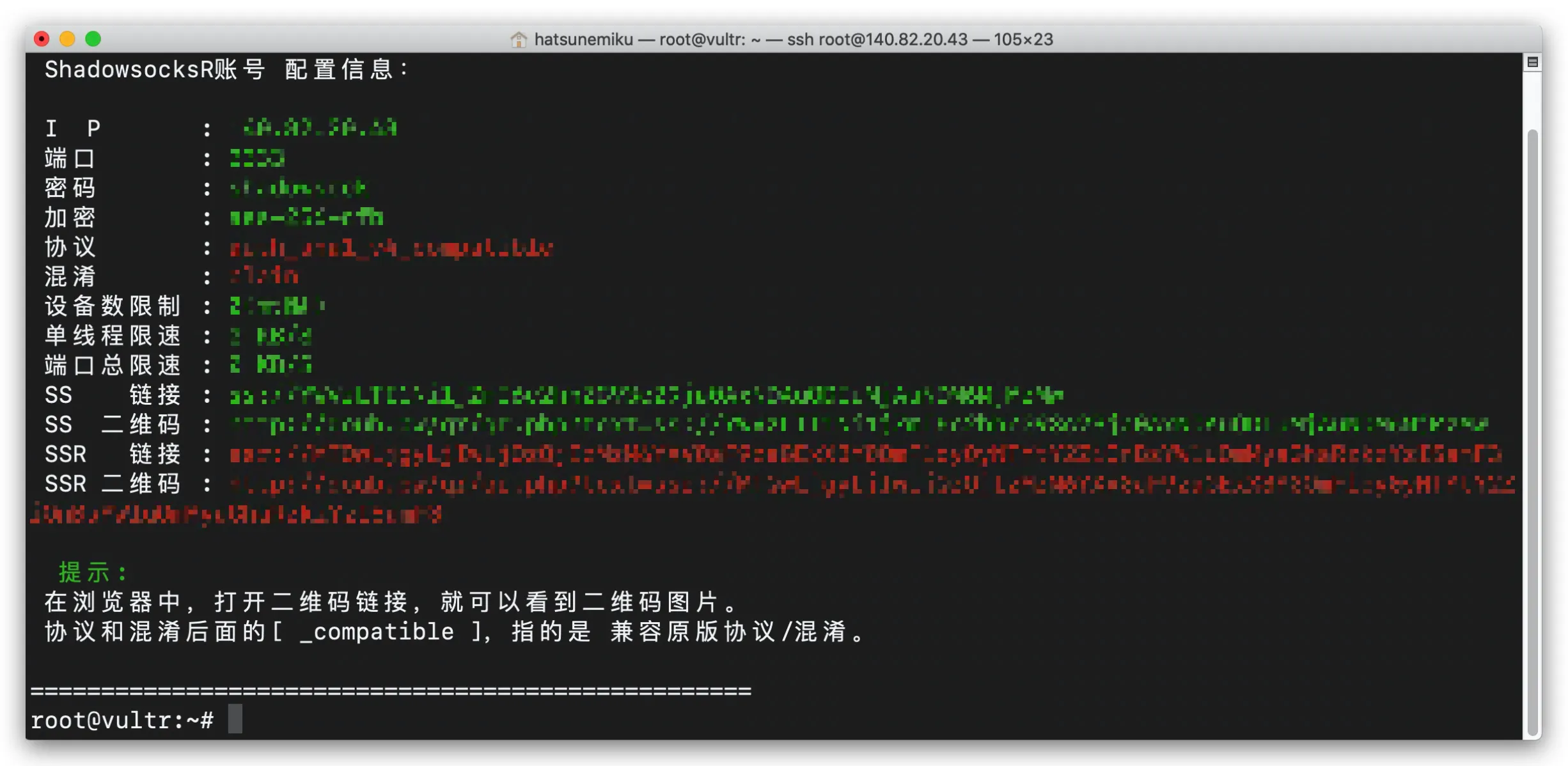
安装成功
安装谷歌BBR加速器(可选)
- 使用wget工具安装BBR
1 | wget --no-check-certificate https://github.com/teddysun/across/raw/master/bbr.sh |
配置BBR(可选)
- 回车默认即可