【笔记】Android布局
前言
Android布局学习笔记
LinearLayout
android:orientation="":布局方向,不指定方向默认为横向
horizontal:横向布局vertical:纵向布局
android:gravity="":该组件包含的子元素的对齐方式,可以使用多种方式组合,使用|间隔
center:完全居中center_horizontal:水平居中center_vertical:垂直居中top:顶部bottom:底部left:居左right:居右
android:layout_gravity="":该组件在父元素的对齐方式,可以使用多种方式组合,使用|间隔
center:完全居中center_horizontal:水平居中center_vertical:垂直居中top:顶部bottom:底部left:居左right:居右
android:background="":背景颜色android:divider="":分割线图片,需要与showDividers组合使用android:showDividers="":显示分割线的位置
none:不显示分割线beginning:在布局开始位置显示end:在布局结束位置显示middle:在两个布局中间位置显示
android:dividerPadding="":分割线左右内间距android:layout_weight="":布局权重,多个布局同时使用权重属性时,会根据各个布局的权重作为比值,划分布局在屏幕中的尺寸。权重会在原有尺寸基础上增加布局的空间,分配的是剩余空间,所以为了可以完全通过权重控制布局尺寸,应当将所有布局的对应尺寸设置为0dp(如果使用横向布局,就将宽设置为0dp;如果使用纵向布局,就将高设置为0dp)
1 | <LinearLayout xmlns:android="http://schemas.android.com/apk/res/android" |
RelativeLayout
- 默认相对于父容器的左上角对齐
相对于父容器定位
android:layout_alignParentLeft="true":相对于父容器左对齐android:layout_alignParentRight="true":相对于父容器右对齐android:layout_alignParentTop="true":相对于父容器顶部对齐android:layout_alignParentBottom="true":相对于父容器底部对齐android:layout_centerHorizontal="true":相对于父容器水平居中android:layout_centerVertical="true":相对于父容器垂直居中android:layout_centerInParent="true":相对于父容器完全居中
1 | <RelativeLayout |
相对于兄弟容器定位
android:layout_above="@id/编号":放置于兄弟容器上边android:layout_below="@id/编号":放置于兄弟容器下边android:layout_toLeftOf="@id/编号":放置于兄弟容器左边android:layout_toRightOf="@id/编号":放置于兄弟容器右边android:layout_alignTop="@id/编号":对齐于兄弟容器上边界android:layout_alignBottom="@id/编号":对齐于兄弟容器下边界android:layout_alignLeft="@id/编号":对齐于兄弟容器左边界android:layout_alignRight="@id/编号":对齐于兄弟容器右边界
1 | <RelativeLayout |
边距
android:layout_margin="":四周外边距android:layout_marginTop="":上外边距android:layout_marginBottom="":下外边距android:layout_marginLeft="":左外边距android:layout_marginRight="":右外边距android:padding="":四周内边距android:paddingTop="":上内边距android:paddingBottom="":下内边距android:paddingLeft="":左内边距android:paddingRight="":右内边距
1 | <RelativeLayout |
FrameLayout
android:foreground="@drawable/ic_图片名":前景图android:foregroundGravity="":前景图位置
top:顶部bottom:底部left:左侧right:右侧
1 | <FrameLayout xmlns:android="http://schemas.android.com/apk/res/android" |
TableLayout
父布局属性
android:collapseColumns="":设置需要被隐藏的列的编号,编号从0开始,多个编号用0隔开android:stretchColumns="":设置允许被拉伸的列的编号,编号从0开始,多个编号用0隔开。拉伸时要有剩余空间才会生效android:shrinkColumns="":设置允许被收缩的列的编号,编号从0开始,多个编号用0隔开。收缩时要有超出的部分才会生效子布局属性
android:layout_column="":设置从指定编号位置开始显示android:layout_span="":设置从指定编号位置开始显示
1 | <TableLayout xmlns:android="http://schemas.android.com/apk/res/android" |
GridLayout
父布局属性
android:orientation="":显示方式
horizontal:横向显示vertical:纵向显示
android:columnCount="":每行最多显示的列数子布局属性
android:layout_row="":显示在指定行,行号从0开始android:layout_column="":显示在指定列,列号从0开始android:layout_rowWeight="":行权值,通常与多个子元素组合使用,实际行高为多个子元素权值的比值android:layout_columnWeight="":列权值,通常与多个子元素组合使用,实际列宽为多个子元素权值的比值
1 | <GridLayout xmlns:android="http://schemas.android.com/apk/res/android" |
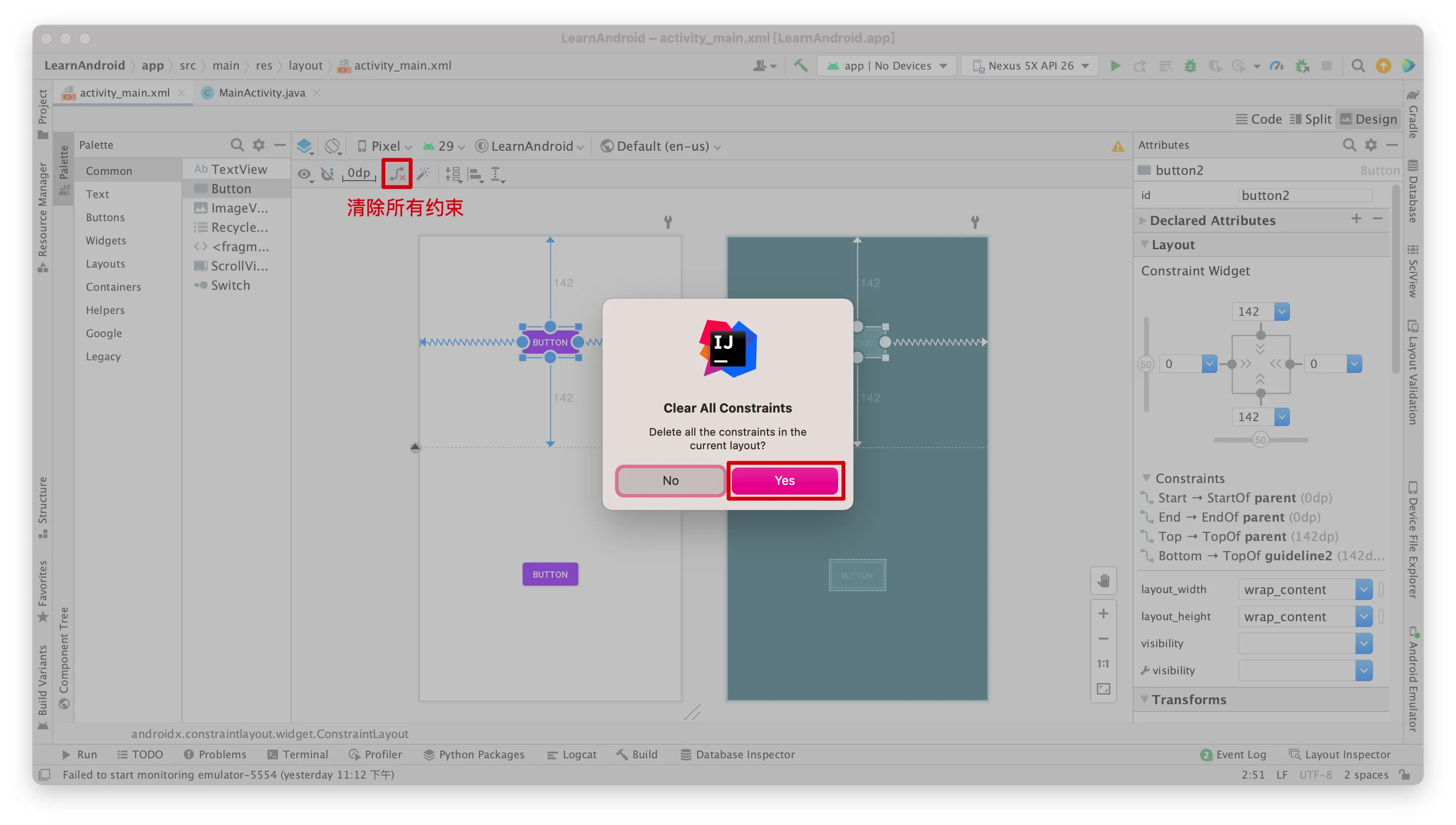
ConstraintLayout
1 | <androidx.constraintlayout.widget.ConstraintLayout xmlns:android="http://schemas.android.com/apk/res/android" |
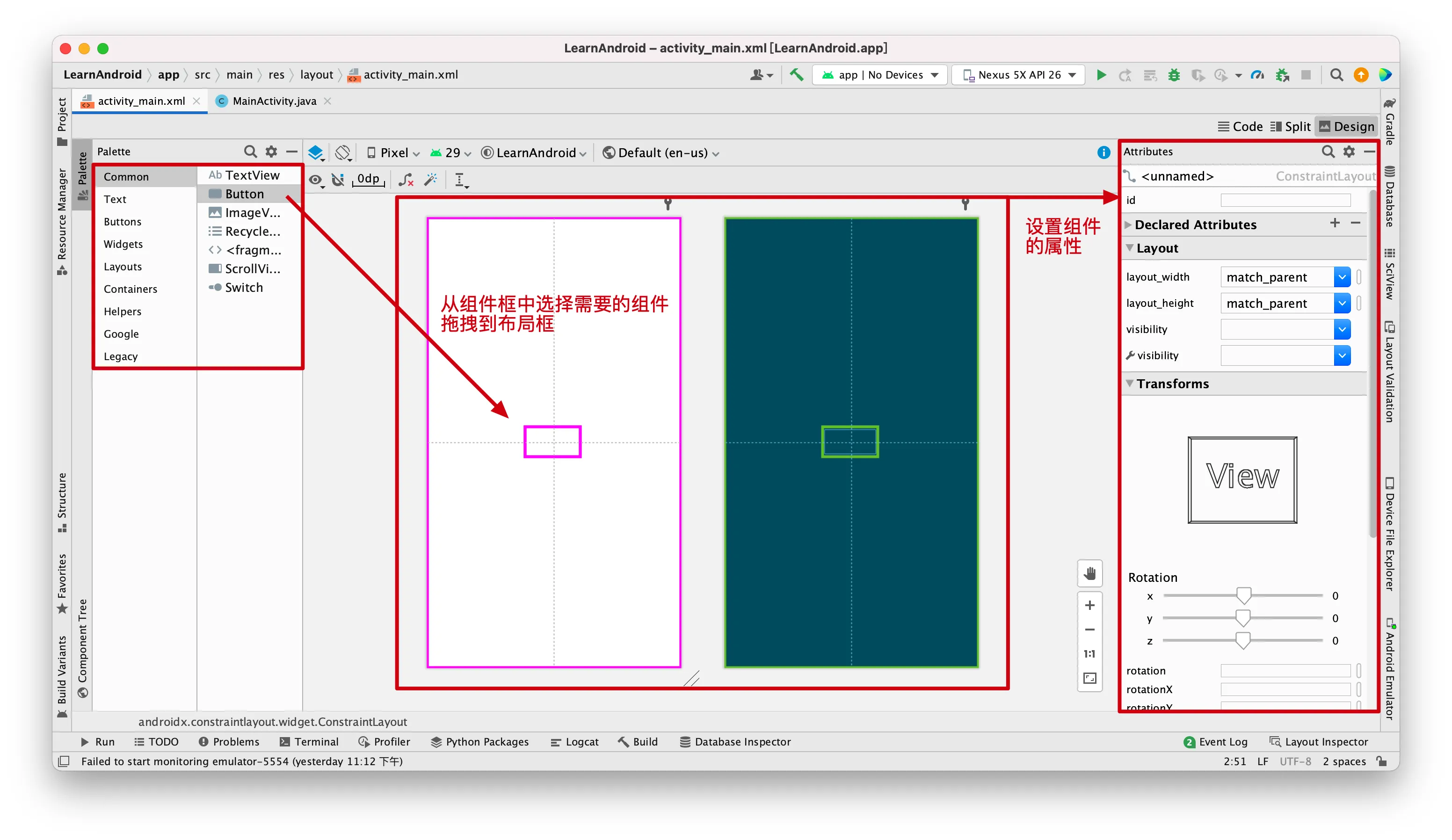
添加和设置组件
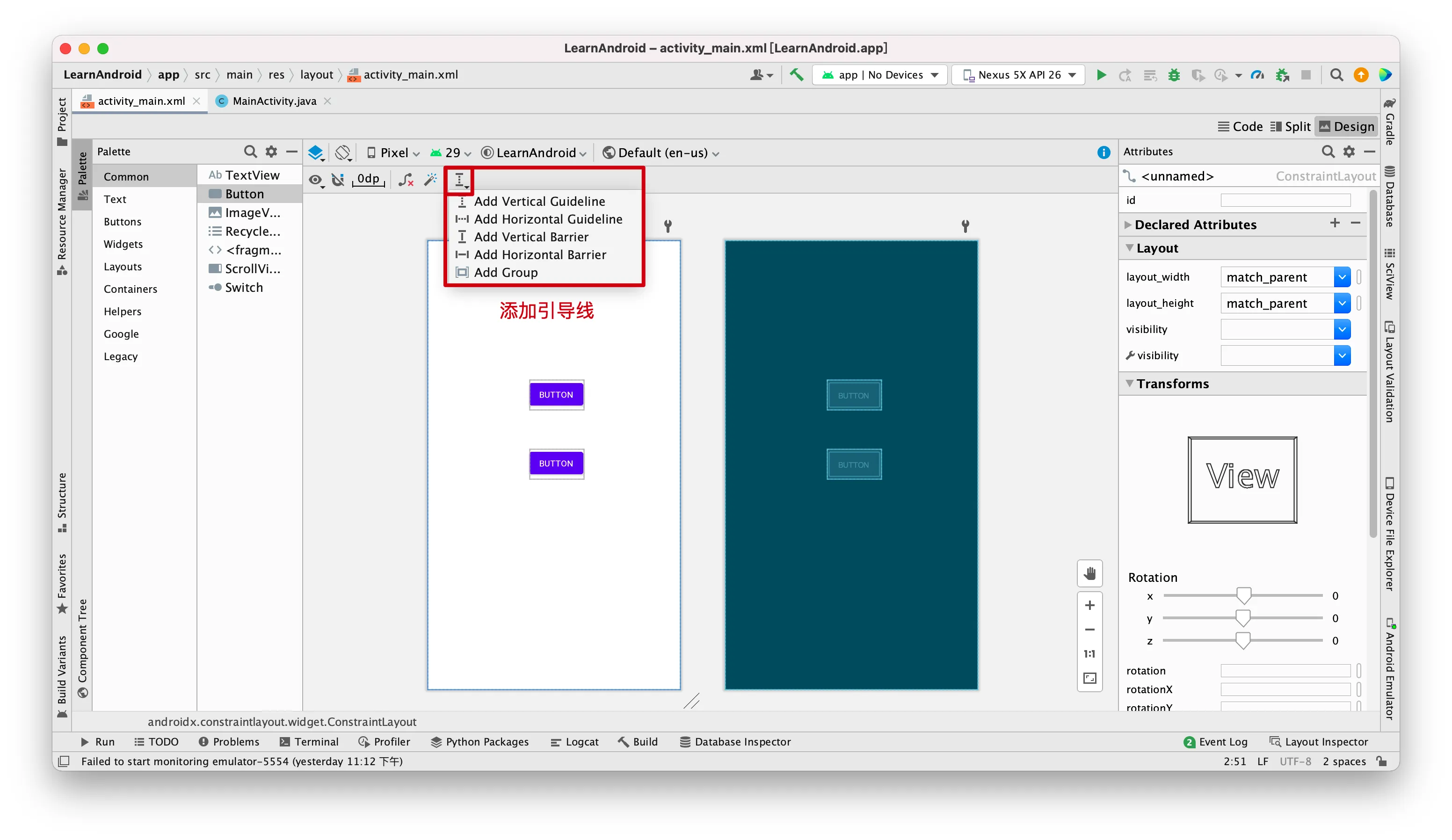
添加引导线
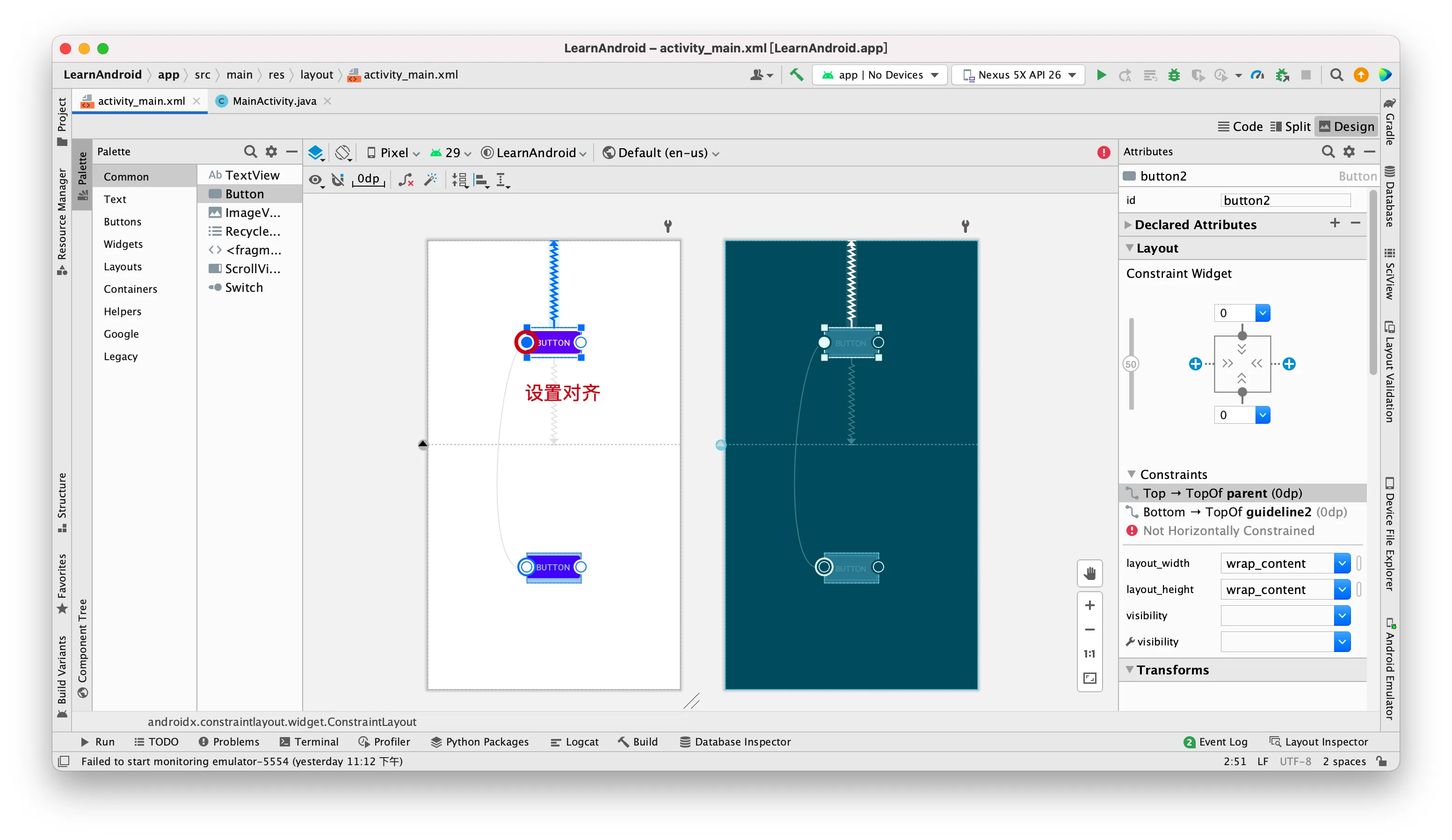
添加约束
自动生成约束
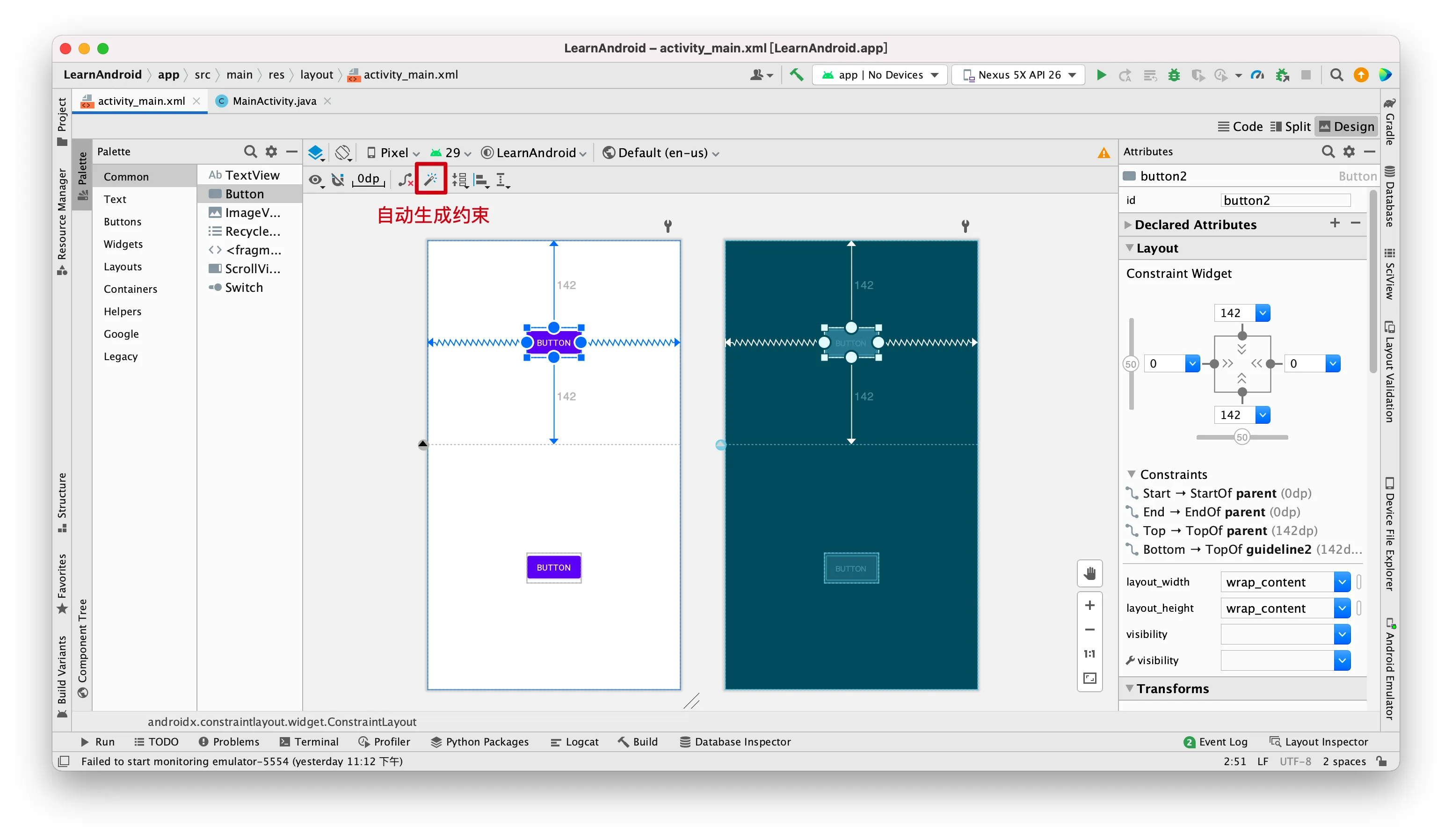
清除所有约束