【笔记】IDEA保存文件时自动格式化代码
前言
IDEA保存时自动格式化代码
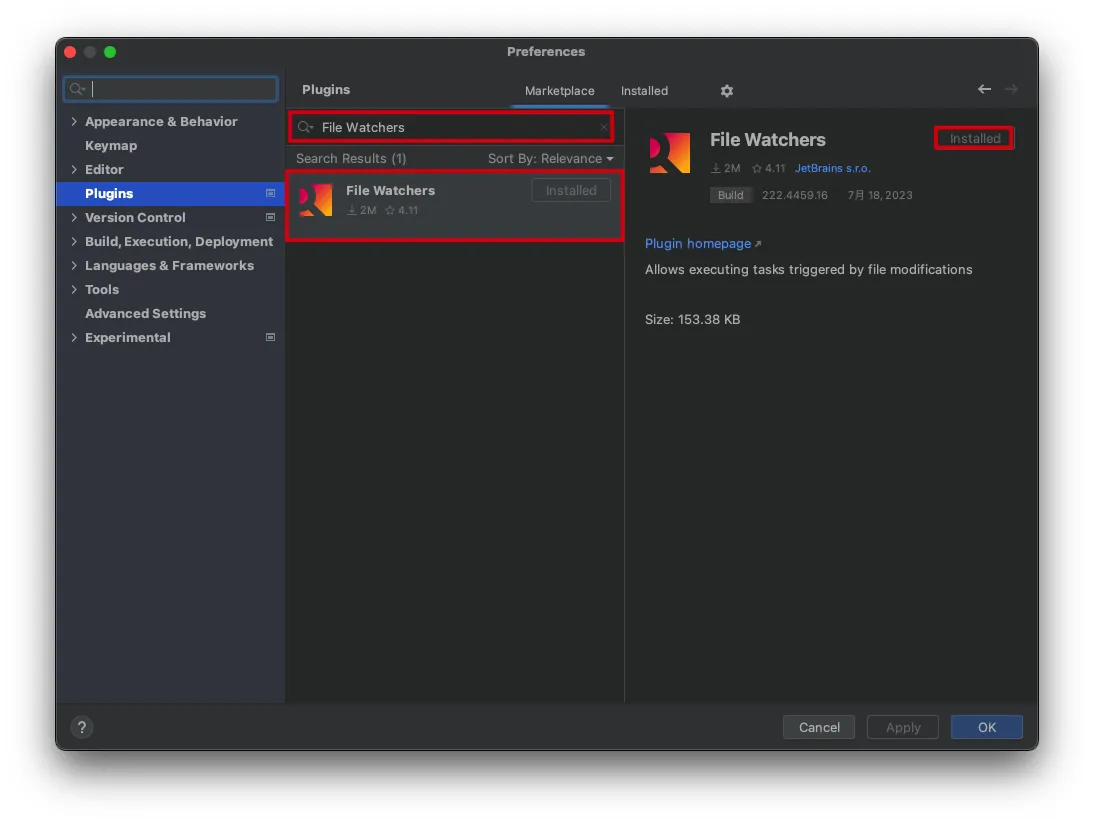
安装插件
Settings->Plugins->搜索File Watchers->Install
如果IDEA已默认安装File Watchers插件可忽略此步骤
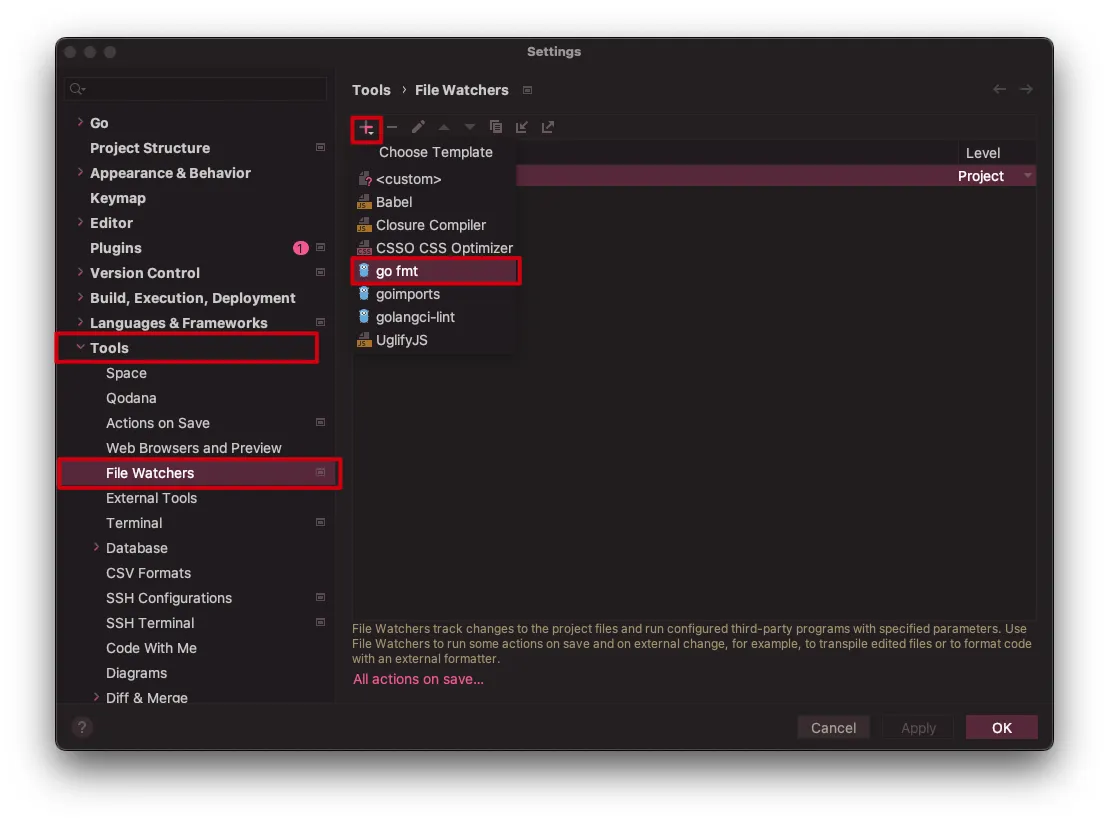
自动格式化Go代码
工具->File Watchers->+-><custom>
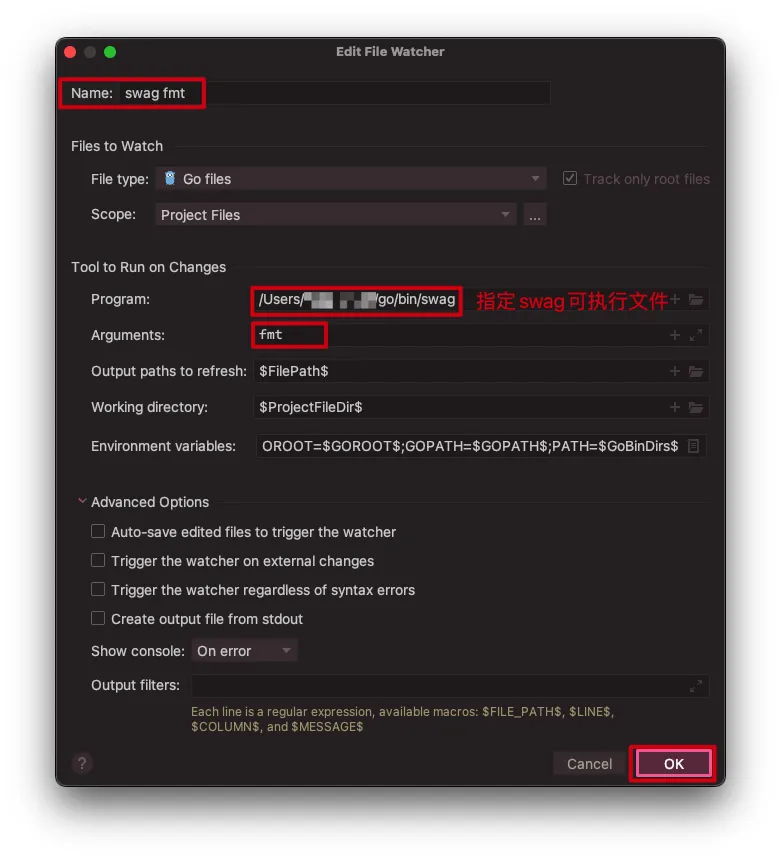
- 修改配置
自动格式化Go代码中的Swag注释
- 下载依赖
1 | go install github.com/swaggo/swag/cmd/swag@latest |
工具->File Watchers->+-><custom>
- 修改配置
自动格式化Dart代码
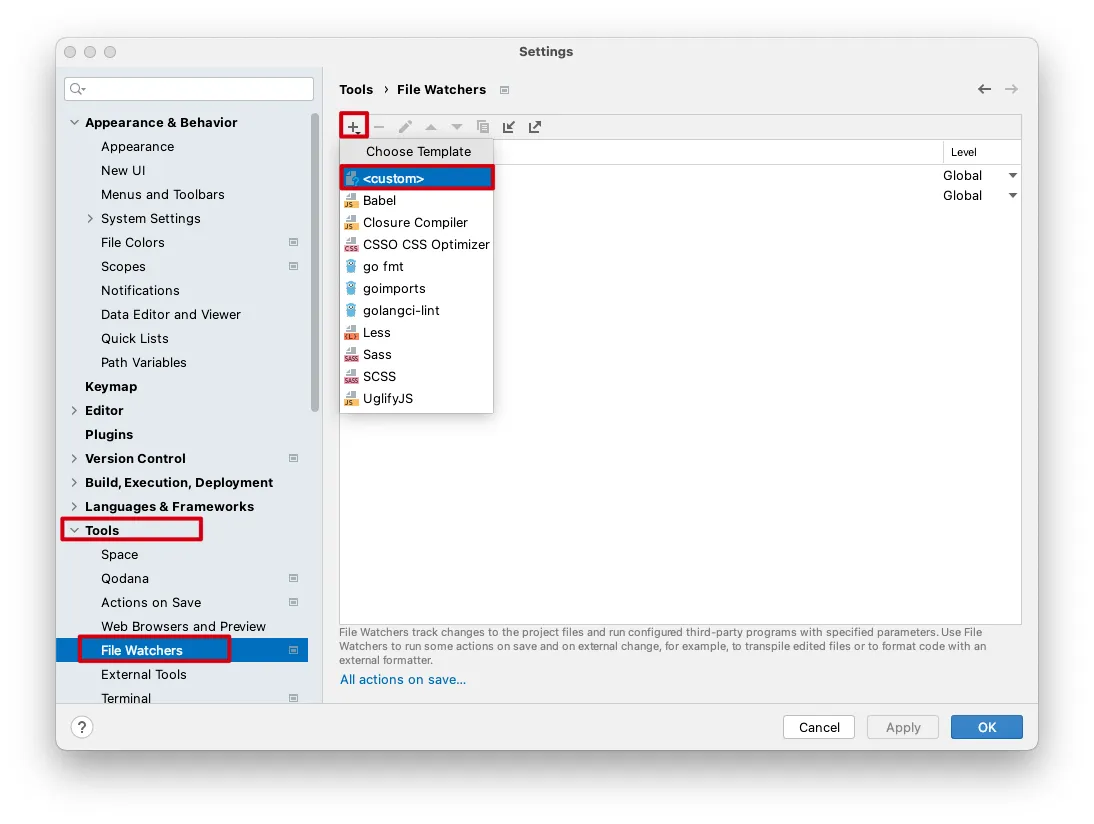
Settings->Tools->File Watchers->+-><custom>工具->File Watchers->+-><custom>
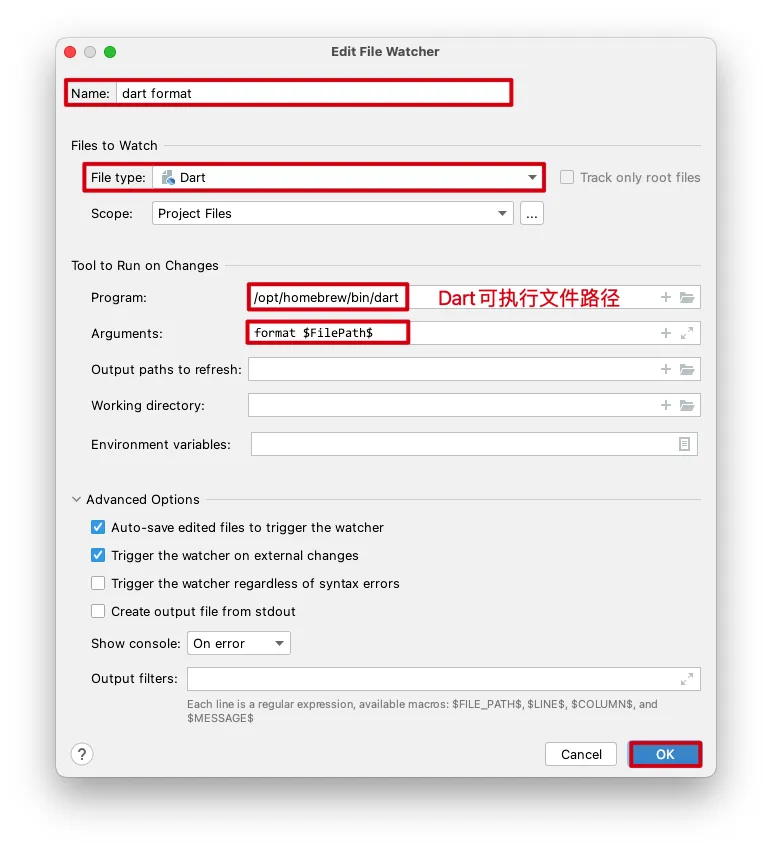
- 修改配置
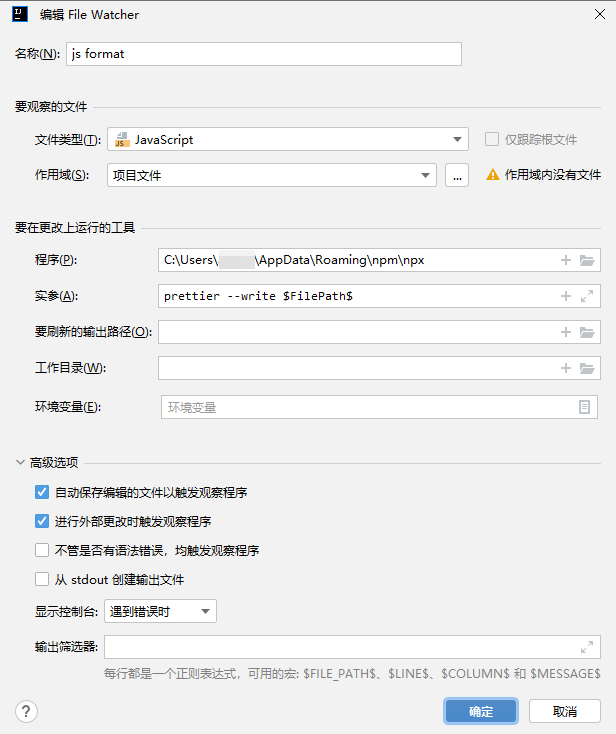
自动格式化JS代码
下载依赖
1 | npm install -g prettier |
工具->File Watchers->+-><custom>
- 修改配置