116197422515402733
前言
微信小程序的云开发学习笔记
指定小程序根目录
project.config.json1
2
3
| {
"miniprogramRoot": "miniprogram/",
}
|
指定云函数根目录
project.config.json1
2
3
| {
"cloudfunctionRoot": "cloudfunctions/",
}
|
绑定云环境
env:指定云环境id
traceUser:是否开启用户访问统计
miniprogram/app.js1
2
3
4
5
6
7
8
9
10
11
12
| App({
onLaunch: function () {
if (!wx.cloud) {
console.error("请使用 2.2.3 或以上的基础库以使用云能力");
} else {
wx.cloud.init({
env: "",
traceUser: true,
});
}
},
});
|
云数据库
API权限
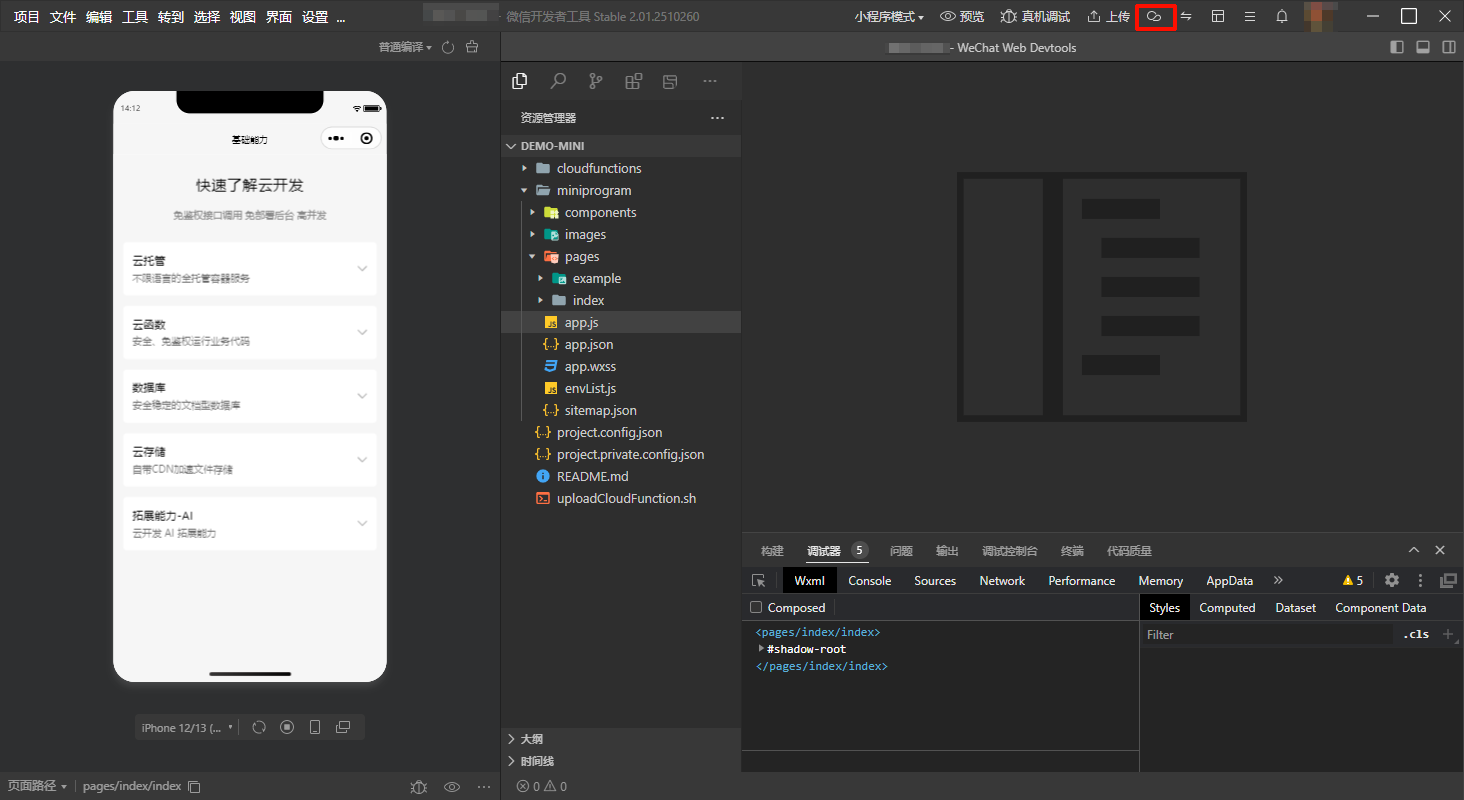
数据库->数据权限
- 对于写权限,每个用户通过api操作数据库的最大权限也只能是操作自己创建的数据,无法操作其他用户创建的数据
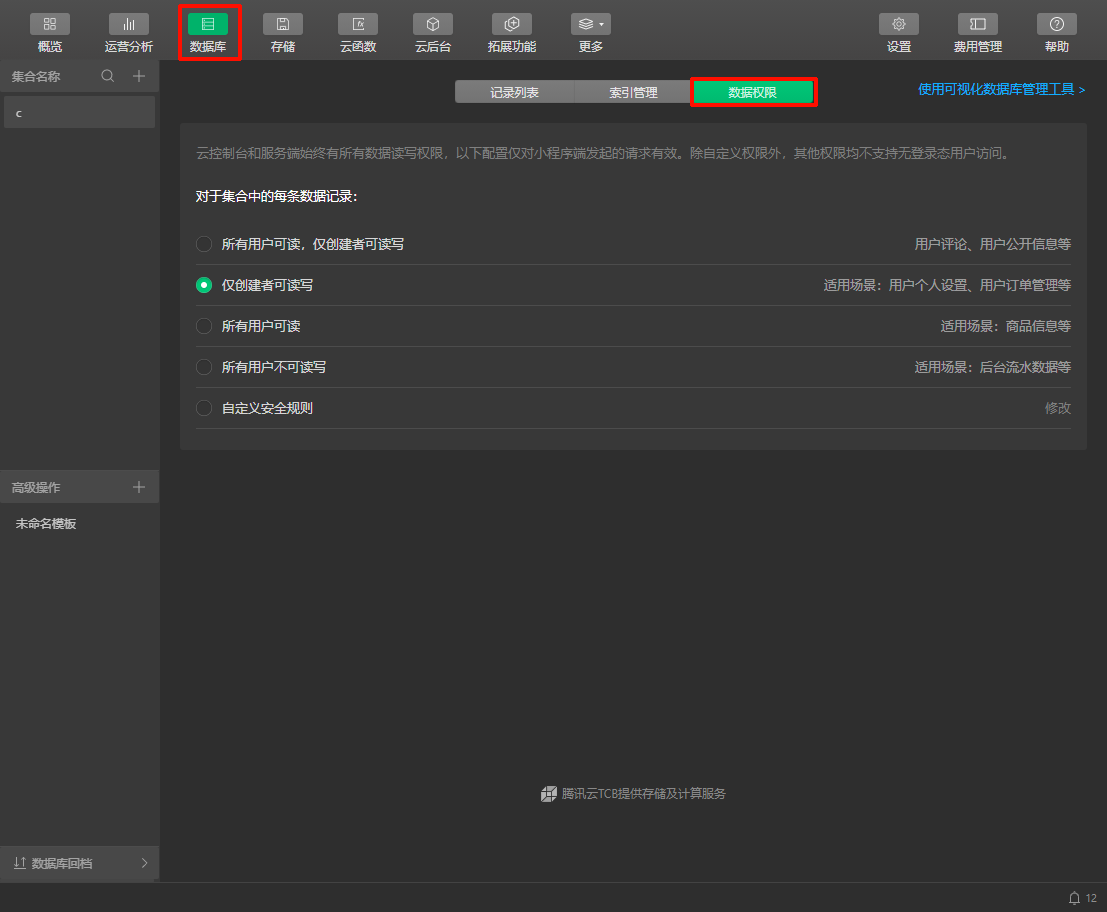
批量导入文档
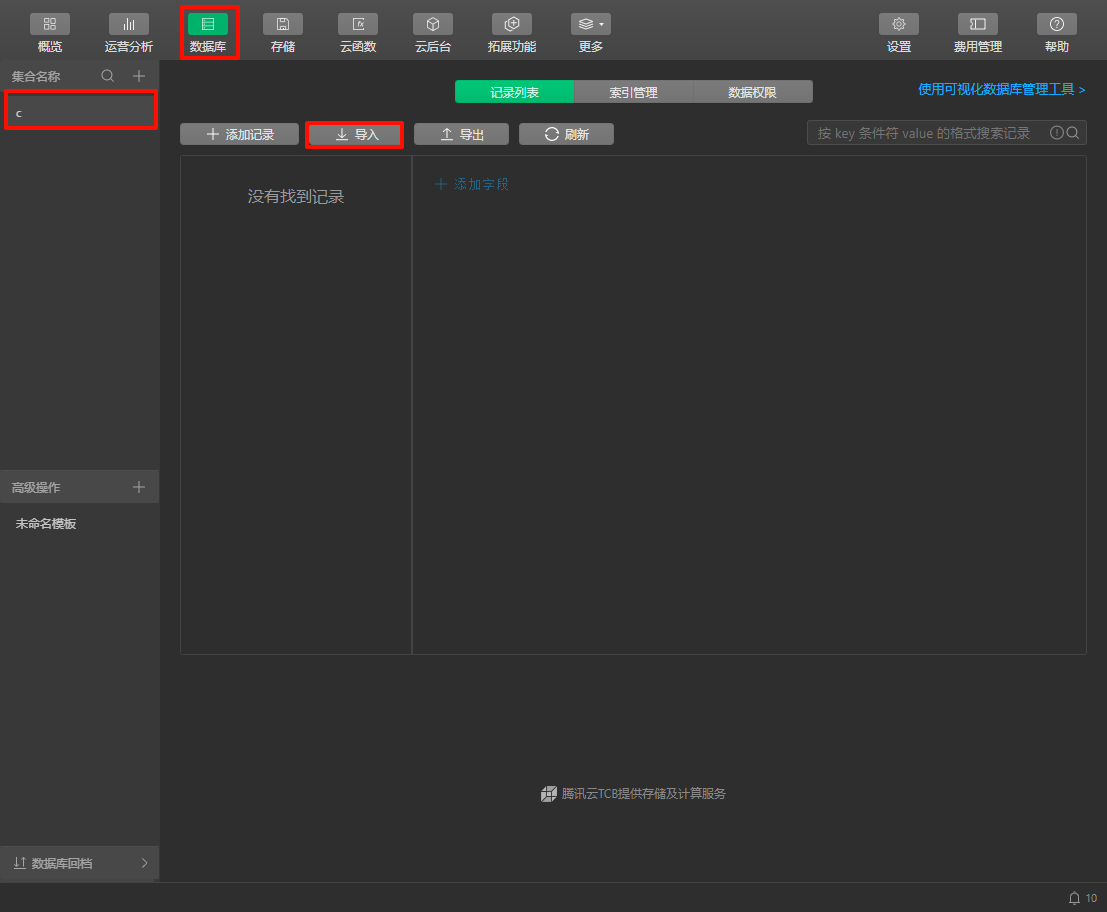
- 选择
.json文件
- 每个对象作为一条文档
- 最外层无需根对象
- 所有对象之间无需使用
,分隔
获取数据库
1
| const db = wx.cloud.database();
|
获取集合
<collection_name>:指定集合名
1
| const collection = db.collection("<collection_name>");
|
增删改查
- 所有操作既可以通过
success属性值定义回调函数,也可以通过Promise的方式处理回调
新增文档
- 通过
add()函数新增的文档会自动添加_id和_openid字段
_id:自动生成的文档id_openid:定义新增这个文档的用户openid
data:定义需要新增的文档
success:定义成功新增的回调函数
1
2
3
4
5
6
7
8
| collection.add({
data: {
"<field_name>": "<value>"
},
success: function (res) {
console.log(res);
}
});
|
1
2
3
4
5
6
7
| collection.add({
data: {
"<field_name>": "<value>"
}
}).then(function (res) {
console.log(res);
});
|
删除文档
通过id删除文档
1
2
3
4
5
| collection.doc("<id>").remove({
success: function (res) {
console.log(res);
}
});
|
修改文档
通过id修改文档
1
2
3
4
5
6
| collection.doc("<id>").update({
data: {},
success: function (res) {
console.log(res);
}
});
|
覆盖文档
通过id覆盖文档
1
2
3
4
5
6
| collection.doc("<id>").set({
data: {},
success: function (res) {
console.log(res);
}
});
|
查询文档
查询所有文档
- 小程序最多获取20条文档,云函数最多获取100条文档
1
2
3
4
5
| collection.get({
success: function (res) {
console.log(res.data);
}
});
|
查询符合条件的文档
通过id查询文档
1
2
3
4
5
| collection.doc("<id>").get({
success: function (res) {
console.log(res.data);
}
});
|
正则匹配
<reg>:正则表达式
1
2
3
4
5
6
7
| collection.where({
"<field_name>": /<reg>/i
}).get({
success: function (res) {
console.log(res.data);
}
});
|
1
2
3
4
5
6
7
8
9
10
| collection.where({
"<field_name>": db.RegExp({
regexp: "<reg>",
options: "i"
})
}).get({
success: function (res) {
console.log(res.data);
}
});
|
1
2
3
4
5
6
7
8
9
10
| collection.where({
"<field_name>": new db.RegExp({
regexp: "<reg>",
options: "i"
})
}).get({
success: function (res) {
console.log(res.data);
}
});
|
比较运算符
1
2
3
4
5
6
7
8
9
10
11
12
| collection.where({
"<field_name_3>": db.command.gt("<value>"),
"<field_name_4>": db.command.it("<value>"),
"<field_name_5>": db.command.gte("<value>"),
"<field_name_6>": db.command.ite("<value>"),
"<field_name_1>": db.command.eq("<value>"),
"<field_name_2>": db.command.neq("<value>")
}).get({
success: function (res) {
console.log(res.data);
}
});
|
成员运算符
1
2
3
4
5
6
7
8
| collection.where({
"<field_name_7>": db.command.in(["<value_1>", "<value_2>"]),
"<field_name_8>": db.command.nin(["<value_1>", "<value_2>"])
}).get({
success: function (res) {
console.log(res.data);
}
});
|
查询结果的筛选条件
1
2
3
4
5
6
7
8
| collection.field({
"<field_name_1>": true,
"<field_name_2>": false
}).get({
success: function (res) {
console.log(res.data);
}
});
|
分页查询
1
2
3
4
5
| collection.skip(<offset>).limit(<limit>).get({
success: function (res) {
console.log(res.data);
}
});
|
排序查询结果
1
2
3
4
5
| collection.orderBy("<field_name>", "asc").get({
success: function (res) {
console.log(res.data);
}
});
|
云存储
直接使用云存储中的静态资源
1
| <image src="cloud://<env_id>/<file_name>"></image>
|
上传文件
<file>:定义云上存储的路径,同名路径会被覆盖
1
2
3
4
5
6
7
8
9
| wx.chooseMedia({
type: ["image"],
success: function (res) {
wx.cloud.uploadFile({
filePath: res.tempFiles[0].tempFilePath,
cloudPath: `<file>.${res.tempFiles[0].tempFilePath.split(".").pop()}`
});
}
});
|
下载图片
- 实质上是文件编号(
cloud://)转换为内网链接(http://tmp/),只能在小程序内访问
<file_id>:以cloud://开头的文件编号
1
2
3
4
5
6
| wx.cloud.downloadFile({
fileID: "<file_id>",
success: function (res) {
console.log(res.tempFilePath);
}
});
|
获取临时链接
- 实质上是文件编号(
cloud://)转换为公网链接(https://),有效期为2小时
<file_id>:以cloud://开头的文件编号
1
2
3
4
5
6
| wx.cloud.getTempFileURL({
fileList: ["<file_id>"],
success: function (res) {
console.log(res.fileList[0].tempFileURL);
}
});
|
云函数
修改配置文件
miniprogramRoot:定义小程序根目录
cloudfunctionRoot:定义云函数根目录
1
2
3
4
| {
"miniprogramRoot": "miniprogram/",
"cloudfunctionRoot": "cloudfunctions/"
}
|
切换当前环境
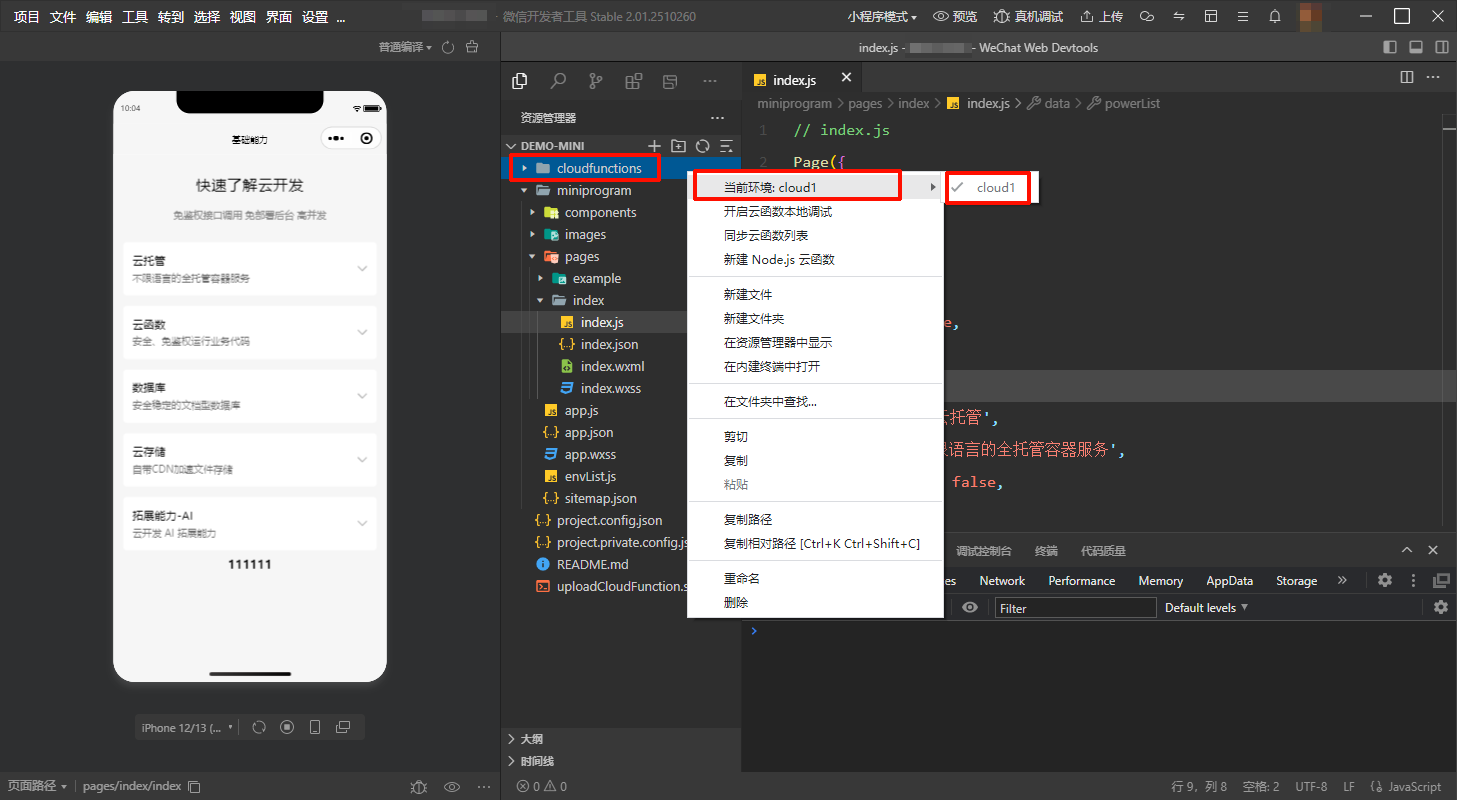
- 右键
cloudfunctions->当前环境->选择环境
创建云函数
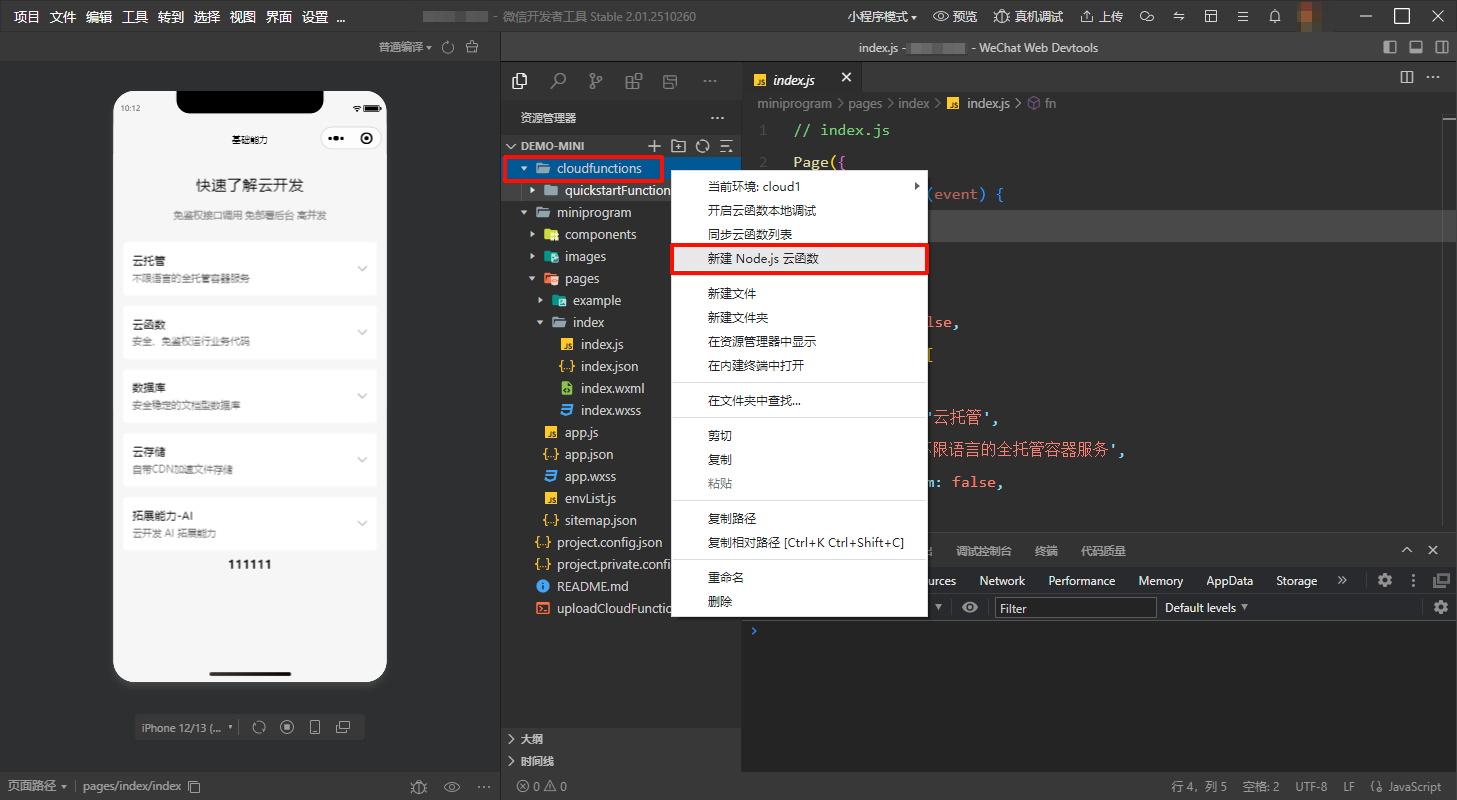
- 右键
cloudfunctions->新建 Node.js 云函数->定义云函数名称,确认后会自动上传
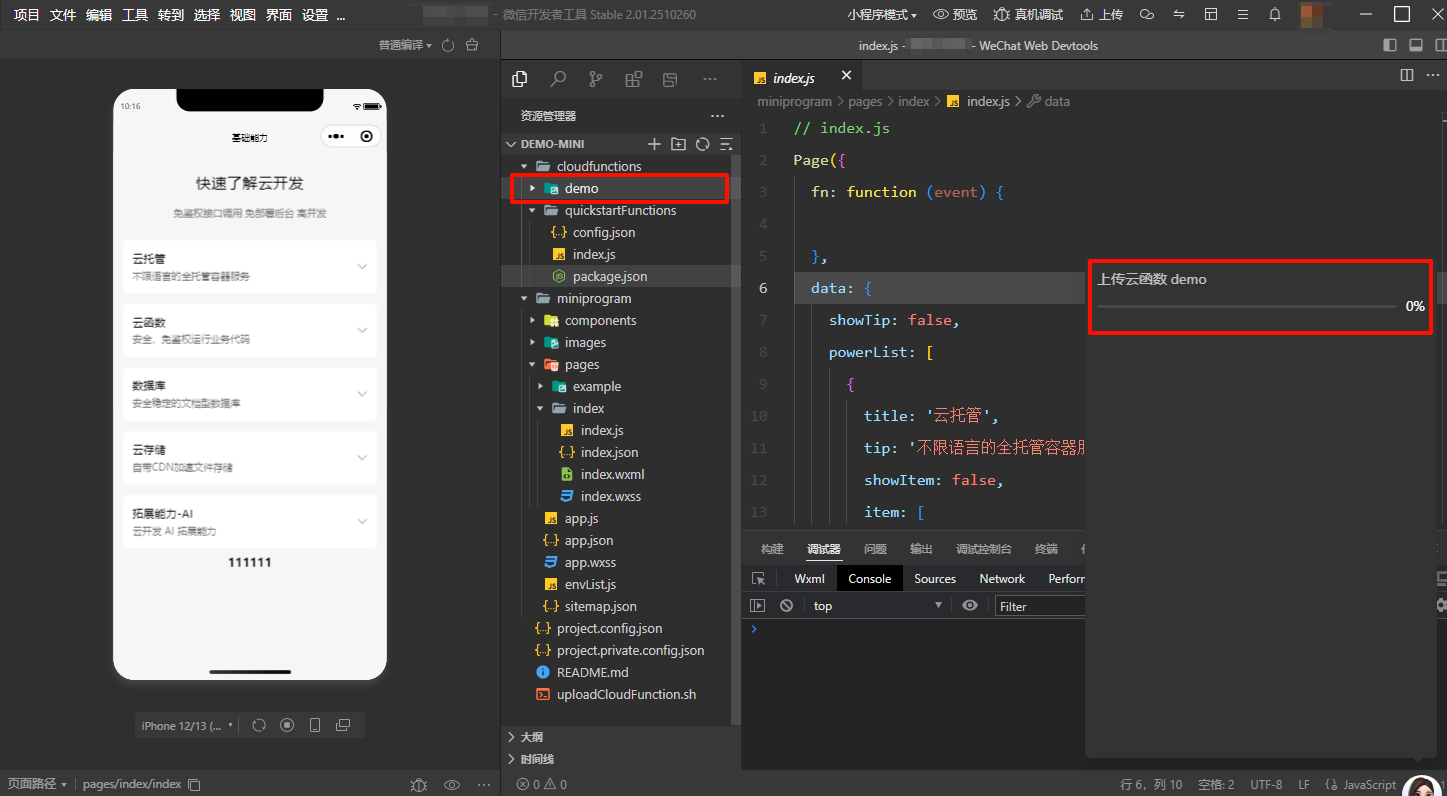
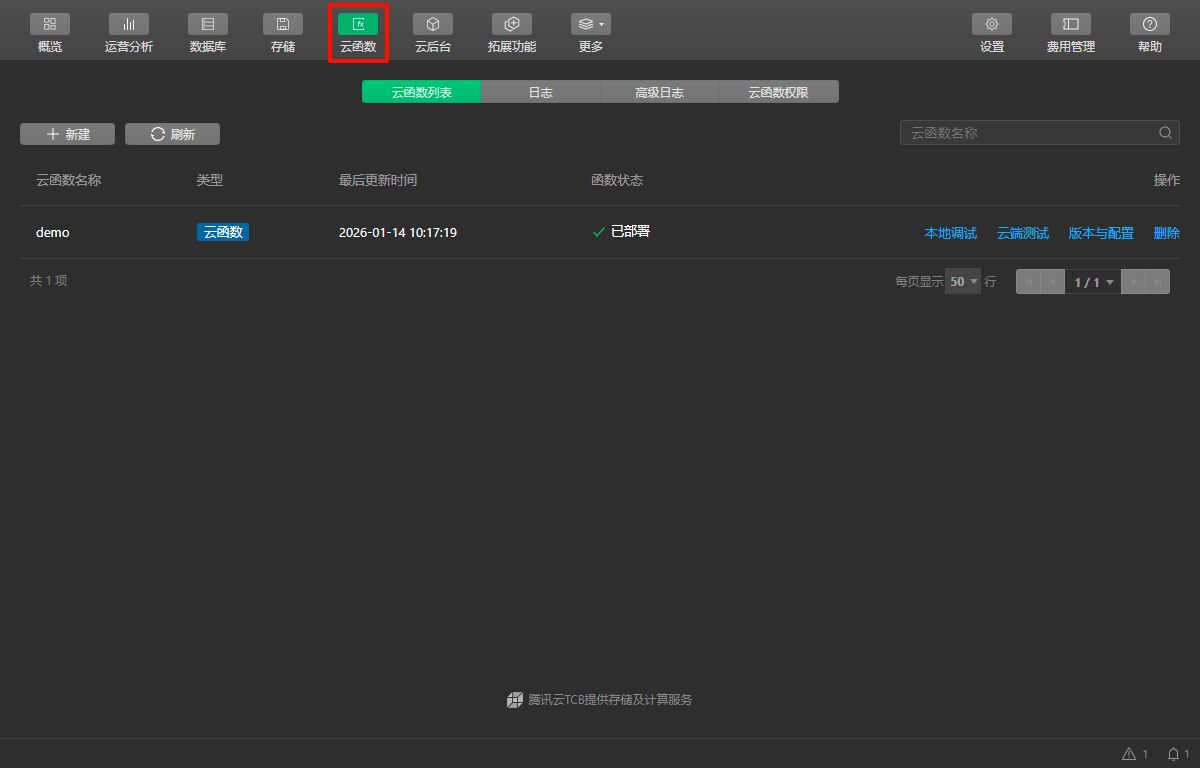
云函数->当云函数的函数状态为已部署时表示部署完成,可以正常调用
使用云函数
修改云函数定义
cloudfunctions/<cloud_function_name>/index.js1
2
3
4
5
6
7
8
| const cloud = require('wx-server-sdk')
cloud.init({ env: cloud.DYNAMIC_CURRENT_ENV })
exports.main = async (event, context) => {
console.log(event.key);
return "ok"
}
|
获取openid、appid、unionid
1
2
3
4
| const wxContext = cloud.getWXContext();
console.log(wxContext.OPENID);
console.log(wxContext.APPID);
console.log(wxContext.UNIONID);
|
小程序调用云函数
miniprogram/pages/<page_name>/index.js1
2
3
4
5
6
7
8
9
10
| Page({
fn: function () {
wx.cloud.callFunction({
name: "<cloud_function_name>",
data: {
key: "value"
}
})
}
});
|
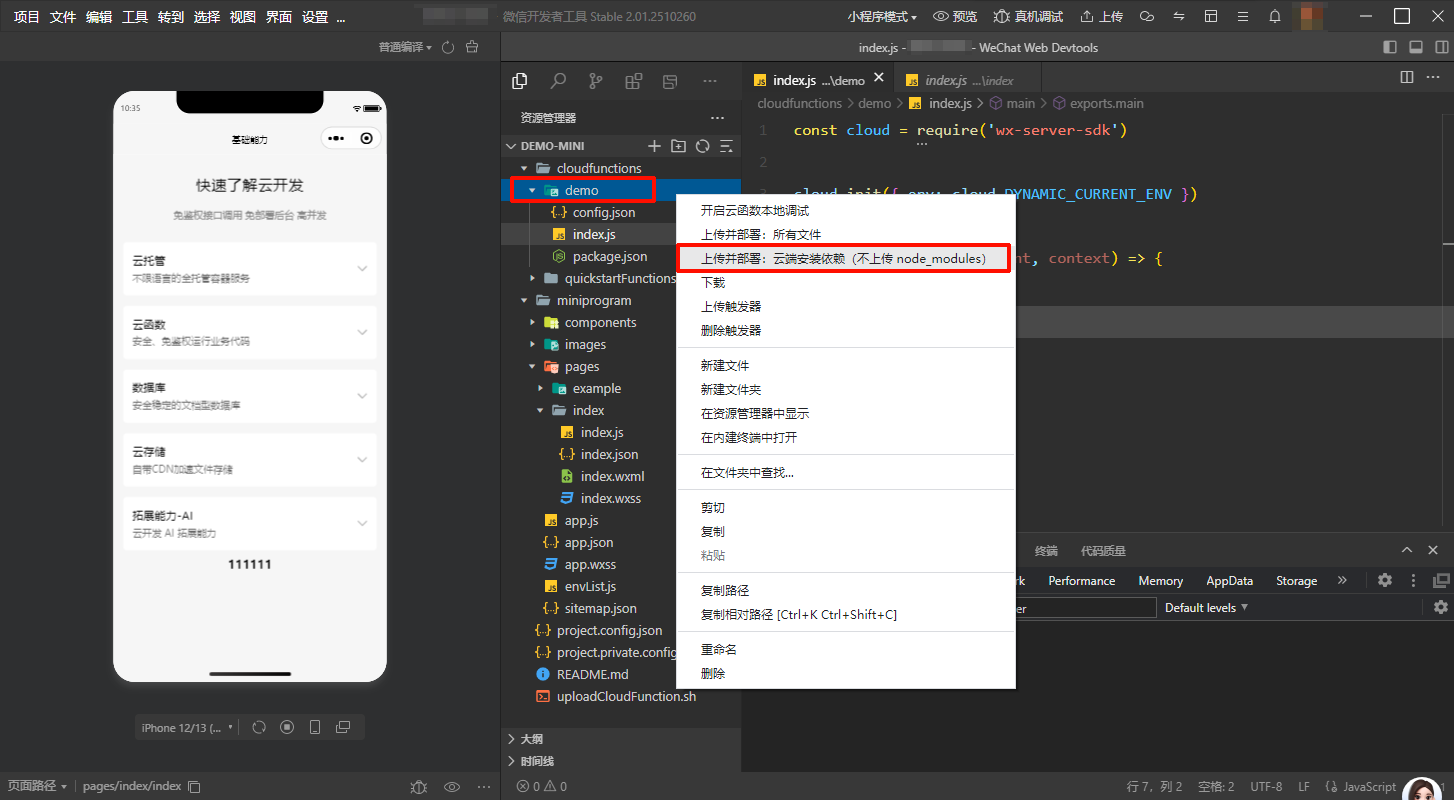
重新上传云函数
云函数调试
远程调试
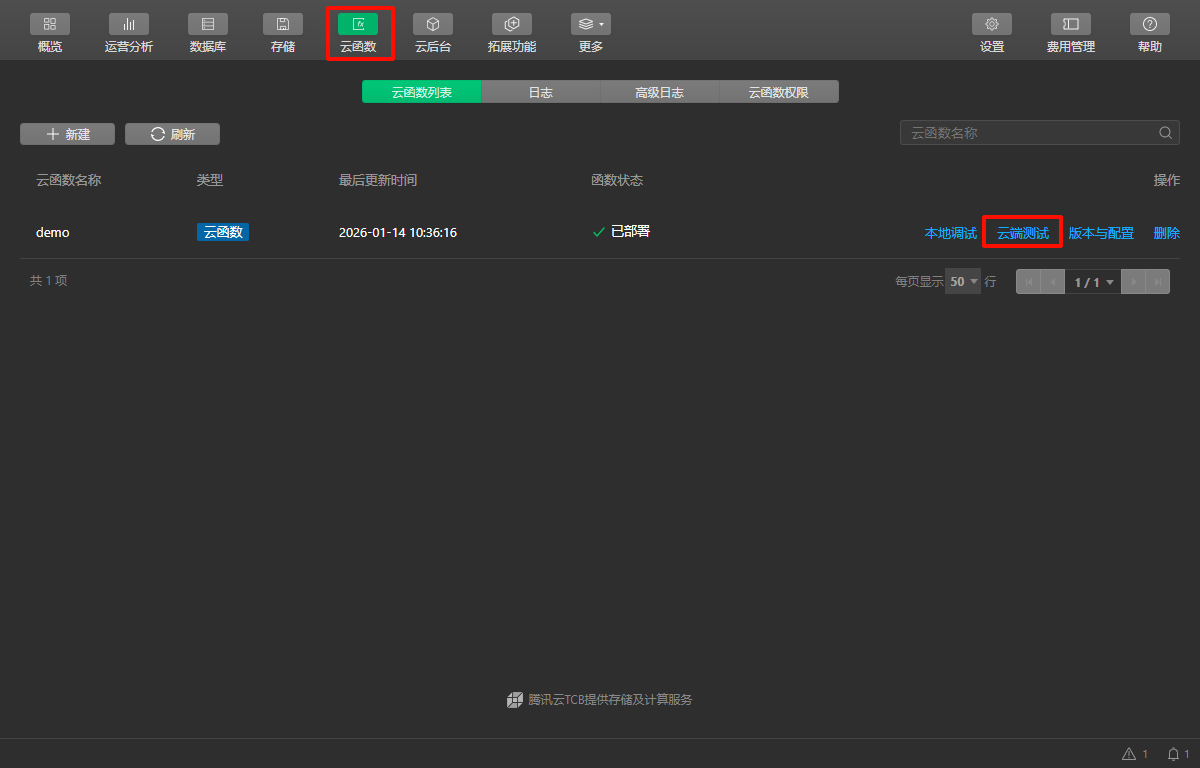
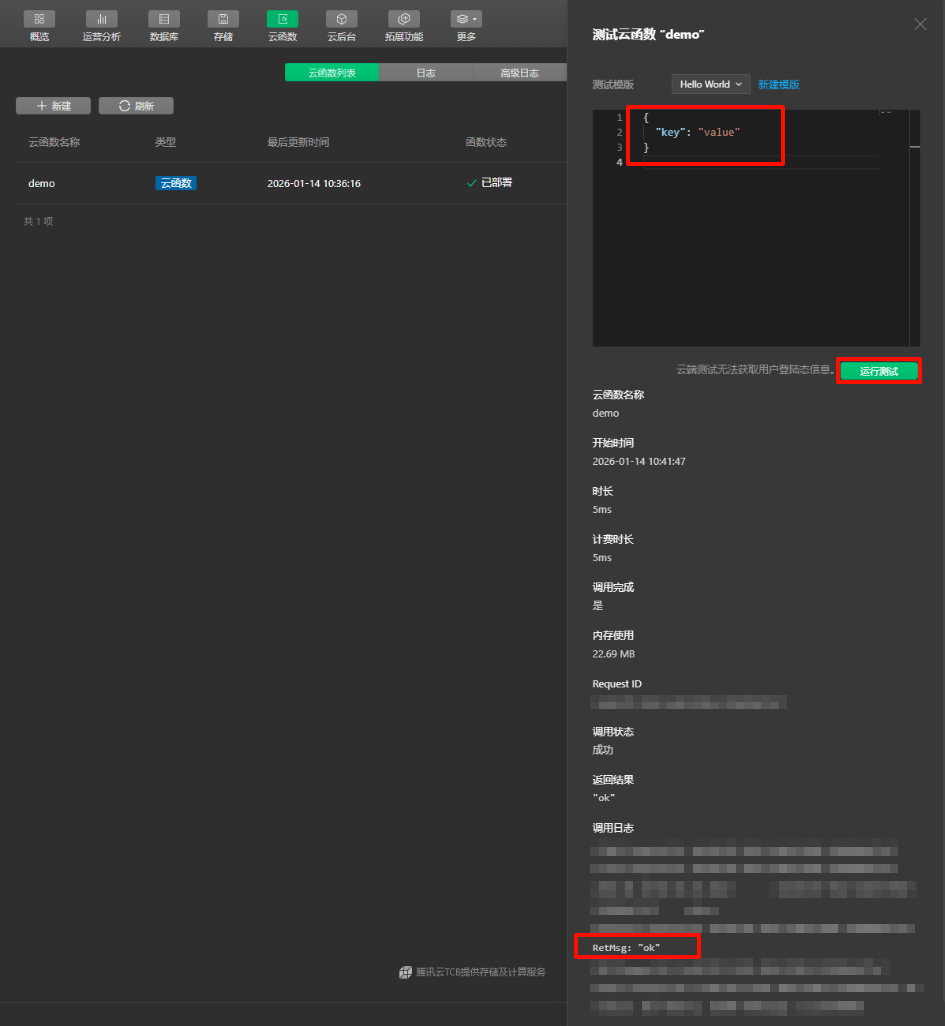
本地调试
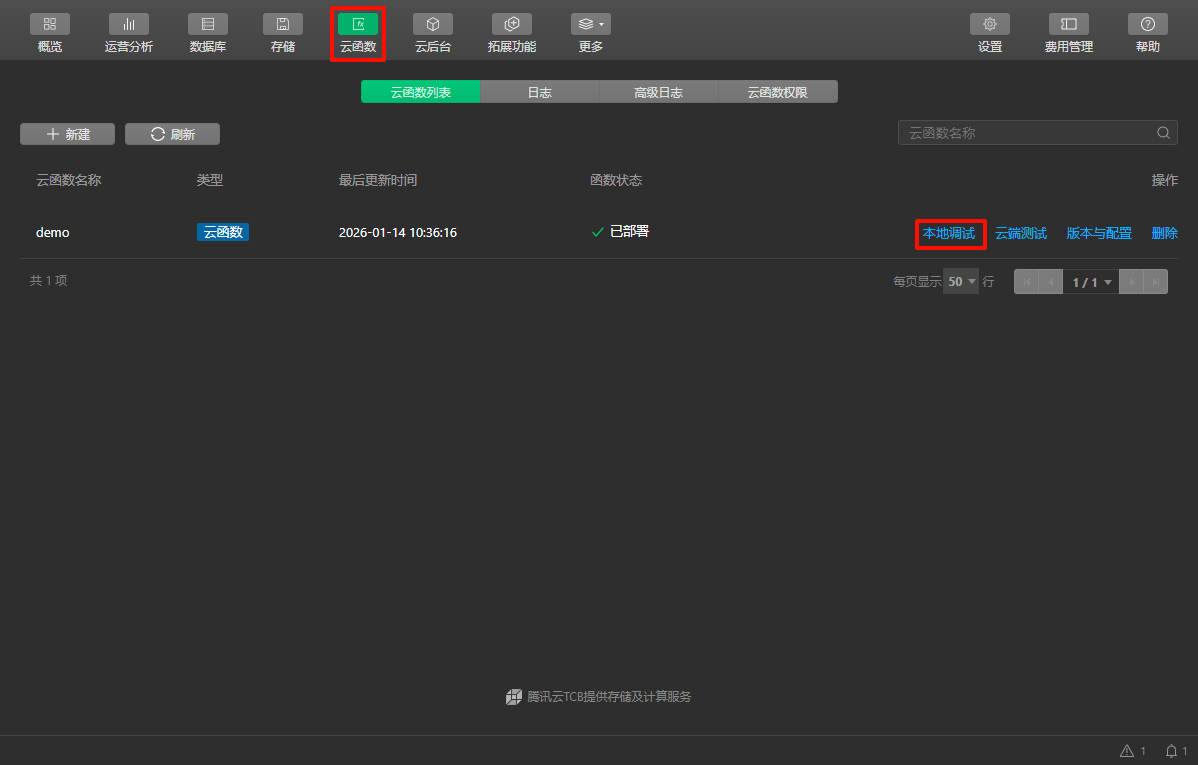
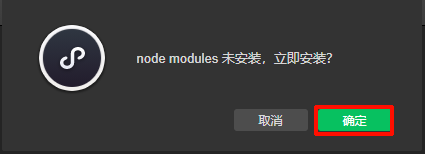
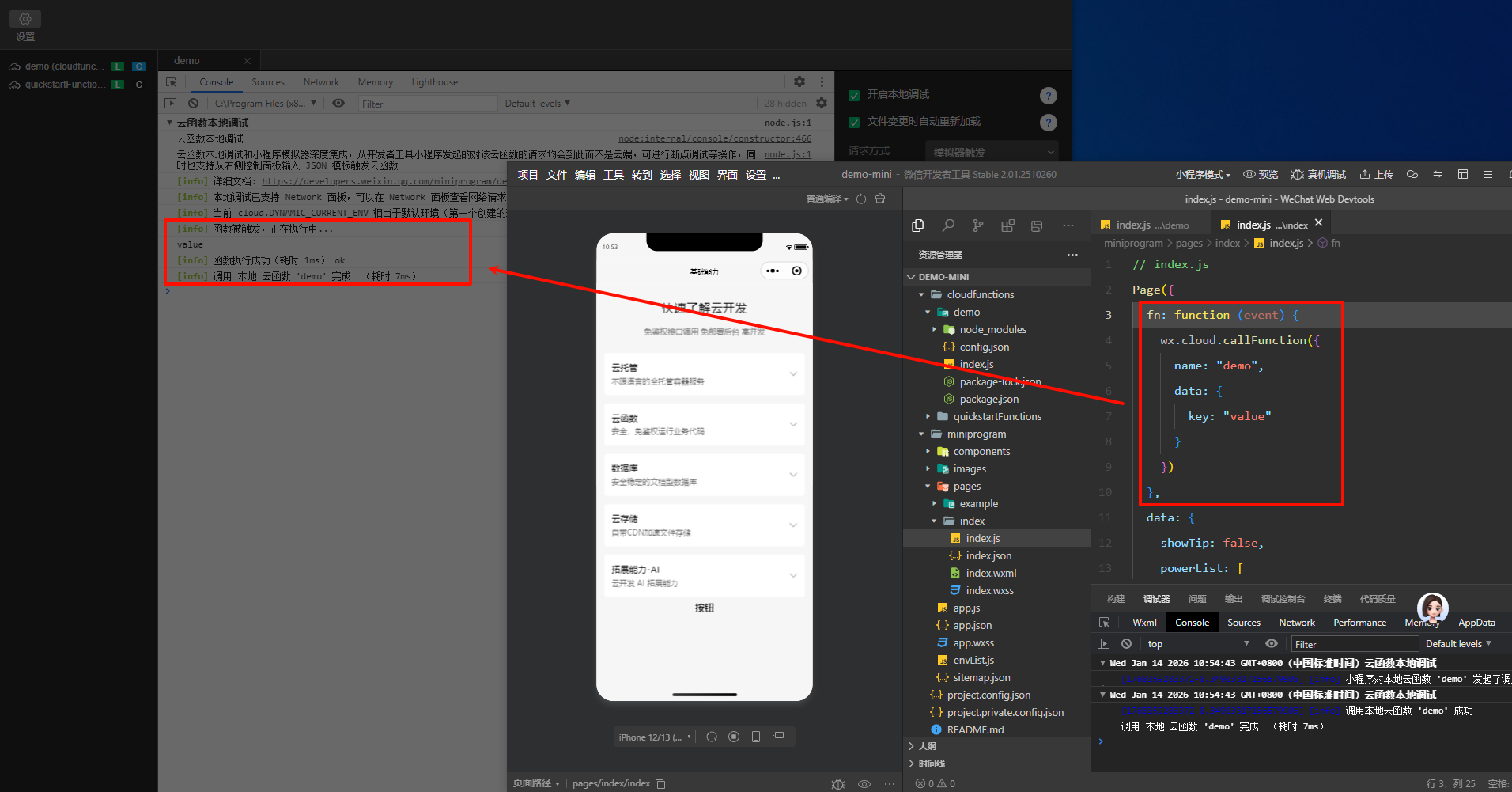
完成