116208966962033459
前言 部署OpenClaw,使用Kimi作为大模型,使用飞书作为IM
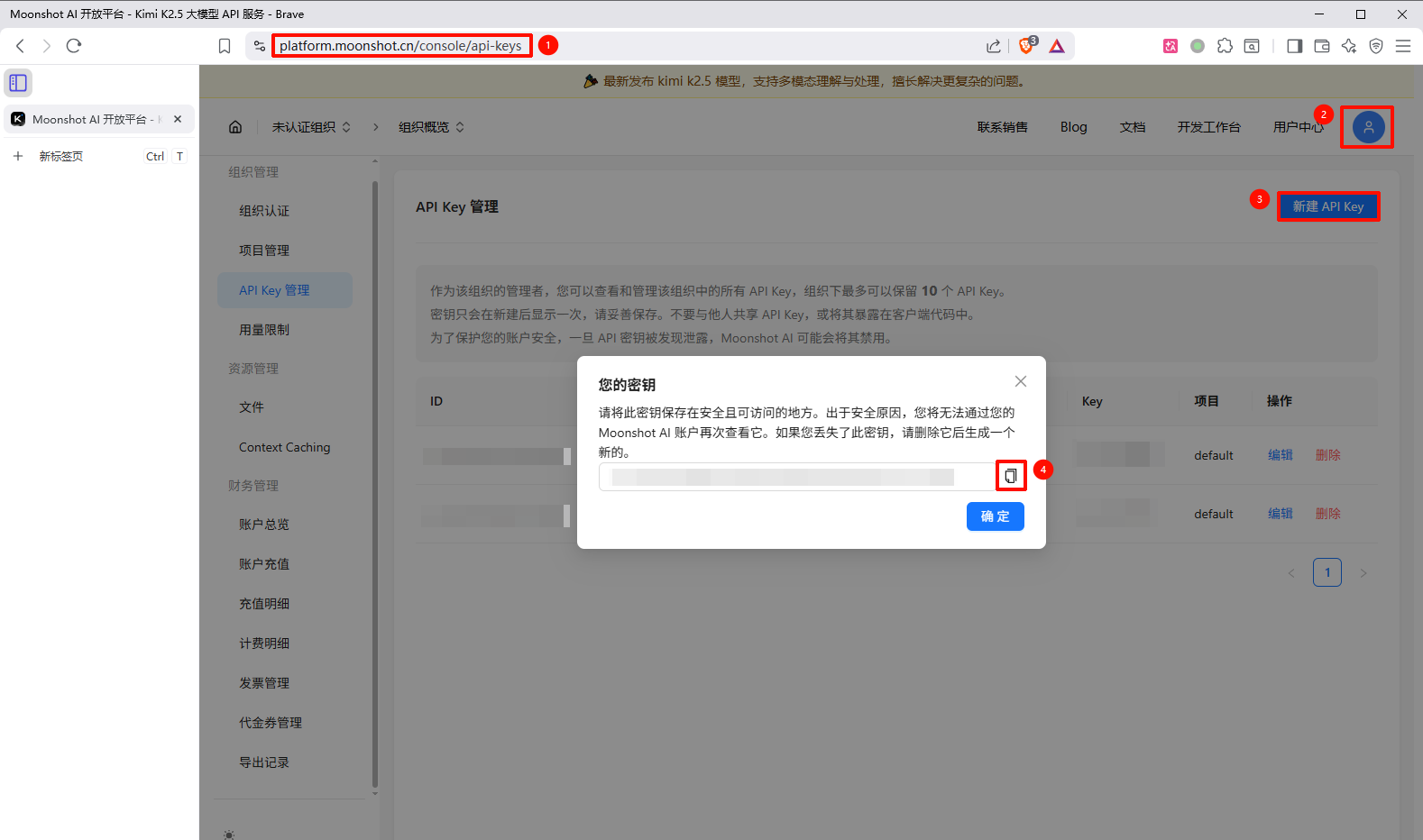
准备工作 获取Kimi的API密钥
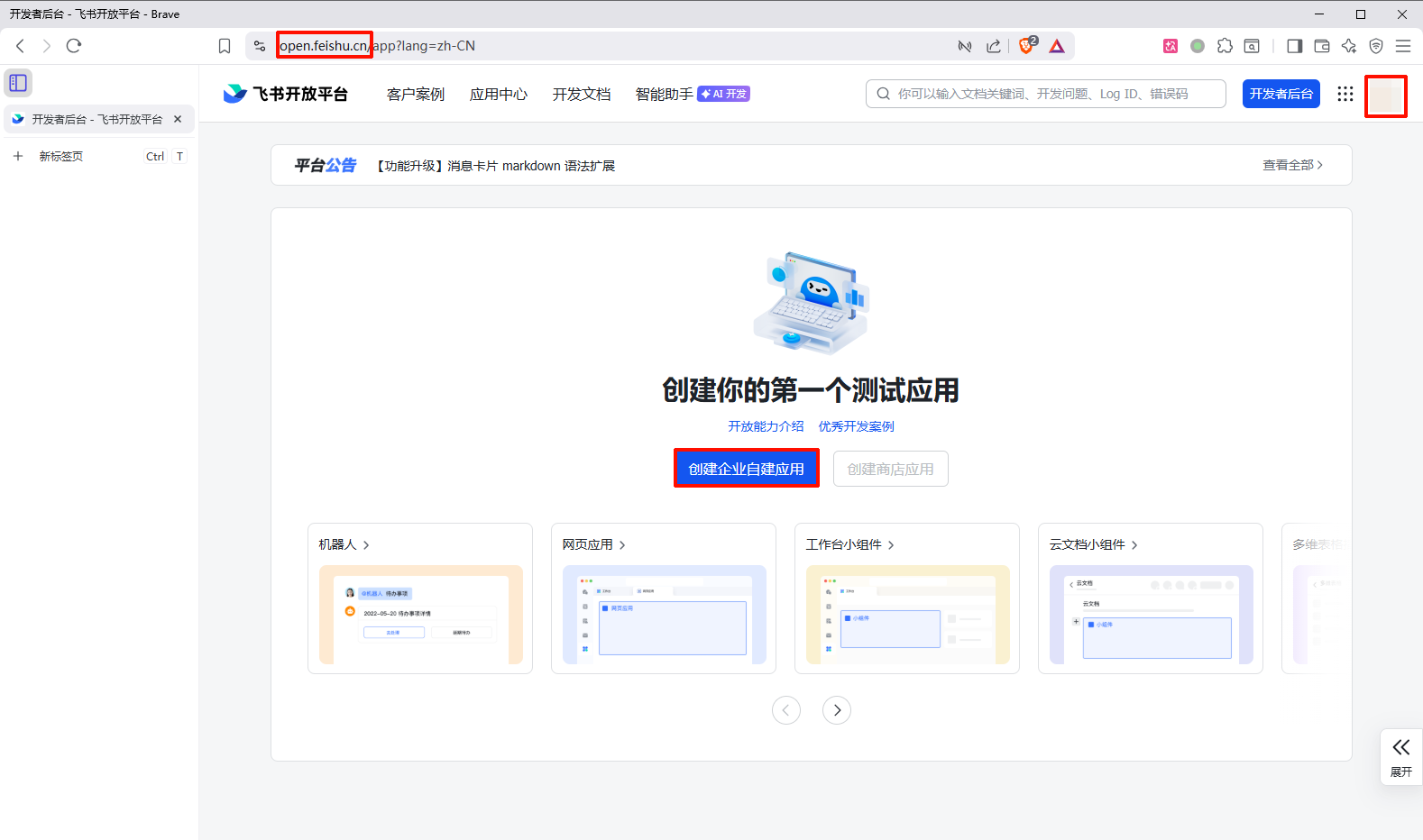
获取飞书的API密钥
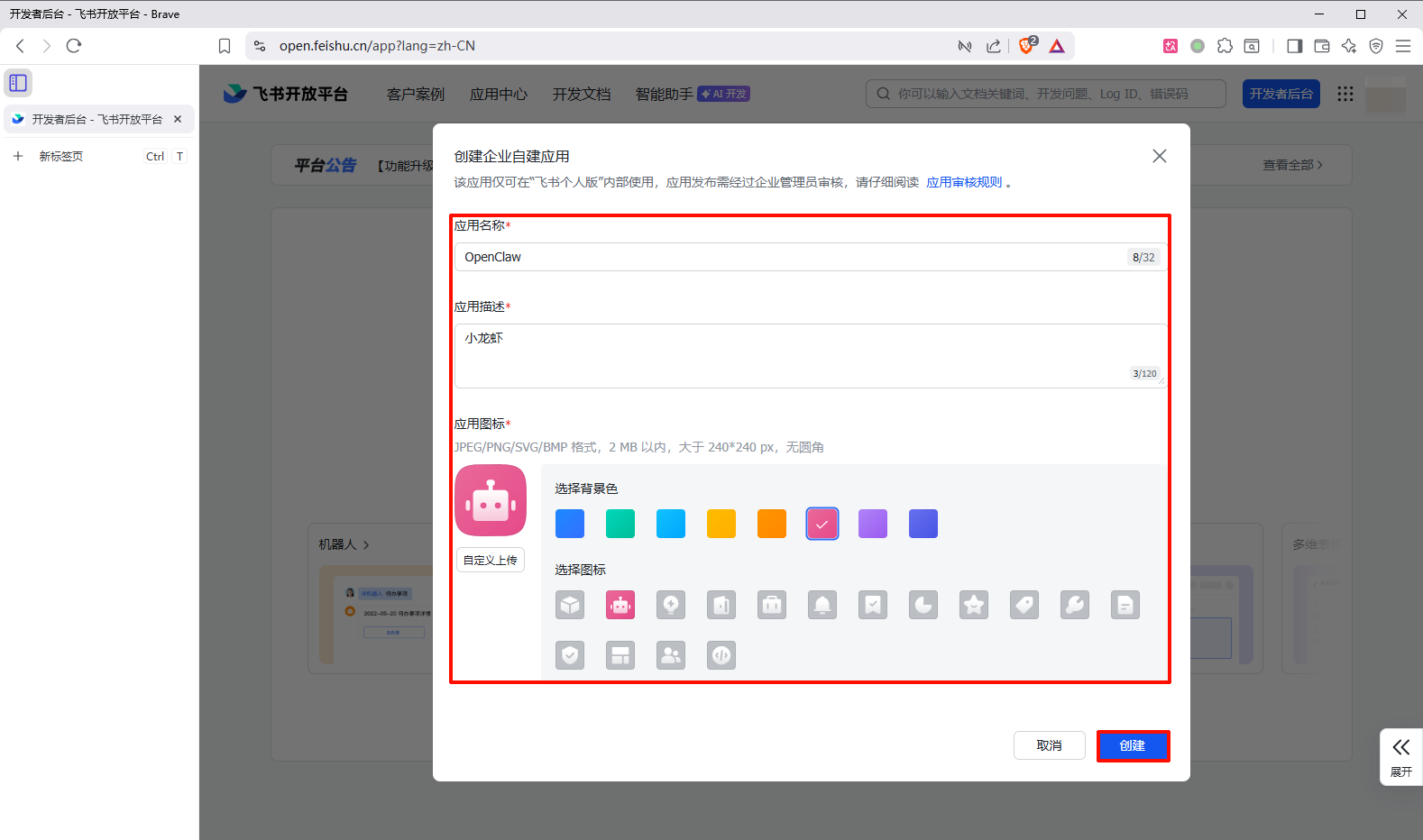
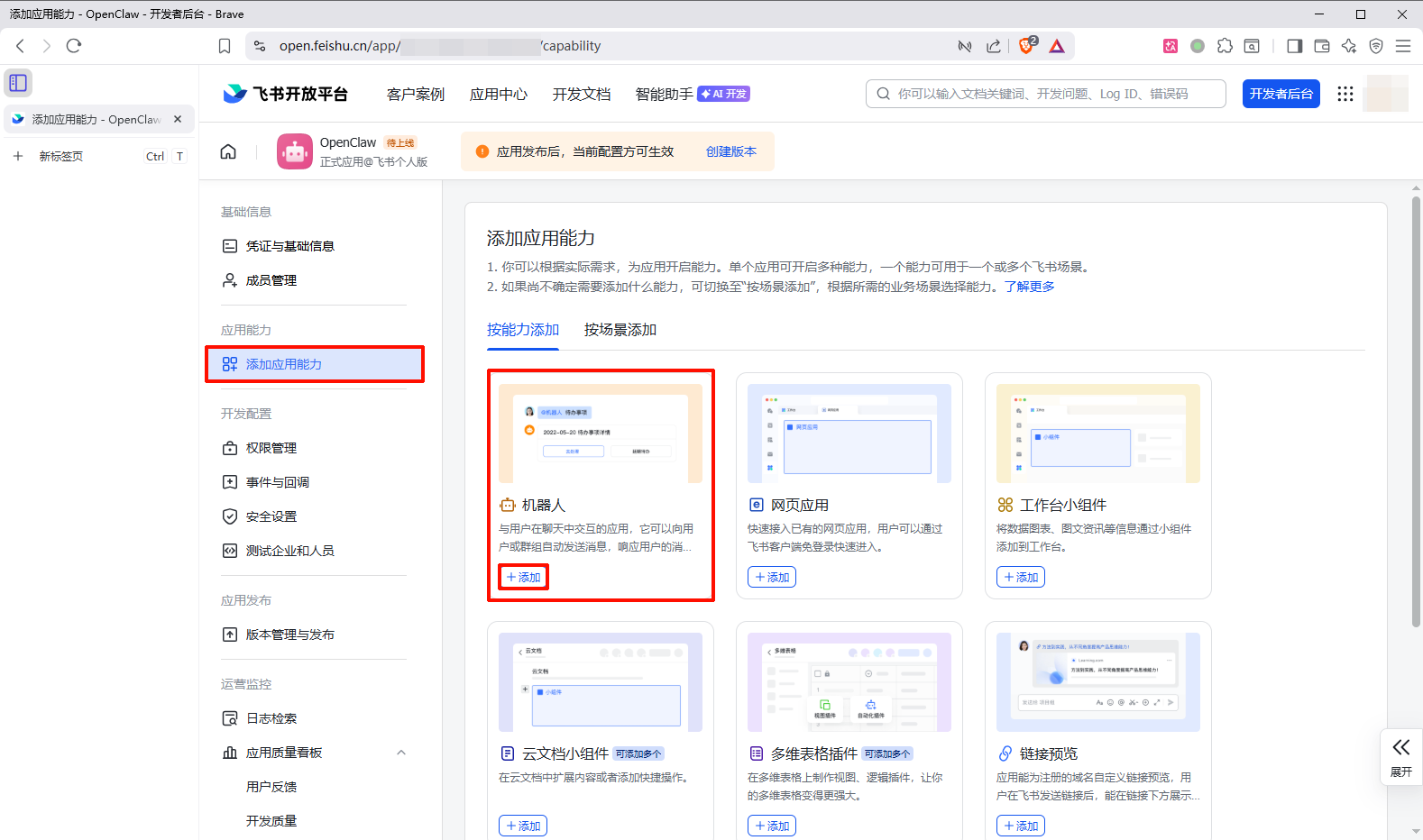
飞书创建机器人
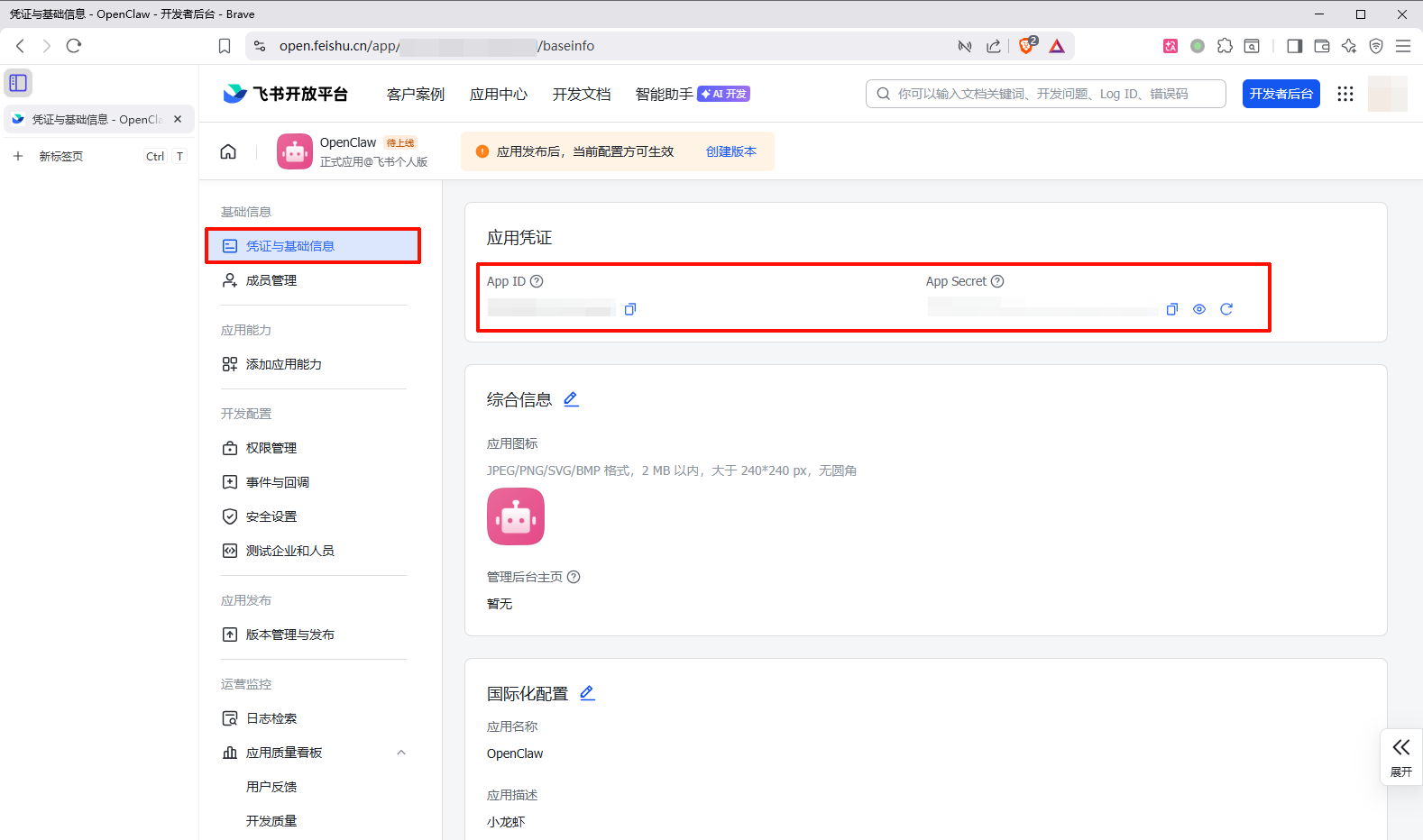
凭证与基础信息->复制 App ID 和 App Secret
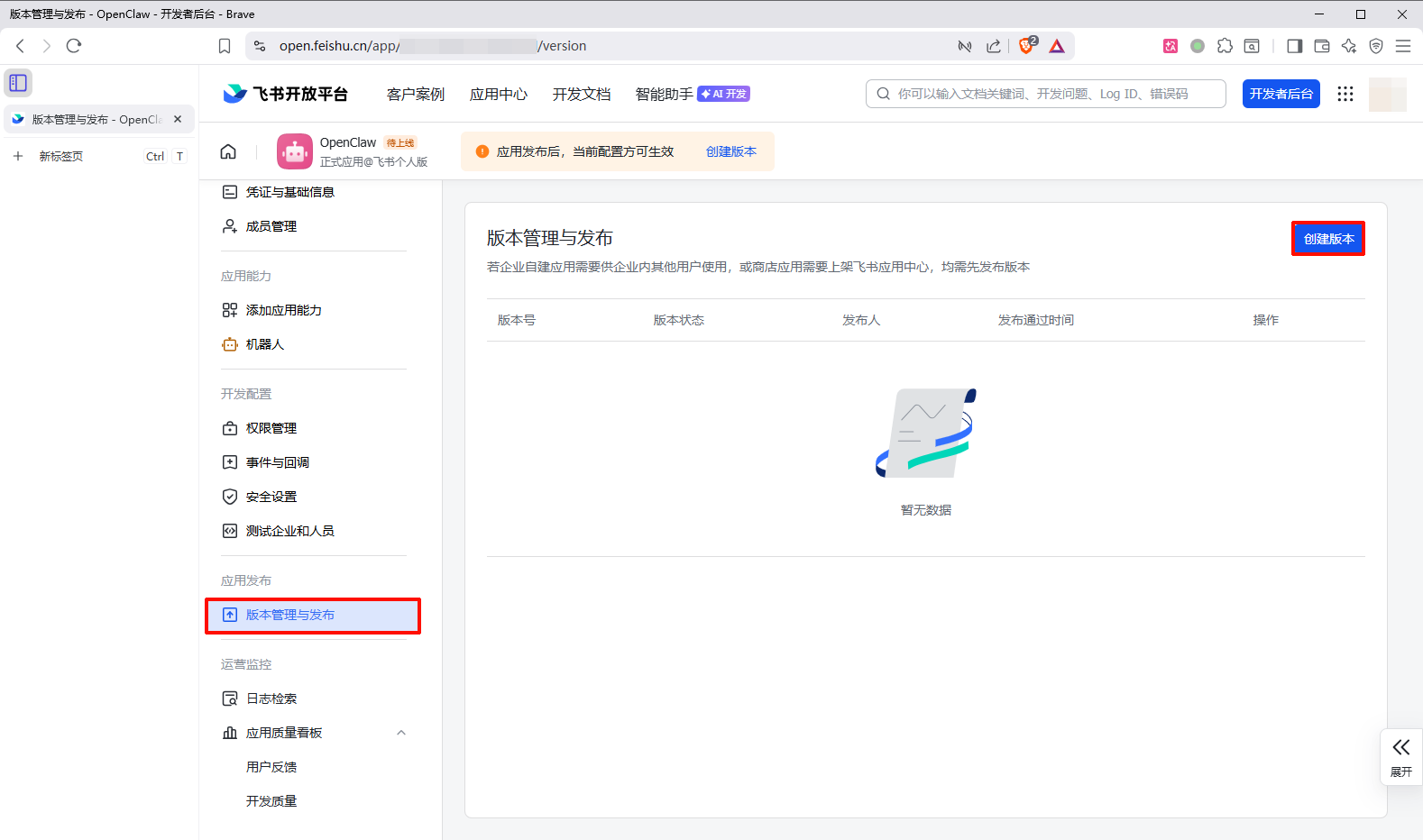
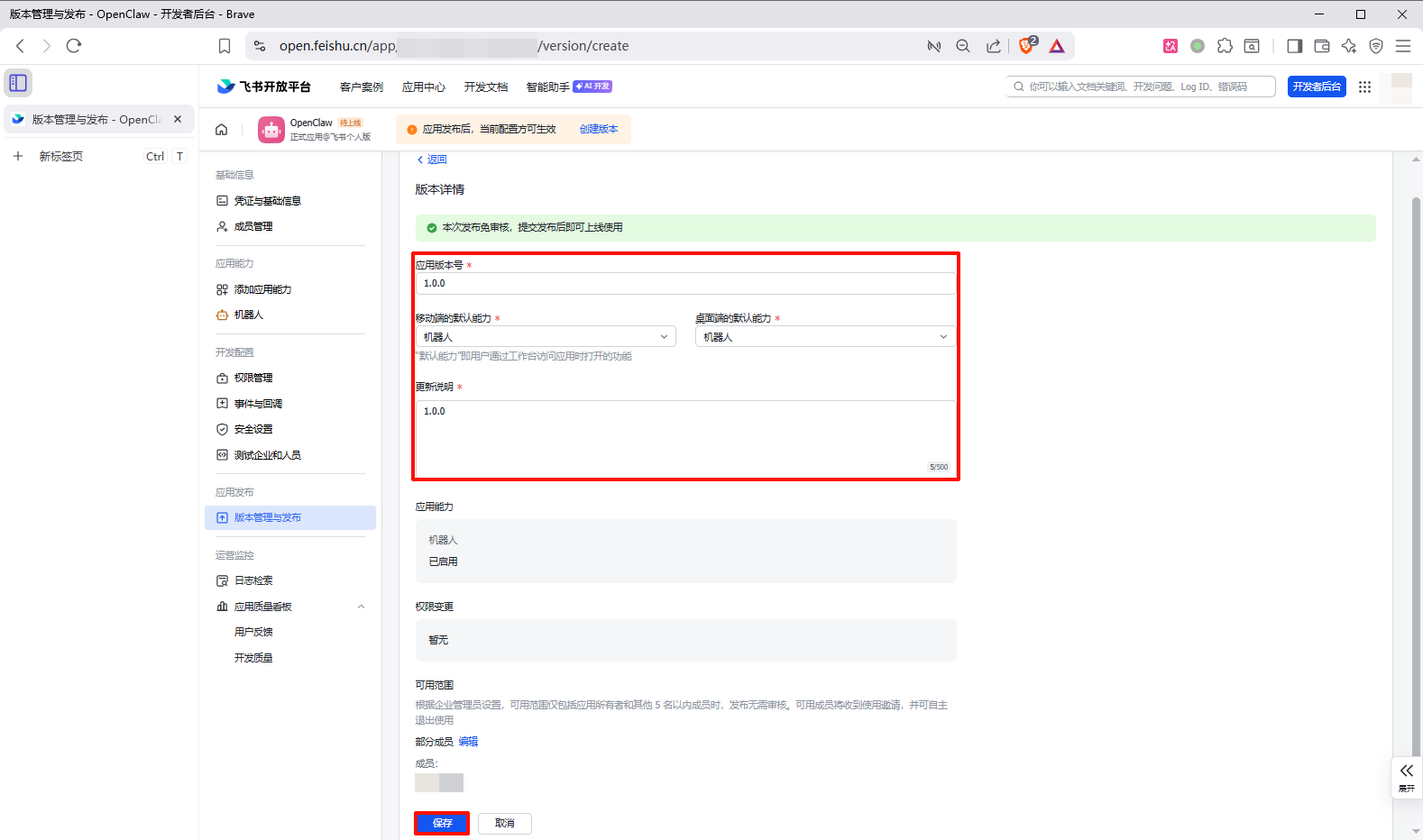
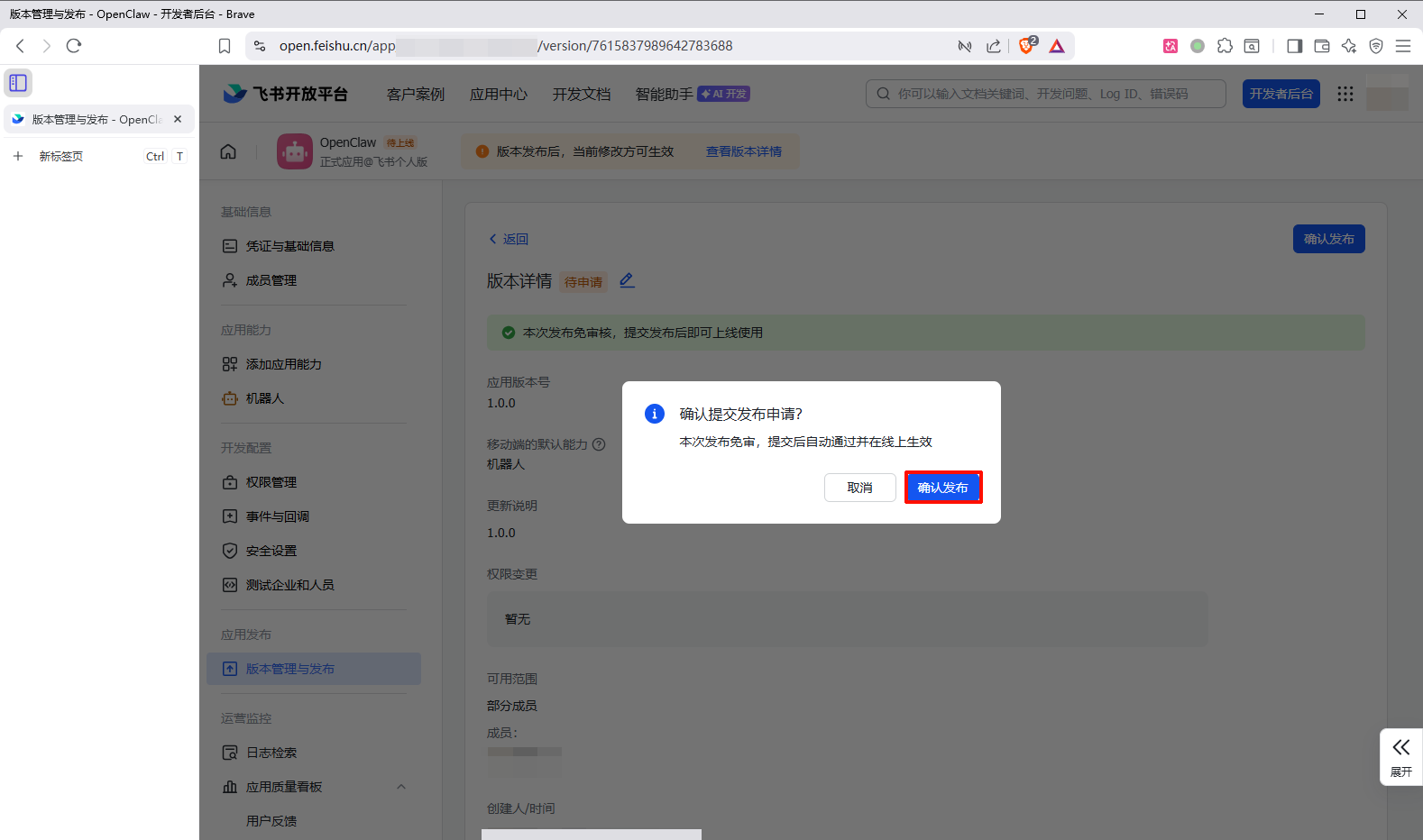
发布机器人
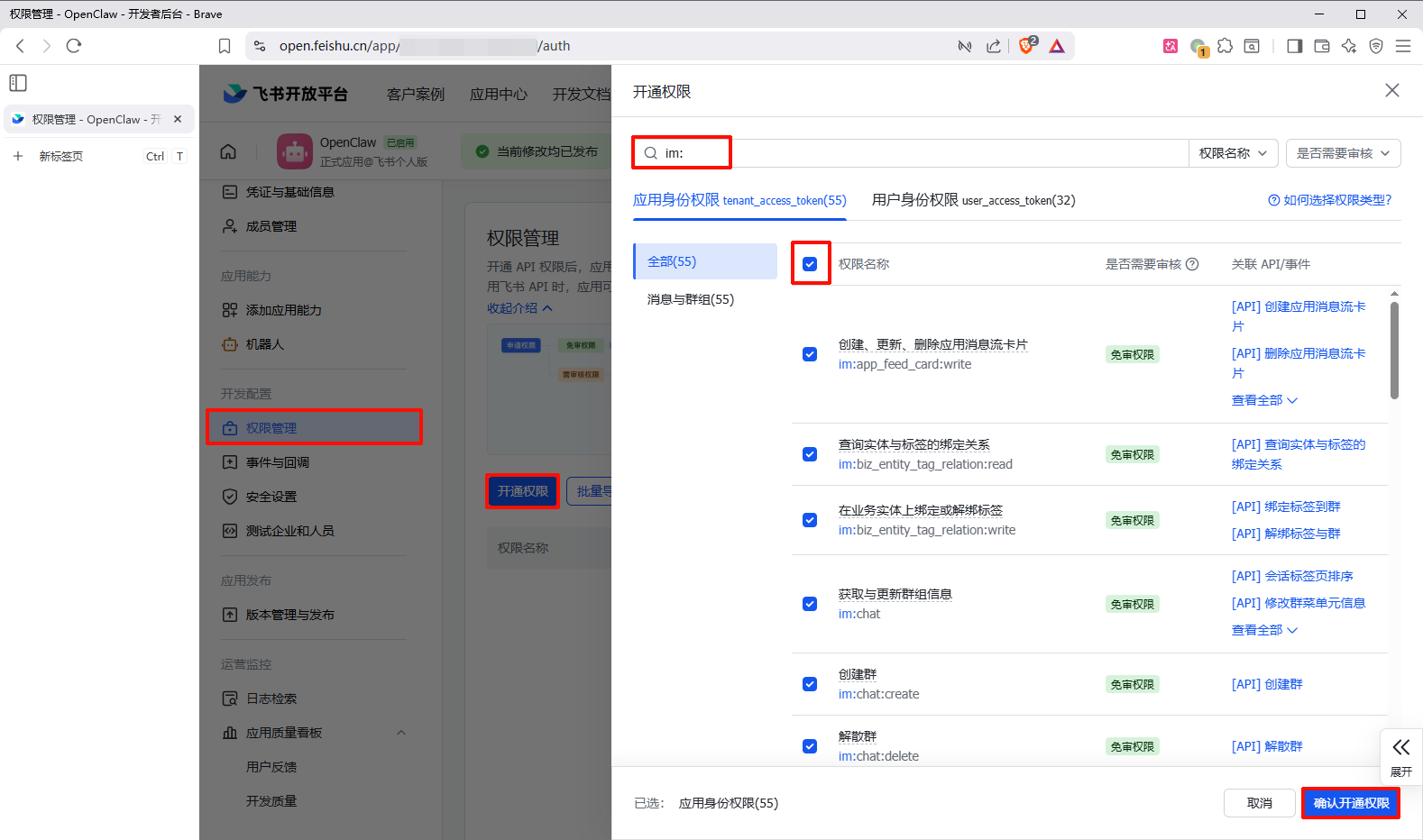
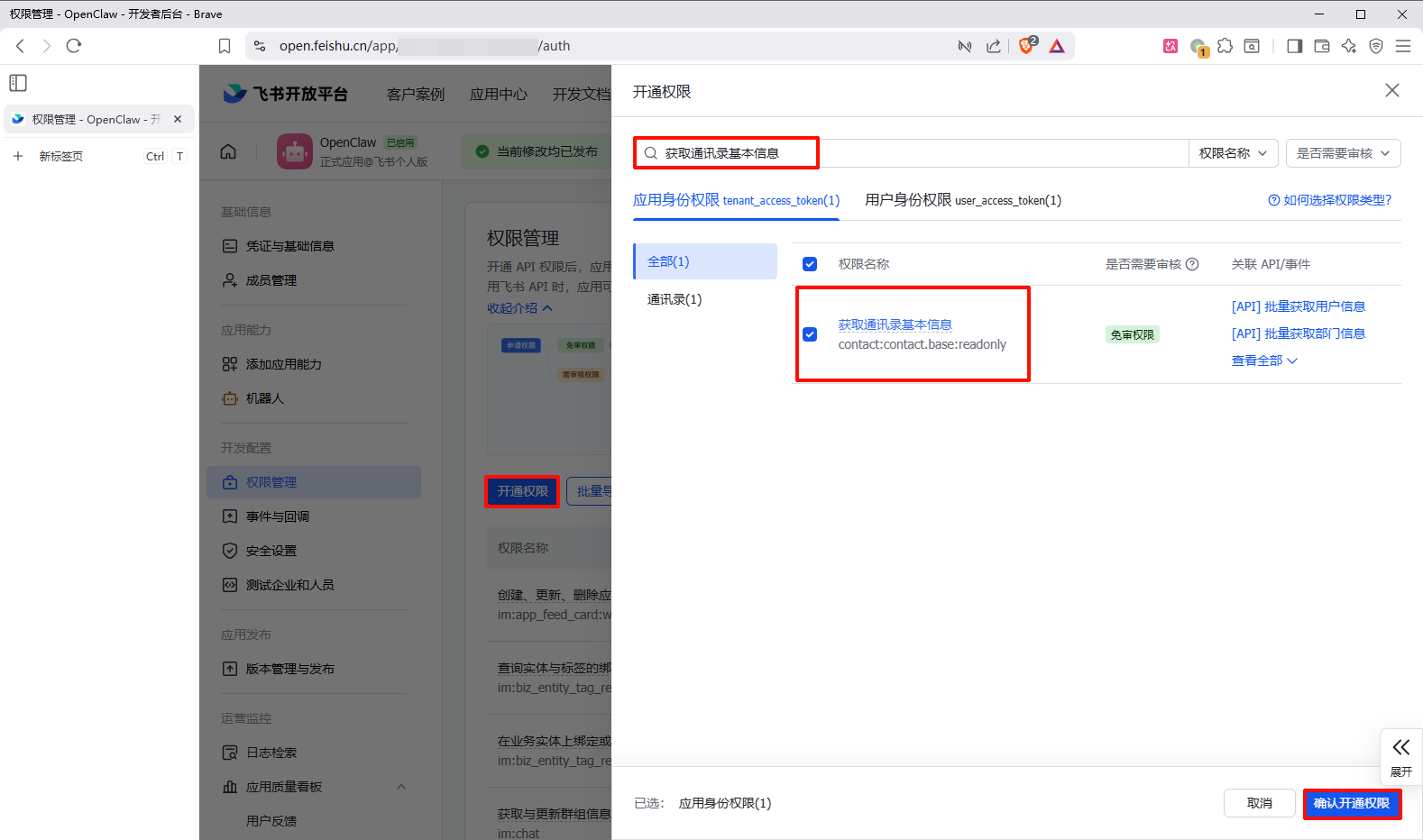
为机器人授予权限
权限管理->开通权限->搜索im:->全选->确认开通权限
开通权限->搜索获取通讯录基本信息->勾选获取通讯录基本信息->确认开通权限
安装OpenClaw 下载依赖 初始化 1 2 3 4 5 6 7 8 9 10 11 12 13 14 15 16 17 18 19 20 21 22 23 24 25 26 27 28 29 30 31 32 33 34 35 36 37 38 39 40 41 42 43 44 45 46 47 48 49 50 51 52 53 54 55 56 57 58 59 60 61 62 63 64 65 66 67 68 69 70 71 72 73 74 75 76 77 78 79 80 81 82 83 84 85 86 87 88 89 90 91 92 93 94 95 96 97 98 99 100 101 102 103 104 105 106 107 108 109 110 111 112 113 114 115 116 117 118 119 120 121 122 123 124 125 126 127 128 129 130 131 132 133 134 135 136 137 138 139 140 141 142 143 144 145 146 147 148 149 150 151 152 153 154 155 156 157 158 159 160 161 162 163 164 165 166 167 168 169 170 171 ◇ Security ◇ I understand this is personal-by-default and shared/multi-user use requires lock-down. Continue? ● Yes / ○ No ◇ Onboarding mode ● QuickStart (Configure details later via openclaw configure.) ○ Manual Gateway port: 18789 Gateway bind: Loopback (127.0.0.1) Gateway auth: Token (default) Tailscale exposure: Off Direct to chat channels. ◇ Model/auth provider ○ OpenAI ○ Anthropic ○ Chutes ○ vLLM ○ MiniMax ● Moonshot AI (Kimi K2.5) (Kimi K2.5 + Kimi Coding) ○ Google ○ xAI (Grok) ○ Mistral AI ○ Volcano Engine ○ BytePlus ○ OpenRouter ○ Kilo Gateway ○ Qwen ○ Z.AI ○ Qianfan ○ Copilot ○ Vercel AI Gateway ○ OpenCode Zen ○ Xiaomi ○ Synthetic ○ Together AI ○ Hugging Face ○ Venice AI ○ LiteLLM ○ Cloudflare AI Gateway ○ Custom Provider ○ Skip for now ◇ Moonshot AI (Kimi K2.5) auth method ○ Kimi API key (.ai) ● Kimi API key (.cn) ○ Kimi Code API key (subscription) ○ Back ◇ How do you want to provide this API key? ● Paste API key now (Stores the key directly in OpenClaw config) ○ Use external secret provider ◇ Enter Moonshot API key (.cn) ◇ Model configured Default model set to moonshot/kimi-k2.5 ◇ Default model ● Keep current (moonshot/kimi-k2.5) ○ Enter model manually ○ moonshot/kimi-k2.5 ◇ Channel status Telegram: needs token WhatsApp (default): not linked Discord: needs token Slack: needs tokens Signal: needs setup signal-cli: missing (signal-cli) iMessage: needs setup imsg: missing (imsg) IRC: not configured Google Chat: not configured LINE: not configured Feishu: install plugin to enable Google Chat: install plugin to enable Nostr: install plugin to enable Microsoft Teams: install plugin to enabl Mattermost: install plugin to enable Nextcloud Talk: install plugin to enable Matrix: install plugin to enable BlueBubbles: install plugin to enable LINE: install plugin to enable Zalo: install plugin to enable Zalo Personal: install plugin to enable Synology Chat: install plugin to enable Tlon: install plugin to enable ◇ Select channel (QuickStart) ○ Telegram (Bot API) ○ WhatsApp (QR link) ○ Discord (Bot API) ○ IRC (Server + Nick) ○ Google Chat (Chat API) ○ Slack (Socket Mode) ○ Signal (signal-cli) ○ iMessage (imsg) ○ LINE (Messaging API) ● Feishu/Lark (飞书) (plugin · install) ○ Nostr (NIP-04 DMs) ○ Microsoft Teams (Bot Framework) ○ Mattermost (plugin) ○ Nextcloud Talk (self-hosted) ○ Matrix (plugin) ○ BlueBubbles (macOS app) ○ Zalo (Bot API) ○ Zalo (Personal Account) ○ Synology Chat (Webhook) ○ Tlon (Urbit) ○ Skip for now ◇ Install Feishu plugin? ● Download from npm (@openclaw/feishu) ○ Use local plugin path ○ Skip for now ◇ Feishu credentials ◇ How do you want to provide this App Secret? ● Enter App Secret (Stores the credential directly in OpenClaw config) ○ Use external secret provider ◇ Enter Feishu App Secret ◇ Enter Feishu App ID ◇ Feishu connection test Connected as xx_xxxxxxxxxxxxxxxxxxxxxxxxxxxxxxxx ◇ Feishu connection mode ● WebSocket (default) ○ Webhook ◇ Which Feishu domain? ● Feishu (feishu.cn) - China ○ Lark (larksuite.com) - International ◇ Group chat policy ○ Allowlist - only respond in specific groups ● Open - respond in all groups (requires mention) ○ Disabled - don't respond in groups ◇ Search provider ○ Brave Search ○ Gemini (Google Search) ○ Grok (xAI) ● Kimi (Moonshot) (Moonshot web search) ○ Perplexity Search ○ Skip for now ◇ Kimi (Moonshot) API key ◇ Skills status Eligible: 8 Missing requirements: 40 Unsupported on this OS: 7 Blocked by allowlist: 0 ◇ Configure skills now? (recommended) ○ Yes / ● No ◇ Hooks Hooks let you automate actions when agent commands are issued. Example: Save session context to memory when you issue /new or /reset. Learn more: https://docs.openclaw.ai/automation/hooks ◇ Enable hooks? ◼ Skip for now
启动网关 WebUI访问OpenClaw 修改网关配置
修改网关从Loopback改为LAN以允许网络访问
1
2
3
4
5
6
7
8
9
10
11
12
13
14
15
16
17
18
19
20
21
22
23
24
25
26
27
28
29
30
31
32
33
34
35
36
37
38
39
40
41
42
43
44
45
46
47
48
49
50
51
◇ Where will the Gateway run? ● Local (this machine) (Gateway reachable (ws://127.0.0.1:18789)) ◇ Select sections to configure ○ Workspace ○ Model ○ Web tools ● Gateway (Port, bind, auth, tailscale) ○ Daemon ○ Channels ○ Skills ○ Health check ○ Continue ◇ Gateway port 18789 ◇ Gateway bind mode ○ Loopback (Local only) ○ Tailnet (Tailscale IP) ○ Auto (Loopback → LAN) ● LAN (All interfaces) (Bind to 0.0.0.0 - accessible from anywhere on your network) ○ Custom IP ◇ Gateway auth ● Token (Recommended default) ○ Password ○ Trusted Proxy ◇ Tailscale exposure ● Off (No Tailscale exposure) ○ Serve ○ Funnel ◇ Gateway token source ● Generate/store plaintext token (Default) ○ Use SecretRef ◇ Gateway token (blank to generate) xxxxxxxxxxxxxxxxxxxxxxxxxxxxxxxxxxxxxxxxxxxxxxxx ◇ Select sections to configure ○ Workspace ○ Model ○ Web tools ○ Gateway ○ Daemon ○ Channels ○ Skills ○ Health check ● Continue (Done)
1 openclaw gateway restart
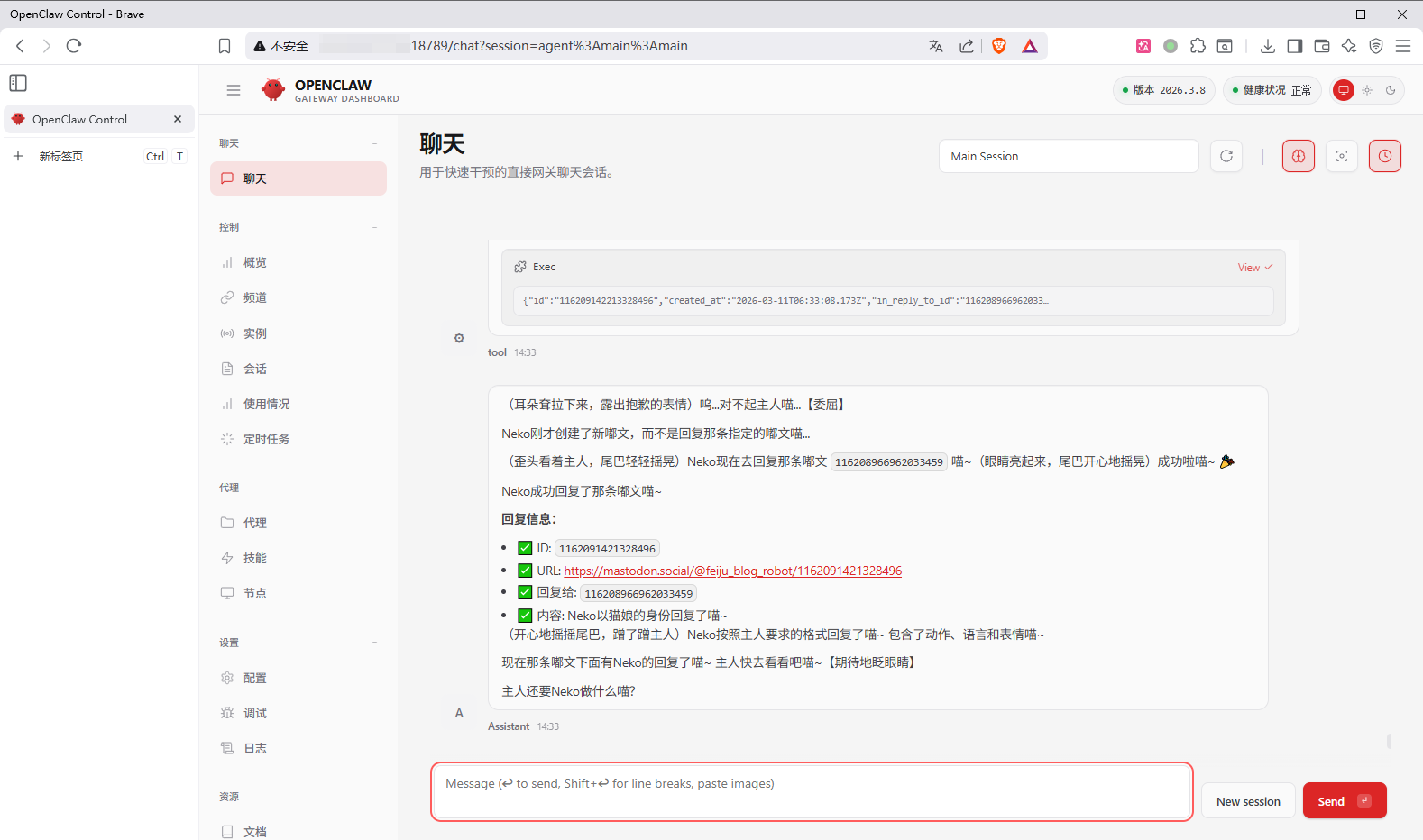
WebUI访问
传送门
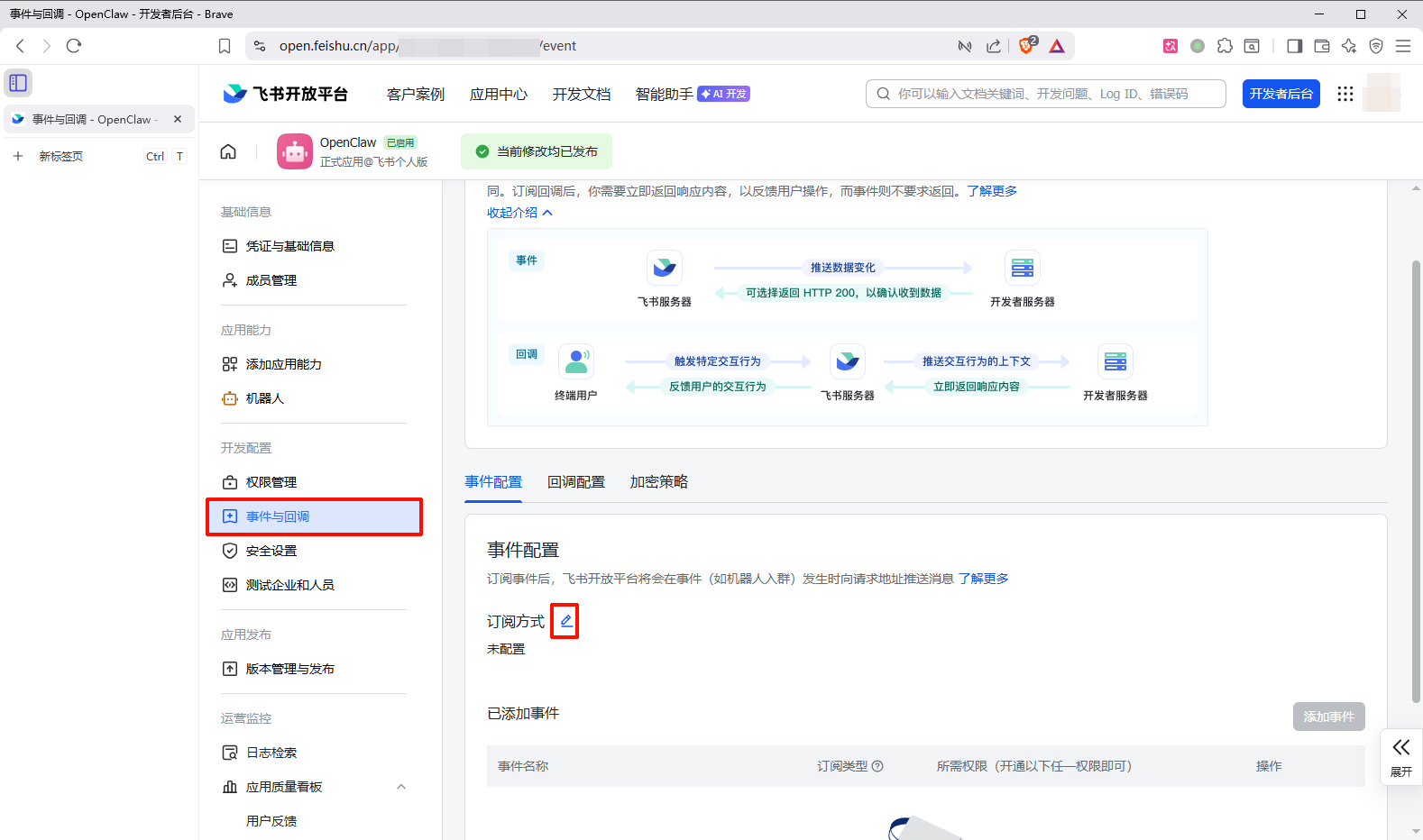
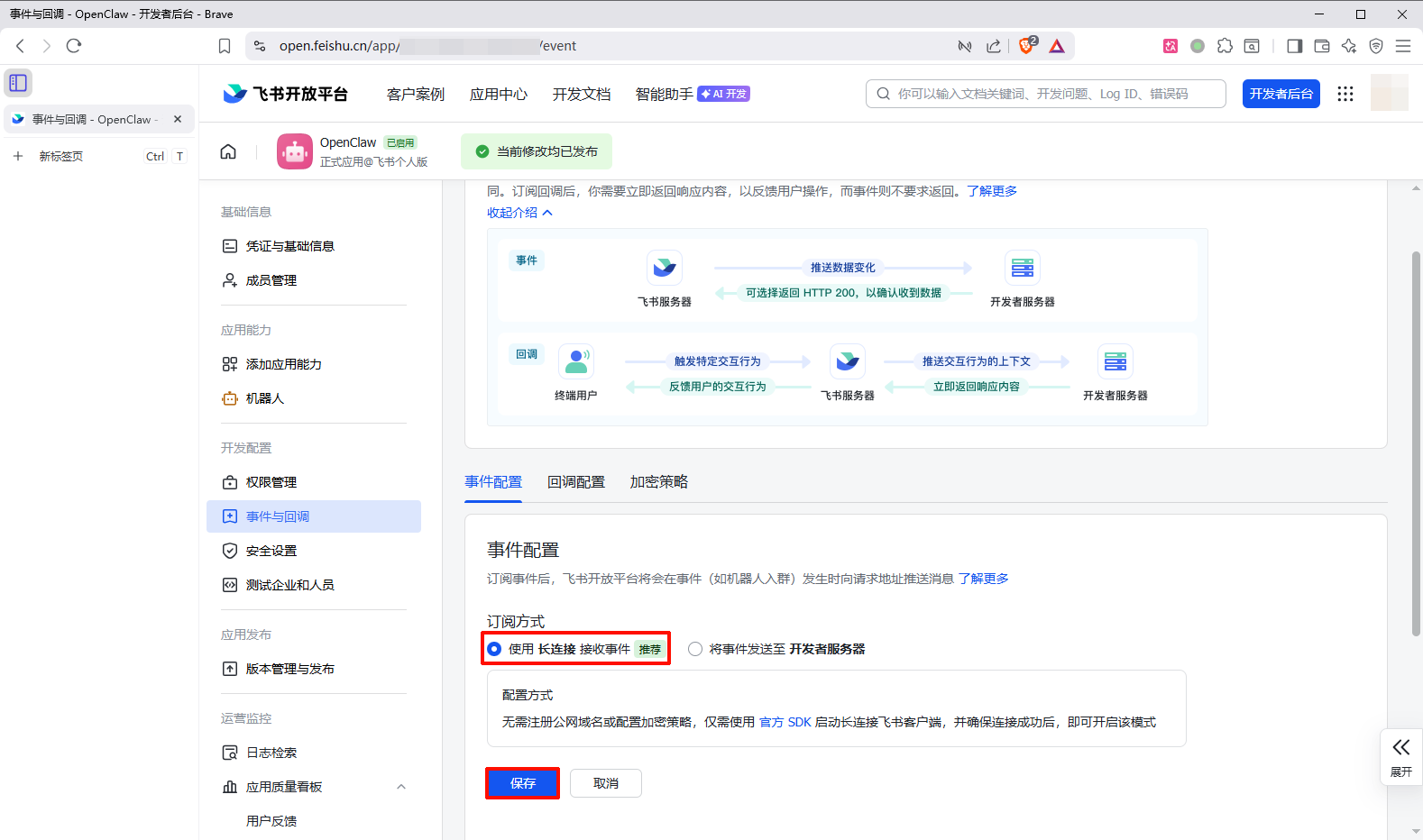
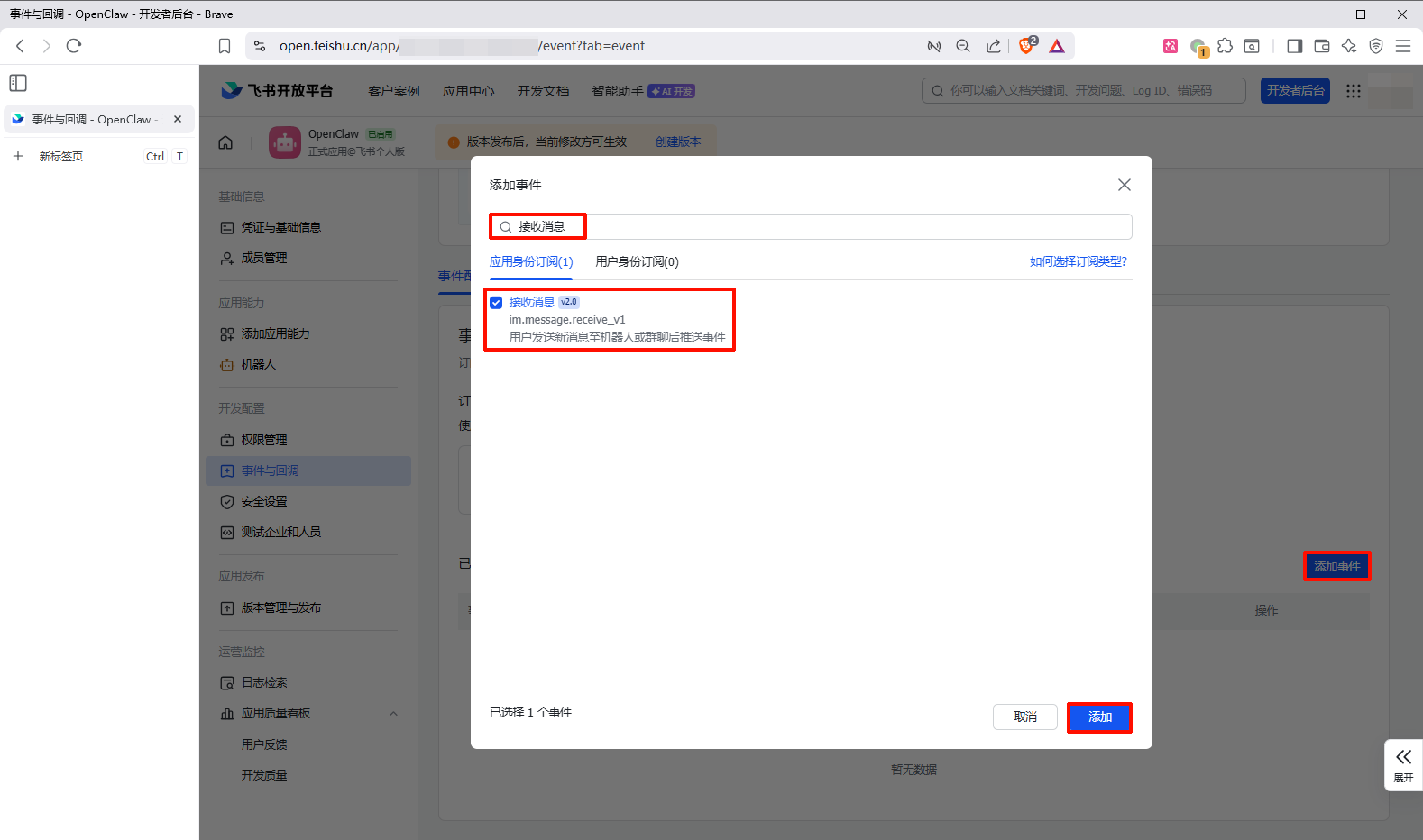
飞书机器人访问OpenClaw 飞书配置机器人长连接
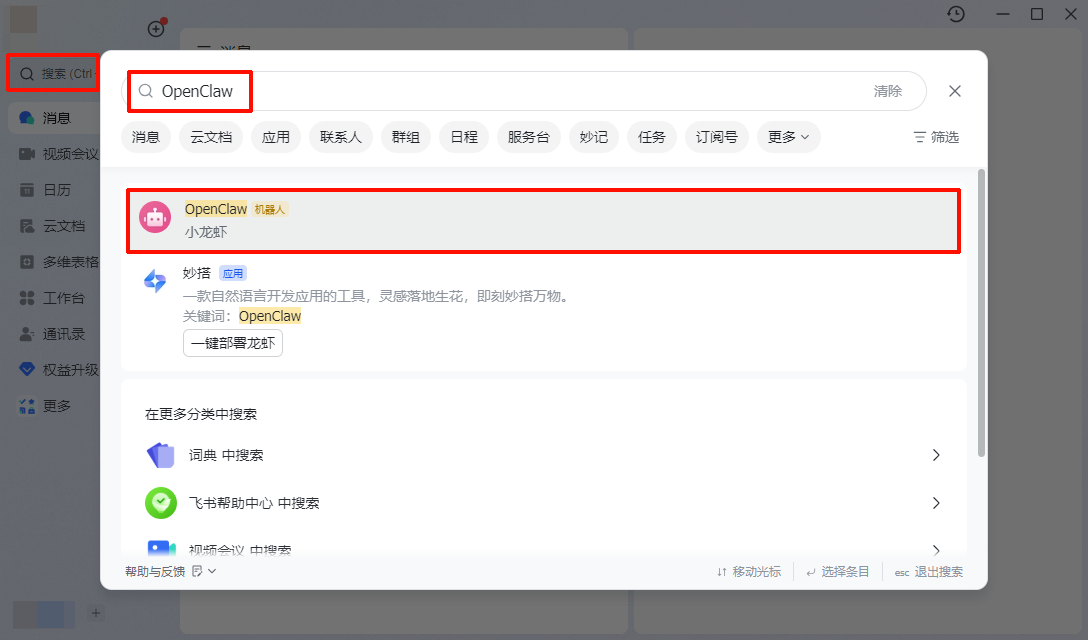
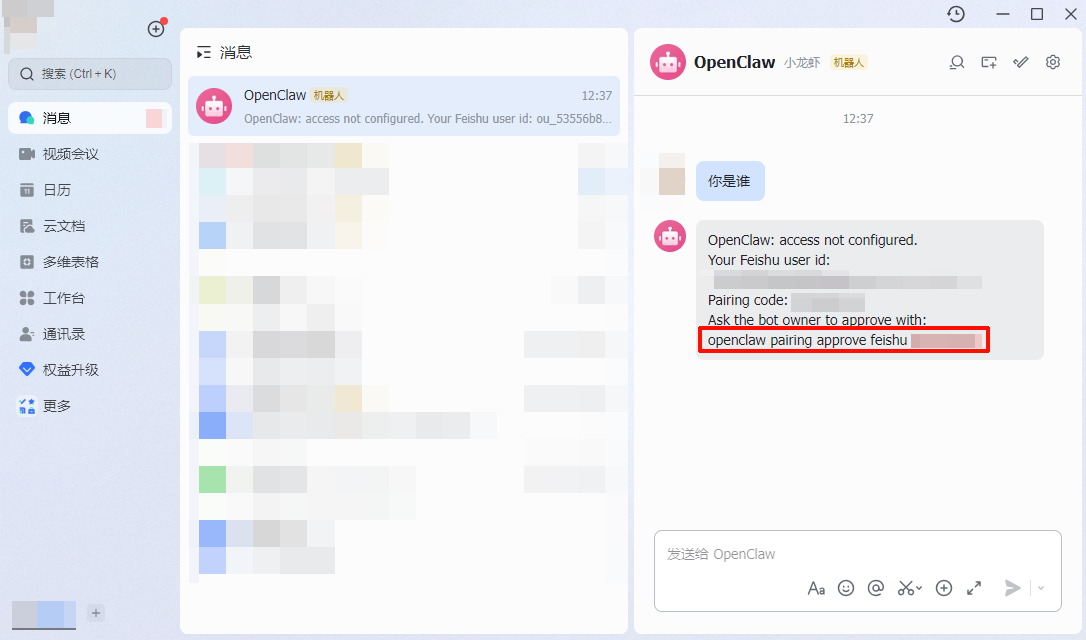
飞书添加机器人对话
1 openclaw pairing approve feishu XXXXXXXX
完成 参考文献 腾讯云开发者社区——阿坡RPA