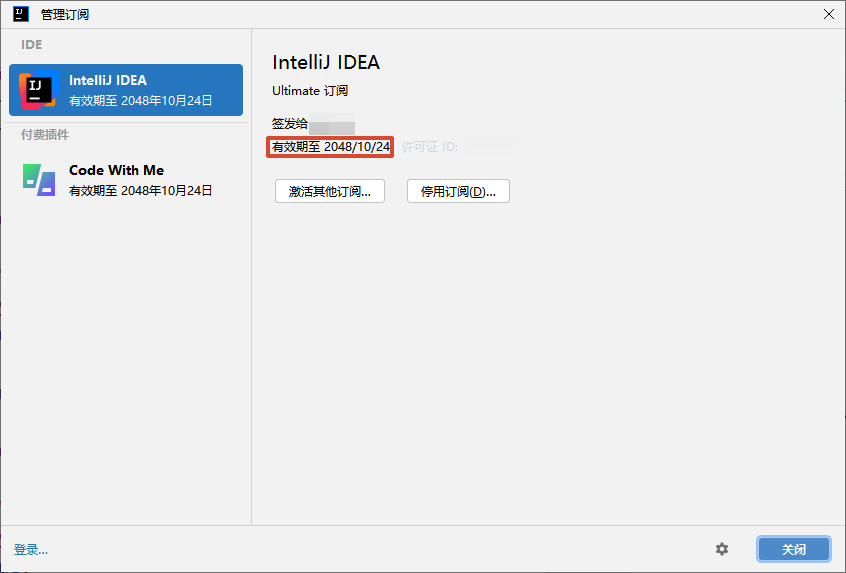
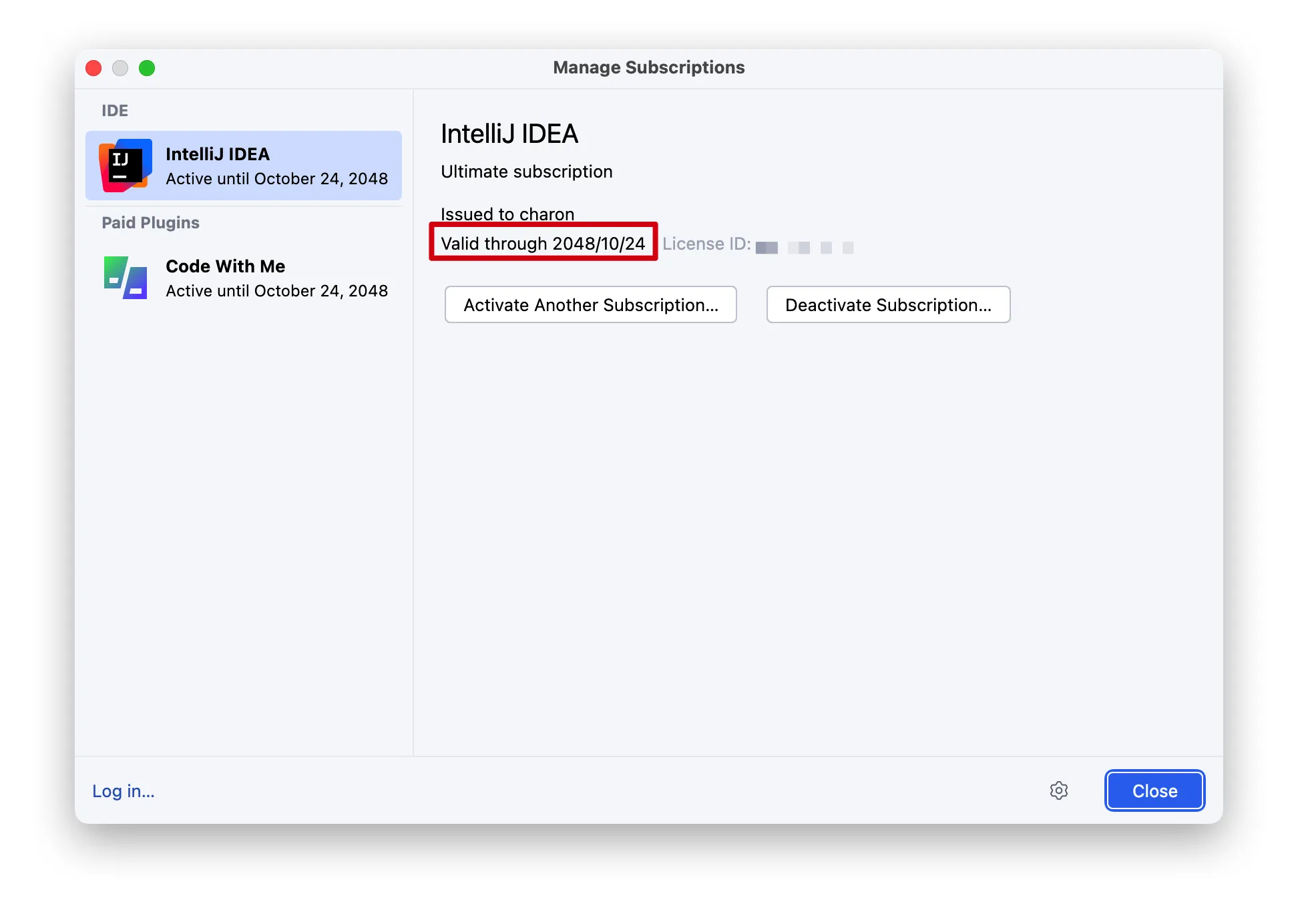
116202259756043754
前言 Jetbrains系列软件破解
squallliu/Jetbrains-Help
下载项目 1 2 git clone https://github.com/squallliu/Jetbrains-Help.git cd Jetbrains-Help
下载依赖 MacOS 1 brew install oracle-jdk@21
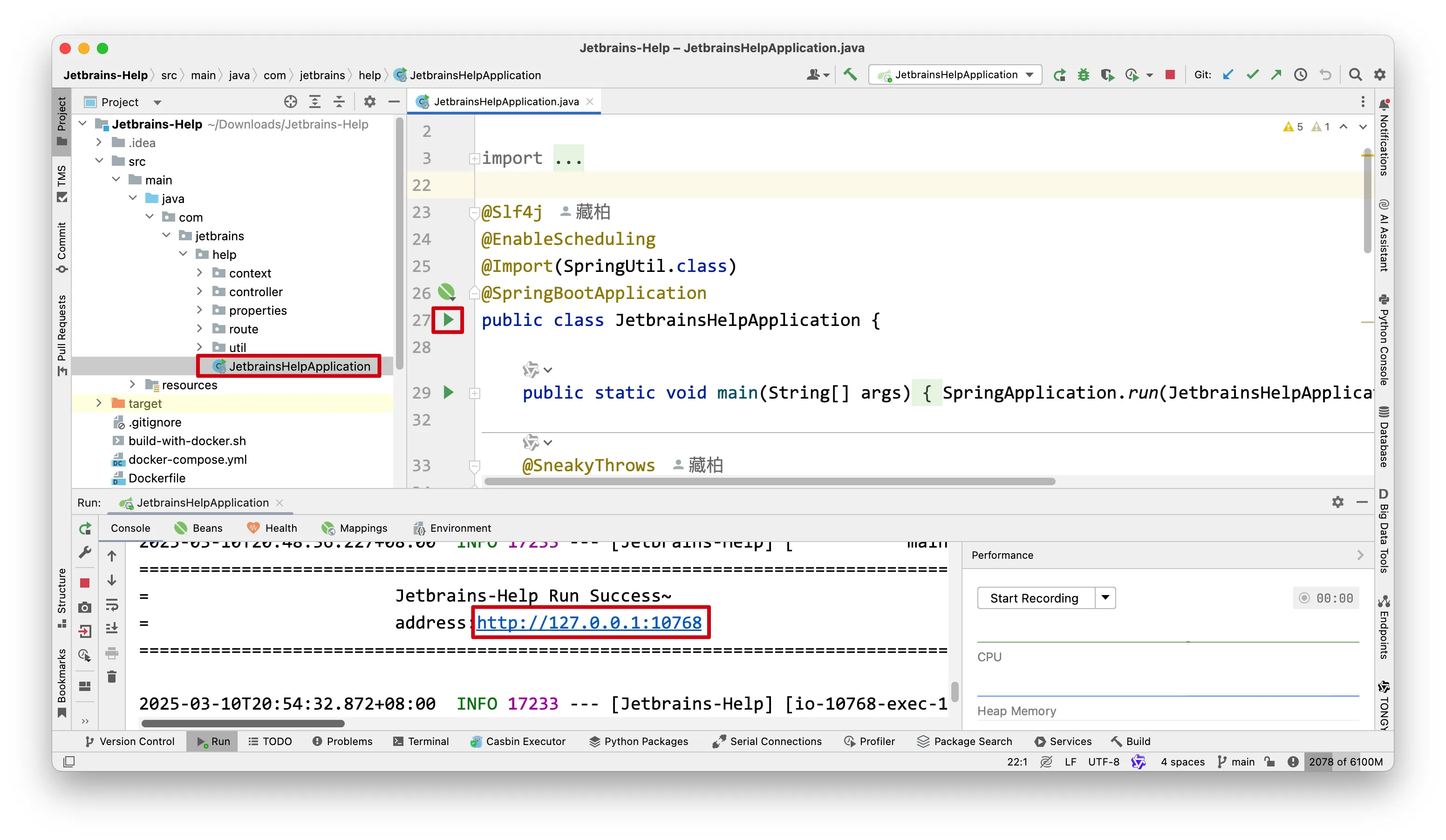
运行项目
运行JetbrainsHelpApplication.java
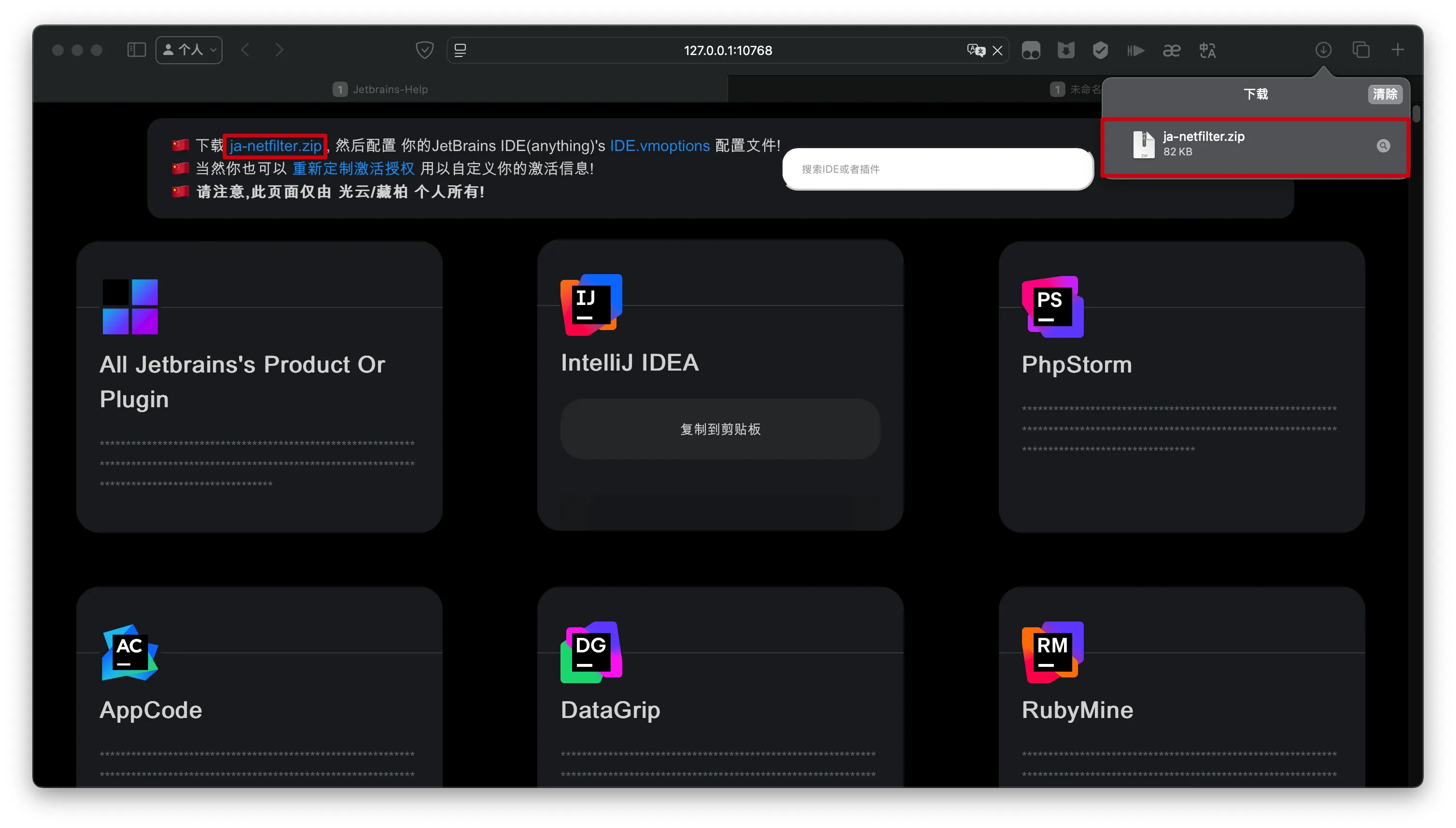
访问页面
1 2 cd ~/Downloads unzip ja-netfilter.zip -d ja-netfilter
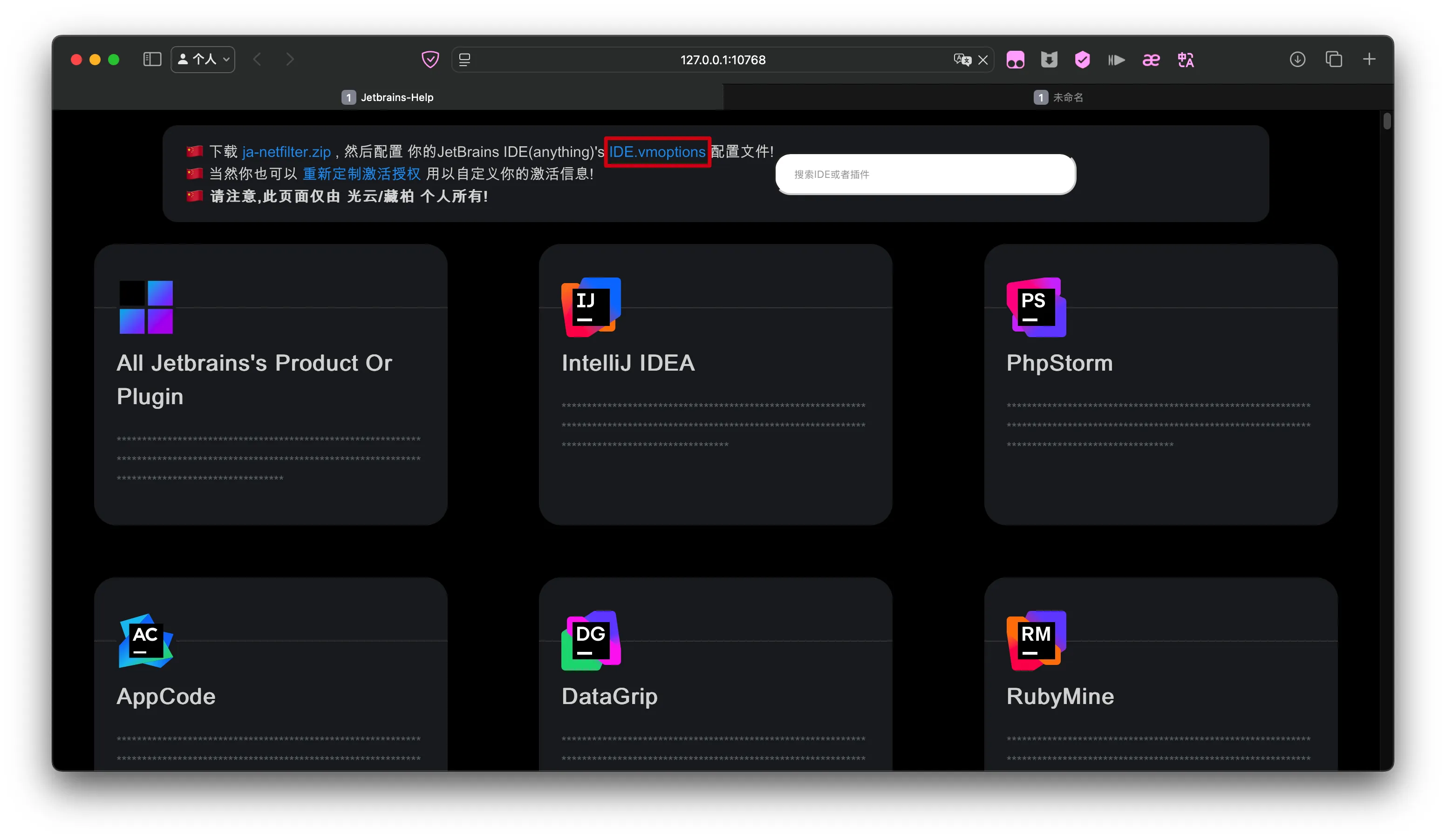
修改VM配置文件
追加到~/Library/Application Support/JetBrains/IntelliJIdea2024.3/idea.vmoptions文件末尾
/ja-netfilter/ja-netfilter.jar:指定上一步骤解压后得到的ja-netfilter.jar文件绝对路径
~/Library/Application Support/JetBrains/IntelliJIdea2024.3/idea.vmoptions 1 2 3 -javaagent:/ja-netfilter/ja-netfilter.jar --add-opens=java.base/jdk.internal.org.objectweb.asm=ALL-UNNAMED --add-opens=java.base/jdk.internal.org.objectweb.asm.tree=ALL-UNNAMED
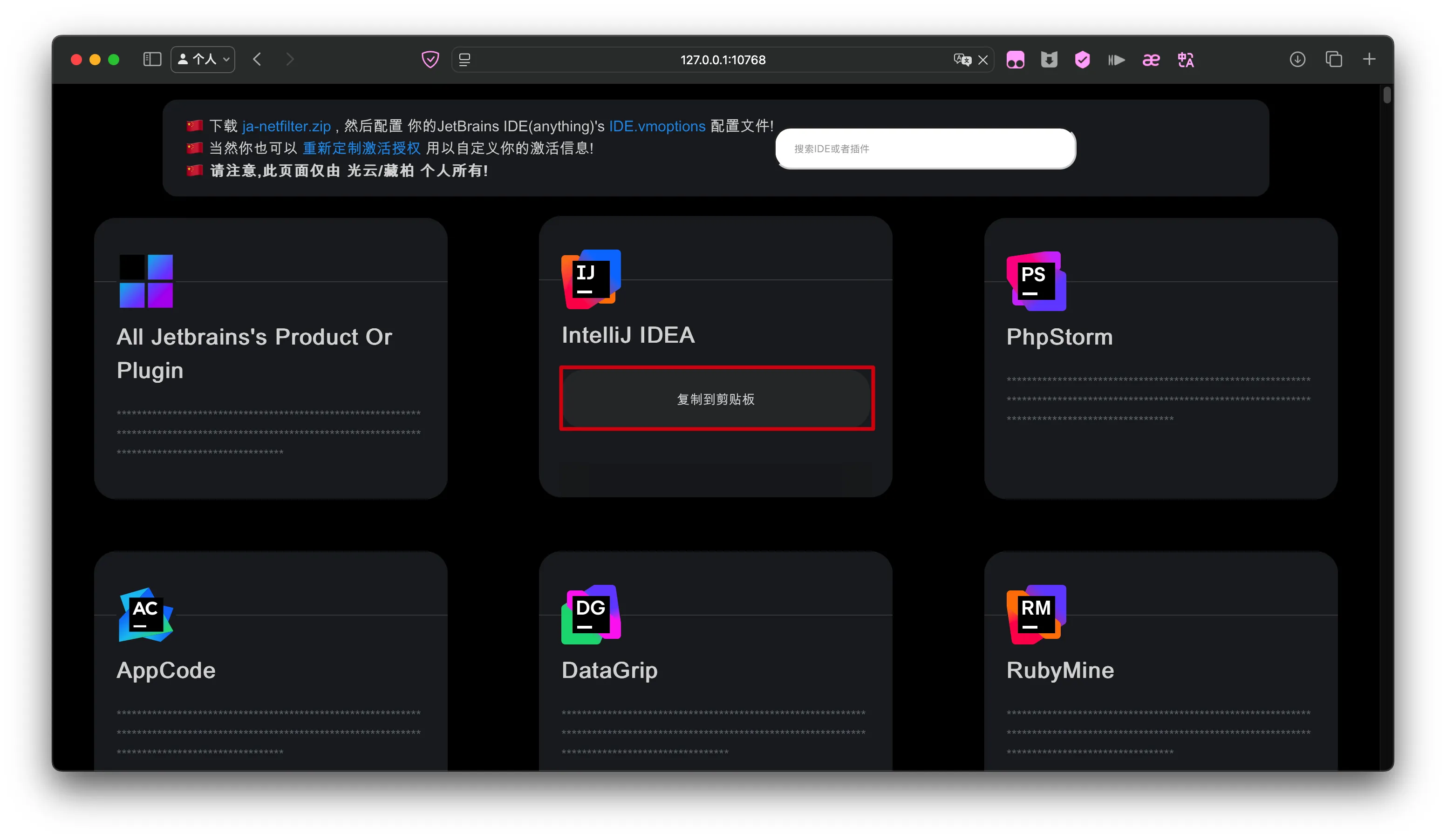
复制指定产品的激活码
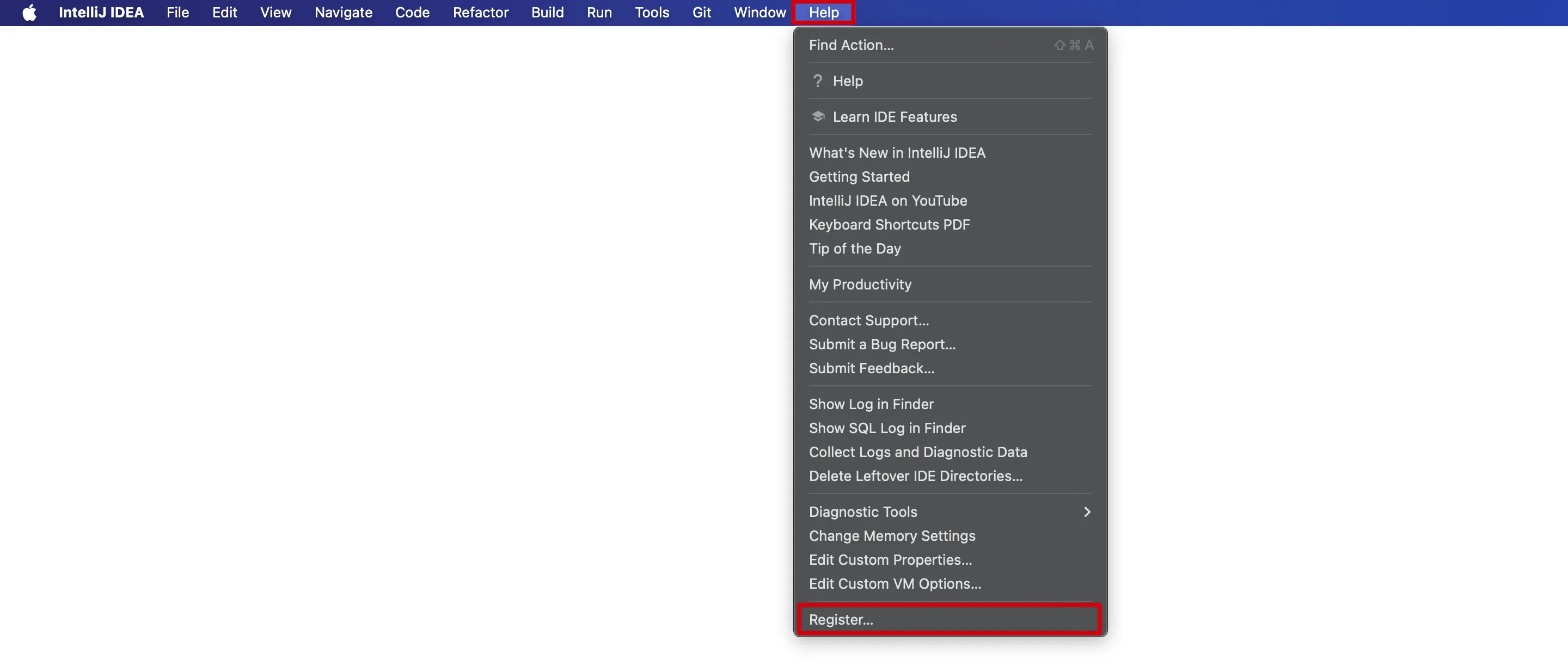
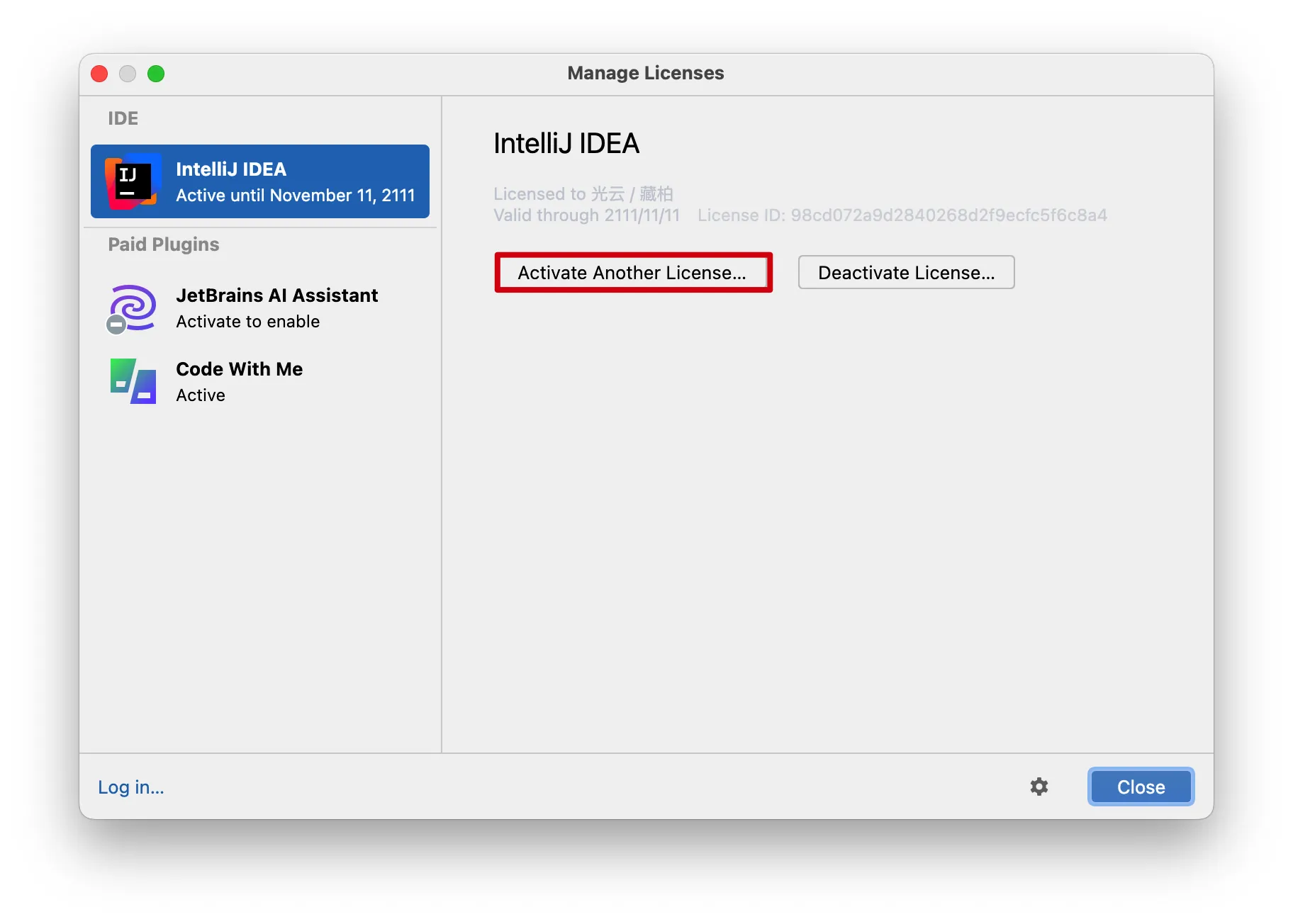
重新激活
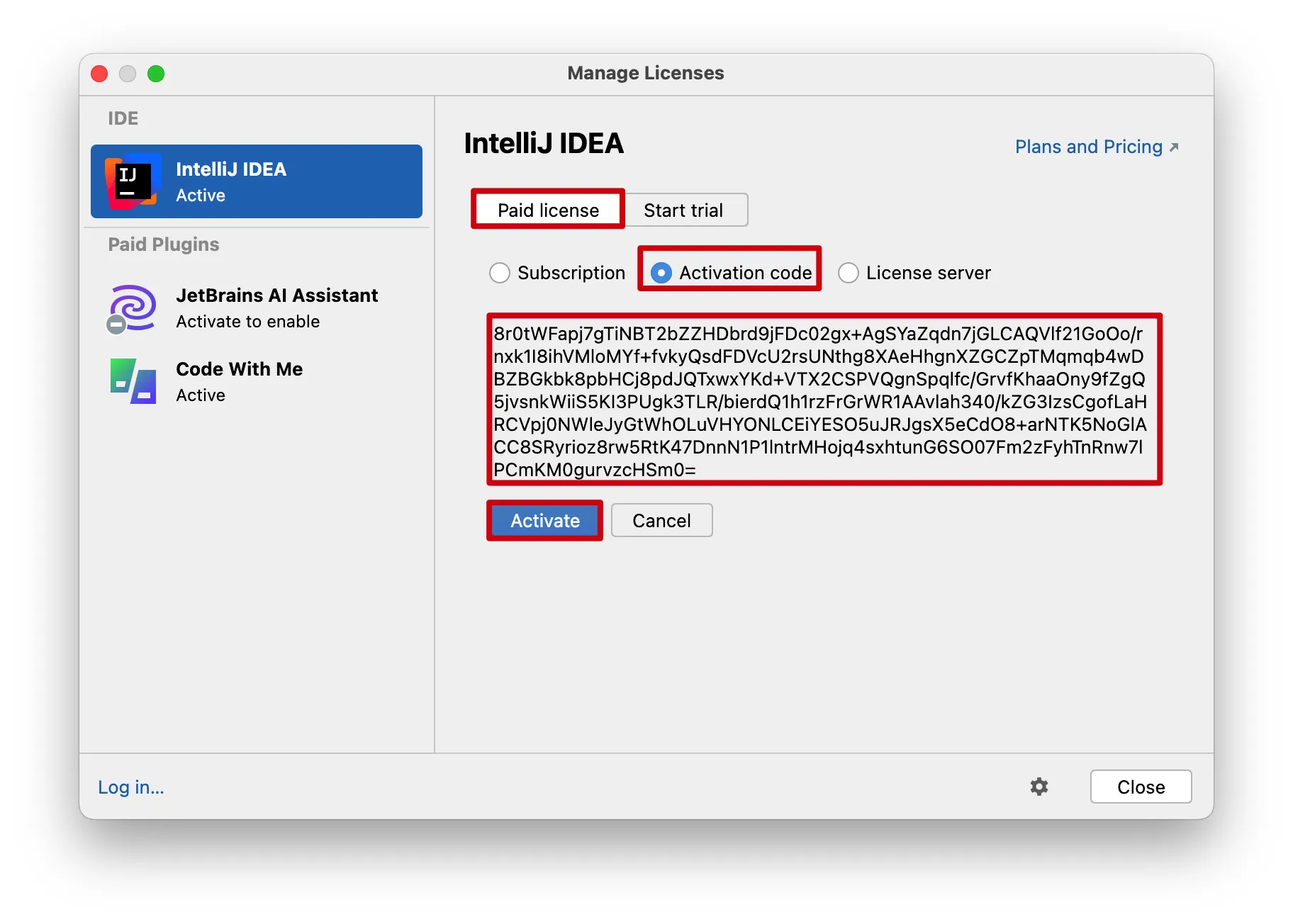
Paid license->Activation code->粘贴上一步骤复制激活码->Active
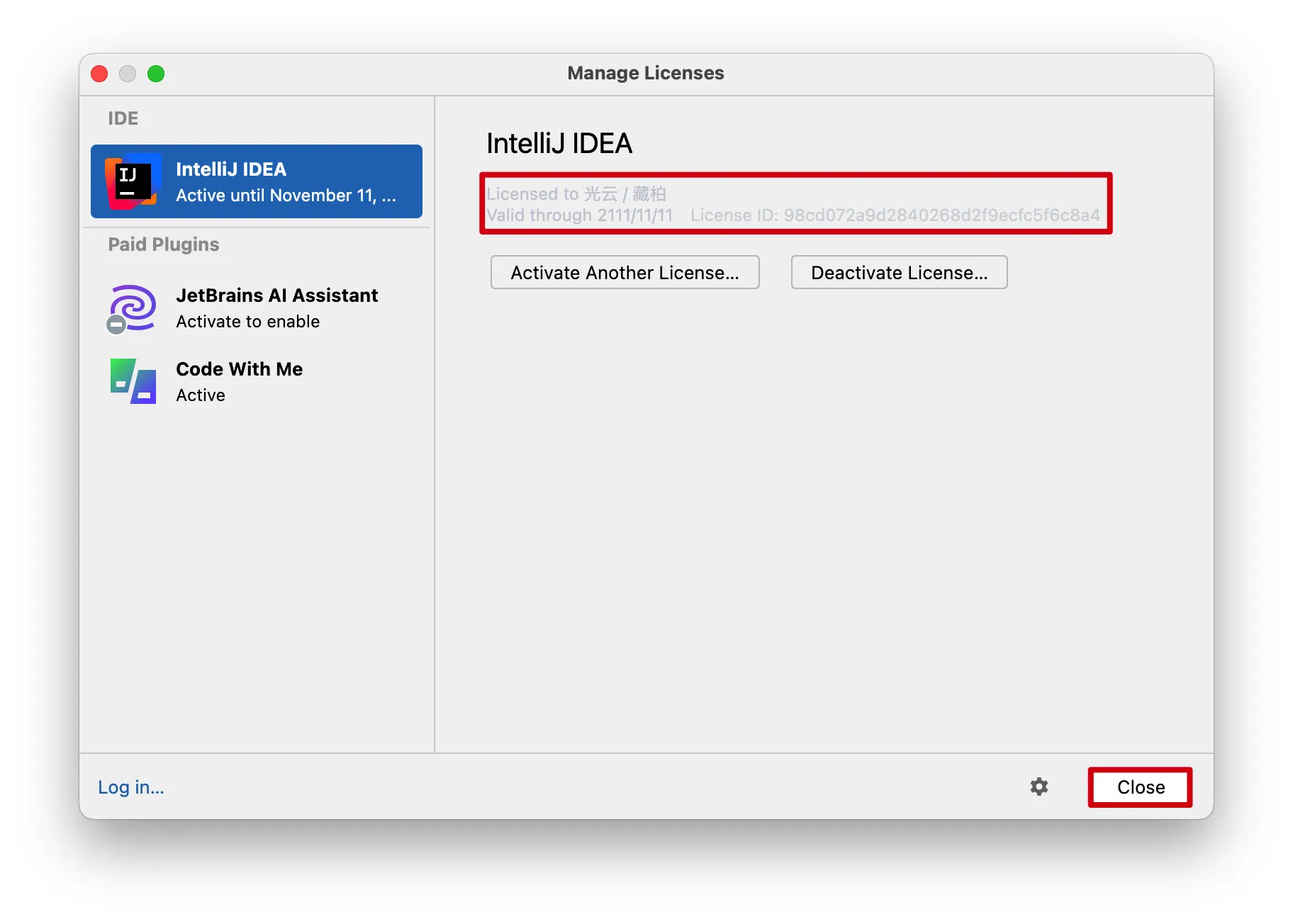
完成
git.ustc.edu.cn setup.ps1
源代码 1 2 3 4 5 6 7 8 9 10 11 12 13 14 15 16 17 18 19 20 21 22 23 24 25 26 27 28 29 30 31 32 33 34 35 36 37 38 39 40 41 42 43 44 45 46 47 48 49 50 51 52 53 54 55 56 57 58 59 60 61 62 63 64 65 66 67 68 69 70 71 72 73 74 75 76 77 78 79 80 81 82 83 84 85 86 87 88 89 90 91 92 93 94 95 96 97 98 99 100 101 102 103 104 105 106 107 108 109 110 111 $jarUrl = "https://git.ustc.edu.cn/file/share/-/raw/main/ja-netfilter.jar" $installDir = "$env:APPDATA \ja-netfilter" $jarPath = "$installDir \ja-netfilter.jar" $utf8NoBom = [System.Text.UTF8Encoding ]::new($false )function Show-Menu Clear-Host Write-Host "==========================================" -ForegroundColor Cyan Write-Host " JetBrains 一键激活" -ForegroundColor Cyan Write-Host "==========================================" -ForegroundColor Cyan Write-Host " 1. 执行一键安装 (Install)" Write-Host " 2. 执行一键卸载 (Uninstall)" Write-Host " 3. 退出 (Exit)" Write-Host "==========================================" -ForegroundColor Cyan return Read-Host "请选择操作 [1-3]" } function Manage-Agent ([string]$mode ) $agentLine = "-javaagent:$ {jarPath}=jetbrains" -replace '\\' , '/' $searchPaths = @ ("$env:ProgramFiles \JetBrains" , "$ {env:ProgramFiles(x86)}\JetBrains" , "$env:LOCALAPPDATA \JetBrains" , "$env:APPDATA \JetBrains" ) $count = 0 $failedPaths = @ () if ($mode -eq "install" ) { if (-not (Test-Path $installDir )) { New-Item -Path $installDir -ItemType Directory | Out-Null } Write-Host "⬇️ 正在下载依赖文件..." -ForegroundColor Cyan Invoke-WebRequest -Uri $jarUrl -OutFile $jarPath -UseBasicParsing } foreach ($path in $searchPaths ) { if (-not (Test-Path $path )) { continue } Get-ChildItem -Path $path -Filter "*.vmoptions" -Recurse -File -ErrorAction SilentlyContinue | Where-Object { $_ .FullName -notmatch "jetbrains-client|runtime" } | ForEach-Object { $filePath = $_ .FullName try { $content = [System.IO.File ]::ReadAllLines($filePath , $utf8NoBom ) $newContent = @ () $changed = $false foreach ($line in $content ) { if ($line -match "ja-netfilter\.jar" ) { $changed = $true ; continue } if ($line .Trim() -ne "" ) { $newContent += $line } } if ($mode -eq "install" ) { $newContent += $agentLine $changed = $true } if ($changed ) { [System.IO.File ]::WriteAllLines($filePath , $newContent , $utf8NoBom ) $count ++ Write-Host " [OK] 已处理: $filePath " -ForegroundColor Green } } catch [System.UnauthorizedAccessException ] { $failedPaths += $filePath Write-Host " [跳过] 无权限修改: $filePath " -ForegroundColor DarkGray } catch { Write-Host " [跳过] 文件被占用或未知错误: $filePath " -ForegroundColor DarkGray } } } if ($mode -eq "uninstall" -and (Test-Path $installDir )) { Remove-Item -Path $installDir -Recurse -Force -ErrorAction SilentlyContinue Write-Host "🗑️ 已清理本地缓存文件。" -ForegroundColor Yellow } Write-Host "`n📊 操作完成,成功处理 $count 个配置文件。" -ForegroundColor Cyan if ($failedPaths .Count -gt 0 -and $mode -eq "install" ) { Write-Host "`n⚠️ 发现部分系统级目录由于权限不足,未能自动写入。" -ForegroundColor Yellow Write-Host "👉 请不要慌,按以下步骤手动补充即可:" -ForegroundColor Yellow Write-Host "━━━━━━━━━━━━━━━━━━━━━━━━━━━━━━━━━━━━━━━━━━━━━" -ForegroundColor Cyan Write-Host " 第一步:请复制下方这行绿色的代码 (选中后按 Ctrl+C)" Write-Host " $agentLine " -ForegroundColor Green -BackgroundColor Black Write-Host "" Write-Host " 第二步:依次打开以下文件 (建议使用记事本打开)" foreach ($p in $failedPaths ) { Write-Host " 📄 $p " -ForegroundColor White } Write-Host "" Write-Host " 第三步:将复制的代码粘贴到文件的【最后一行】,保存关闭即可。" Write-Host " (如果提示无权限保存,请将记事本拖到桌面,保存后再拖回原文件夹覆盖)" Write-Host "━━━━━━━━━━━━━━━━━━━━━━━━━━━━━━━━━━━━━━━━━━━━━" -ForegroundColor Cyan } Write-Host "`n💡 按回车键继续..." -ForegroundColor Gray Read-Host } while ($true ) { $choice = Show-Menu switch ($choice ) { "1" { Manage-Agent "install" } "2" { Manage-Agent "uninstall" } "3" { exit } } }
完成
setup.sh
源代码 1 2 3 4 5 6 7 8 9 10 11 12 13 14 15 16 17 18 19 20 21 22 23 24 25 26 27 28 29 30 31 32 33 34 35 36 37 38 39 40 41 42 43 44 45 46 47 48 49 50 51 52 53 54 55 56 57 58 59 60 61 62 63 64 65 66 67 68 69 70 71 72 73 74 75 76 77 78 79 80 81 82 83 84 85 86 87 88 89 90 91 92 93 94 95 96 97 98 99 100 101 102 103 104 105 106 107 108 109 110 111 112 113 114 115 116 117 118 119 120 121 122 123 124 125 126 127 128 129 130 131 #!/bin/bash set -euo pipefailJAR_URL="https://git.ustc.edu.cn/file/share/-/raw/main/ja-netfilter.jar" INSTALL_DIR="$HOME /.local/share/ja-netfilter" JAR_FILE="$INSTALL_DIR /ja-netfilter.jar" OS_NAME=$(uname -s) if [ "$OS_NAME " = "Darwin" ]; then SEARCH_DIRS=( "$HOME /Library/Application Support/JetBrains" "$HOME /.config/JetBrains" "/Applications" ) else SEARCH_DIRS=( "$HOME /.local/share/JetBrains" "$HOME /.config/JetBrains" "/opt" "/usr/share" ) fi manage_agent local mode=$1 local agent_line="-javaagent:${JAR_FILE} =jetbrains" local count=0 local skipped=0 local modified_apps=() if [ "$mode " = "install" ]; then mkdir -p "$INSTALL_DIR " echo "⬇️ 正在获取依赖..." curl -sSL "$JAR_URL " -o "$JAR_FILE " fi echo "🔍 开始扫描并配置文件..." for dir in "${SEARCH_DIRS[@]} " ; do [ -d "$dir " ] || continue while IFS= read -r -d '' vmfile; do [[ "$vmfile " == *"/jetbrains-client/" * ]] || [[ "$vmfile " == *"/runtime/" * ]] && continue if [ ! -w "$vmfile " ] && [ "$EUID " -eq 0 ]; then chmod u+w "$vmfile " 2>/dev/null || true fi if [ ! -w "$vmfile " ]; then echo " [跳过] 无权限 (可能是 macOS 隐私保护拦截): $vmfile " ((skipped++)) || true continue fi if [ "$mode " = "install" ] && grep -qF "$agent_line " "$vmfile " 2>/dev/null; then continue fi if [ "$OS_NAME " = "Darwin" ]; then sed -i '' '/ja-netfilter\.jar/d' "$vmfile " else sed -i '/ja-netfilter\.jar/d' "$vmfile " fi if [ "$mode " = "install" ]; then echo "$agent_line " >> "$vmfile " echo "✅ 已安装: $vmfile " else echo "🗑️ 已清理: $vmfile " fi ((count++)) || true if [[ "$OS_NAME " == "Darwin" && "$vmfile " == /Applications/*.app/* ]]; then local app_path="${vmfile%%.app/*} .app" local exists=0 for existing in "${modified_apps[@]:-} " ; do if [[ "$existing " == "$app_path " ]]; then exists=1; break ; fi done if [[ $exists -eq 0 ]]; then modified_apps+=("$app_path " ) fi fi done < <(find "$dir " -type f -name "*.vmoptions" -print0 2>/dev/null) done if [ "$mode " = "uninstall" ]; then rm -rf "$INSTALL_DIR " || true ; fi echo -e "\n━━━━━━━━━━━━━━━━━━━━━━━━━━━━━━━━━━━━━━━━━━━━━" echo "📊 操作完成!成功处理: $count 个文件 | 跳过: $skipped 个文件" if [[ "$OS_NAME " == "Darwin" && ${#modified_apps[@]} -gt 0 ]]; then echo -e "\n🍎 检测到全局 App 被修改,正在自动修复 macOS 应用隔离属性..." for app in "${modified_apps[@]} " ; do echo " 🔧 修复中: $app " if sudo xattr -cr "$app " 2>/dev/null; then echo " └─ 成功!" else echo " └─ 警告:修复失败,可能需要手动授权终端。" fi done echo "✅ 签名修复完成,不再会出现“应用已损坏”弹窗!" fi } echo "==========================================" echo " JetBrains Agent 管理脚本" echo "==========================================" echo "1. 一键激活 (Install)" echo "2. 一键卸载 (Uninstall)" read -p "请选择操作 [1-2]: " choice < /dev/ttycase $choice in 1) manage_agent "install" ;; 2) manage_agent "uninstall" ;; *) echo "退出" ;; esac
完成
ckey.run Windows 1 irm https://ckey.run/ | iex
Linux & MacOS 1 curl -Ls ckey.run | bash
完成