【笔记】StableDiffusion学习笔记
前言
Stable Diffusion是2022年发布的深度学习文本到图像生成模型。它主要用于根据文本的描述产生详细图像,尽管它也可以应用于其他任务,如内补绘制、外补绘制,以及在提示词指导下产生图生图的转变。(维基百科)
MacOS通过StableDiffusion训练AI实现文生图(AI绘画)
下载项目
1 | git clone https://github.com/AUTOMATIC1111/stable-diffusion-webui |
下载模型
- 在civitai上寻找类型为
Checkpoint的模型并下载(如chilloutmix模型)
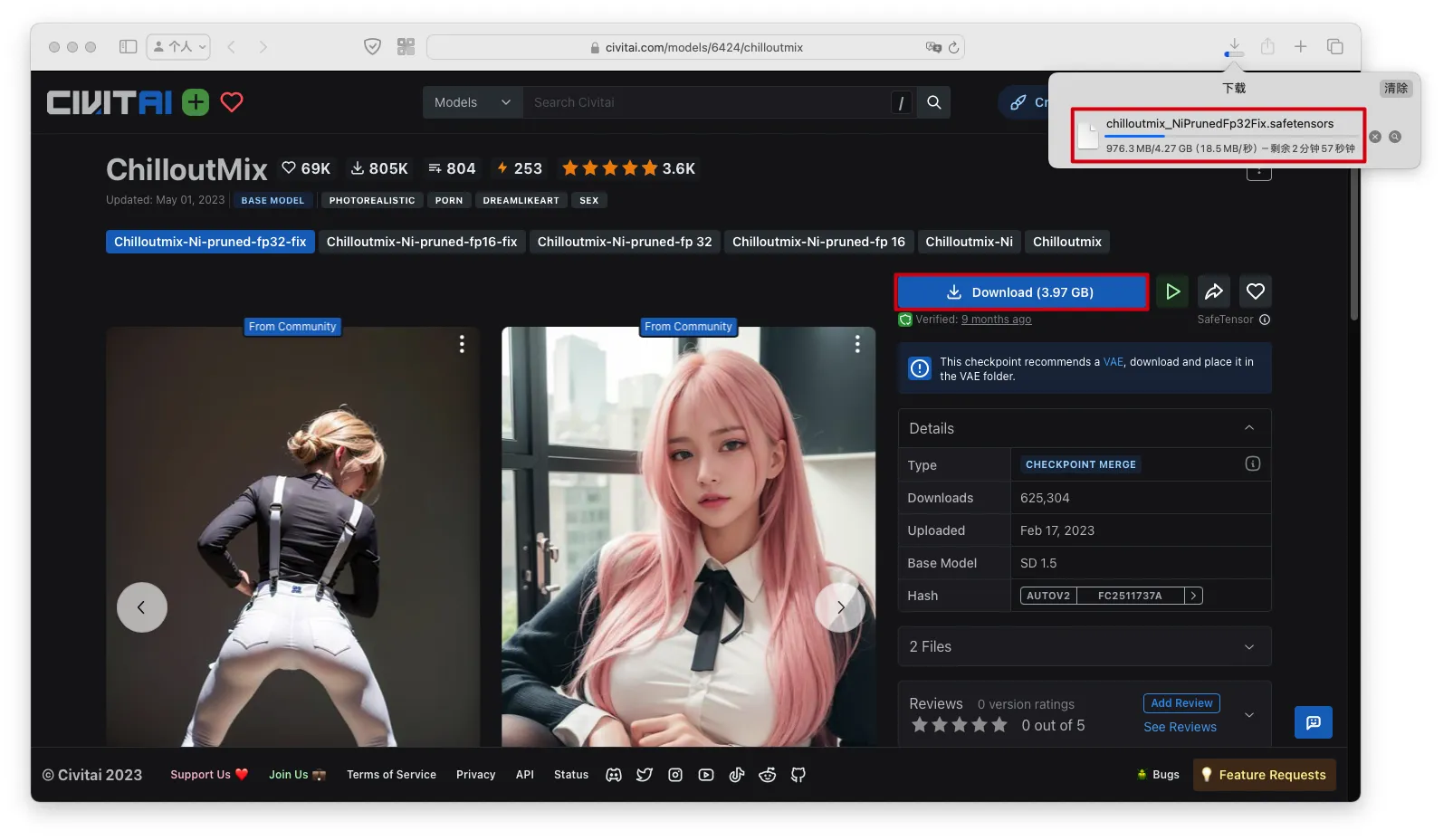
- 将下载后的
.safetensors文件放到stable-diffusion-webui/models/Stable-diffusion目录下
启动WebUI
1 | ./webui.sh |
踩坑
- 报错:
ValueError: When localhost is not accessible, a shareable link must be created. Please set share=True or check your proxy settings to allow access to localhost.
原因
- 使用了网络代理
解决问题
- 修改
stable-diffusion-webui/webui.py的第80行代码,从share=cmd_opts.share,改为share=True,
1 | app, local_url, share_url = shared.demo.launch( |
踩坑
- 报错
1 | ImportError: Using SOCKS proxy, but the 'socksio' package is not installed. Make sure to install httpx using `pip install httpx[socks]` |
原因
- 使用了SOCKS代理,但没有下载
httpx[socks]依赖
解决问题
- 关闭SOCKS代理
踩坑
- 报错:
RuntimeError: "upsample_nearest2d_channels_last" not implemented for 'Half'
原因
- Mac不支持半精度
解决问题
在启动时通过
--no-half参数关闭半精度修改
webui-macos-env.sh文件第13行,添加--no-half参数
1 | export COMMANDLINE_ARGS="--skip-torch-cuda-test --upcast-sampling --no-half-vae --use-cpu interrogate --no-half" |
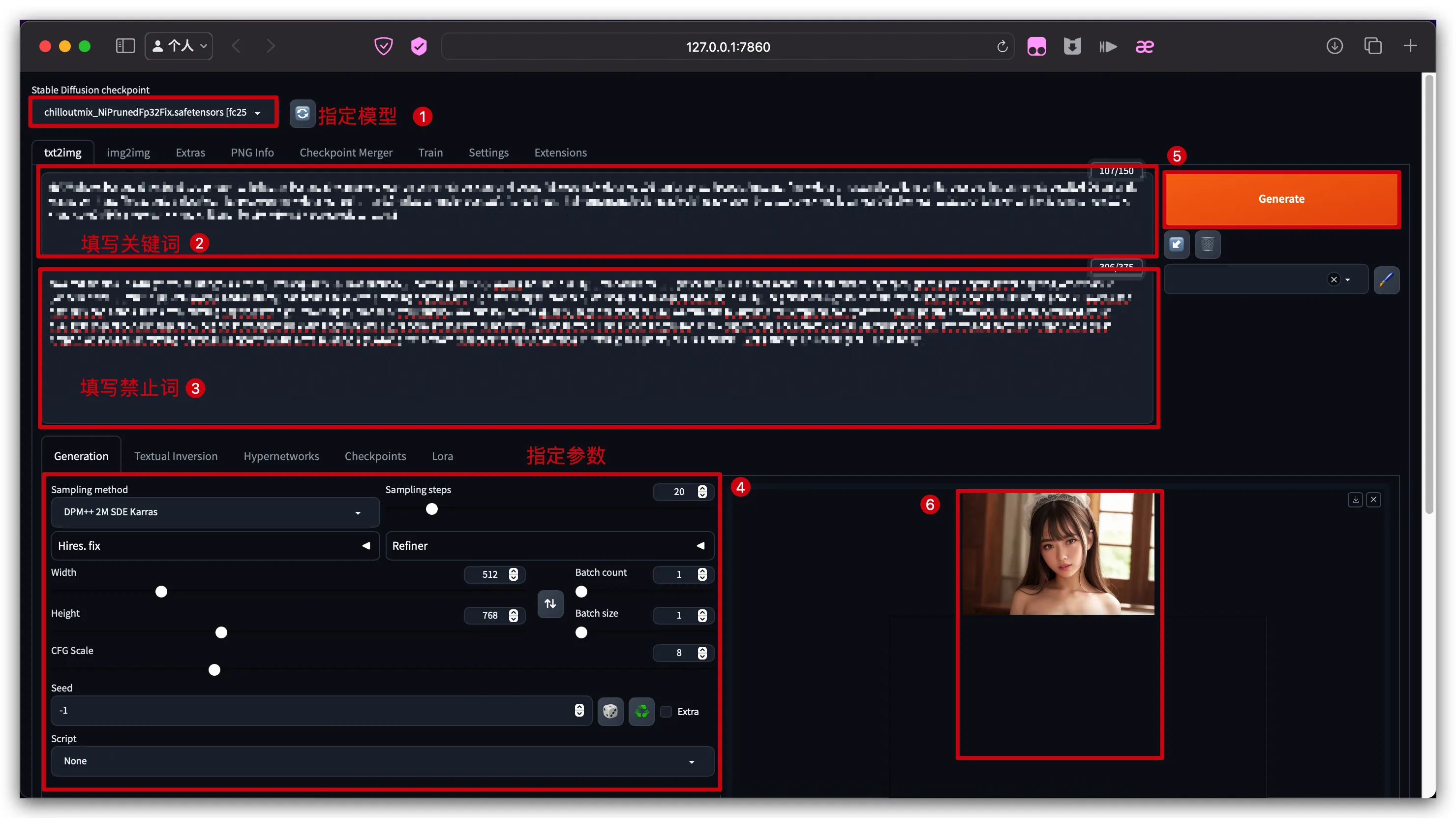
生成AI绘画
- 输入提示词,生成AI绘画
最好是英文提示词,避免AI理解中文出错
多个关键词用,分隔
包含多个单词的整句提示词,通过()包起来