116202942888966870
前言
通过GithubActions实现多主题的Hexo自动化部署
本文以NexT主题的基础上添加Butterfly主题为例
准备工作
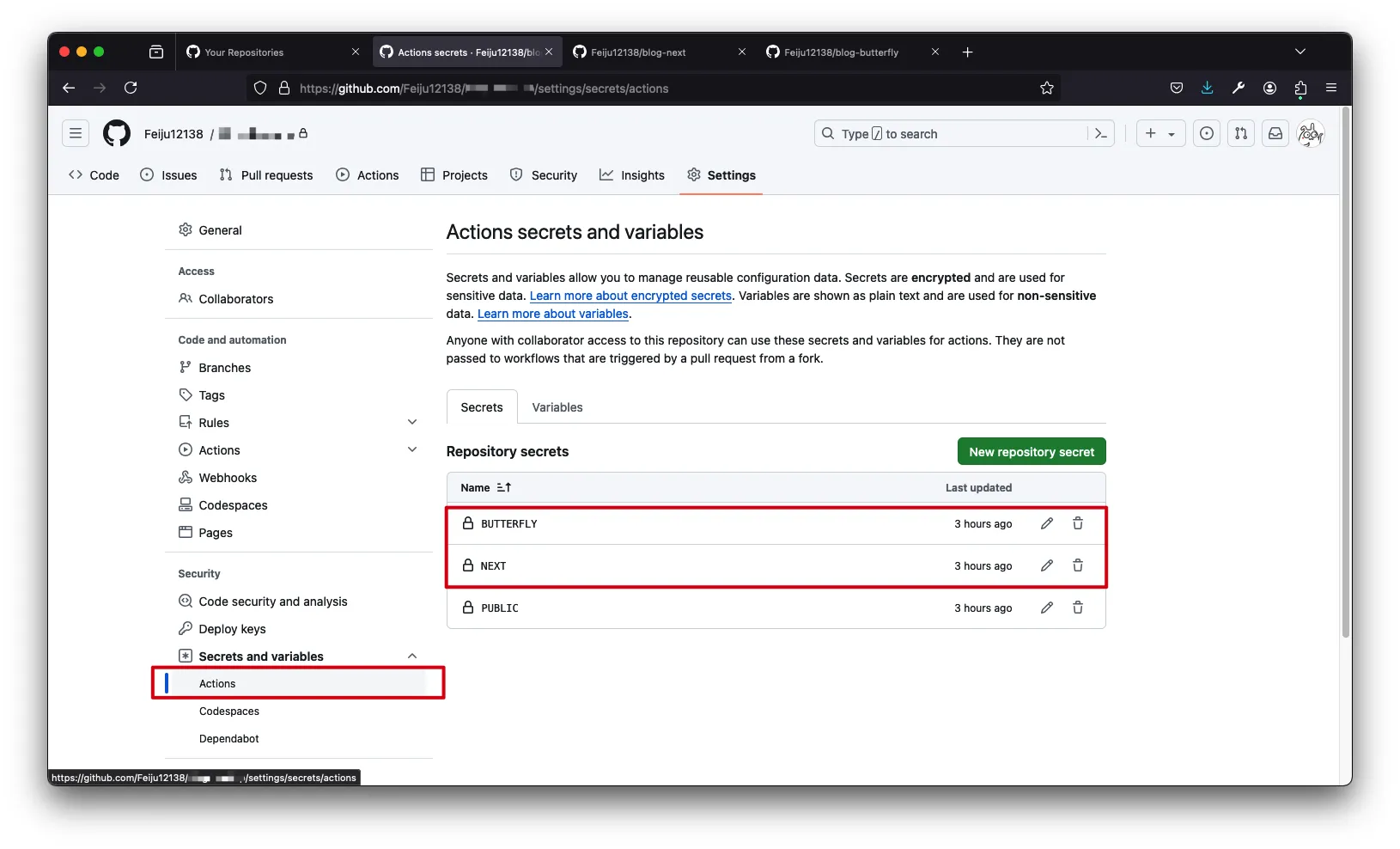
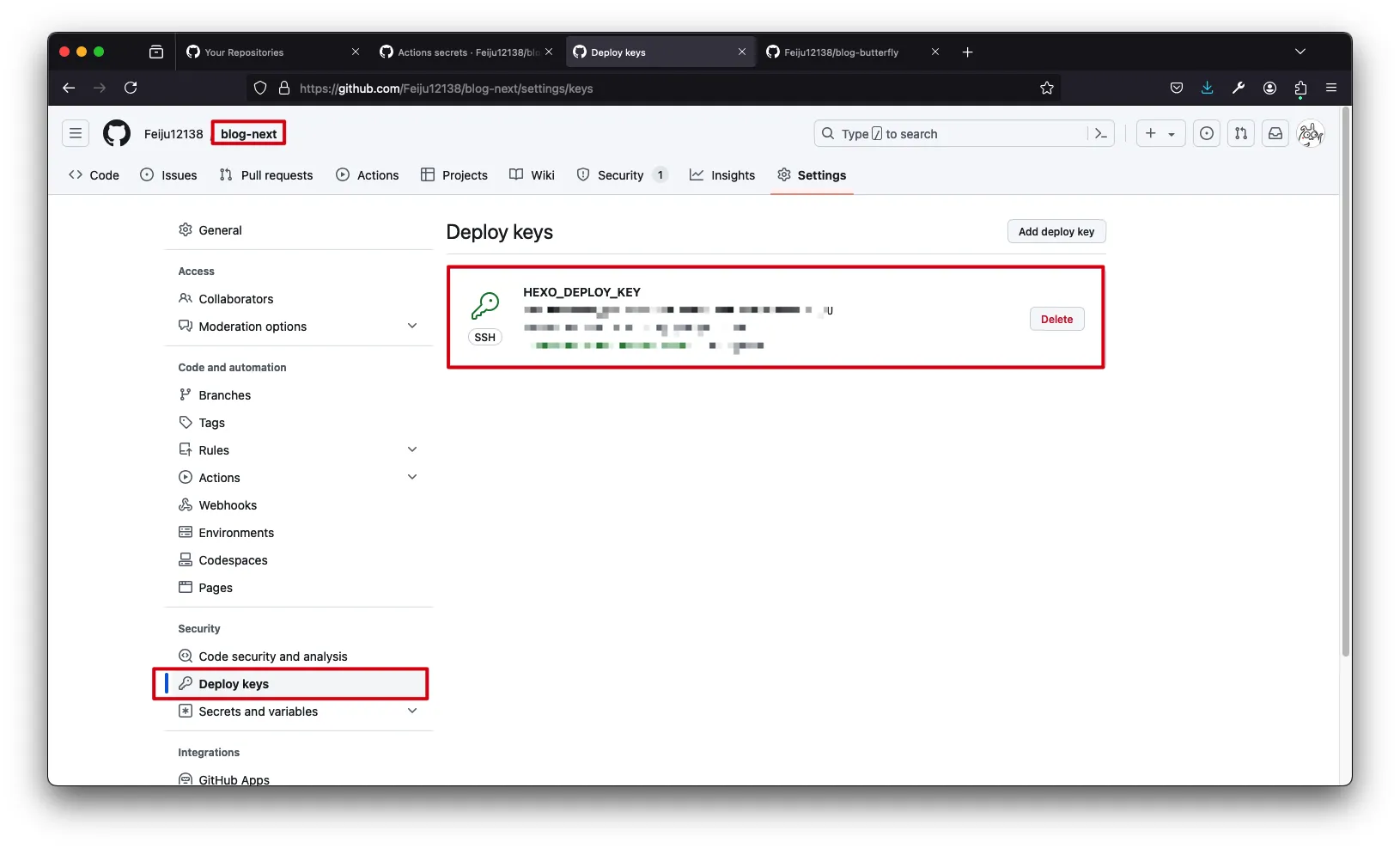
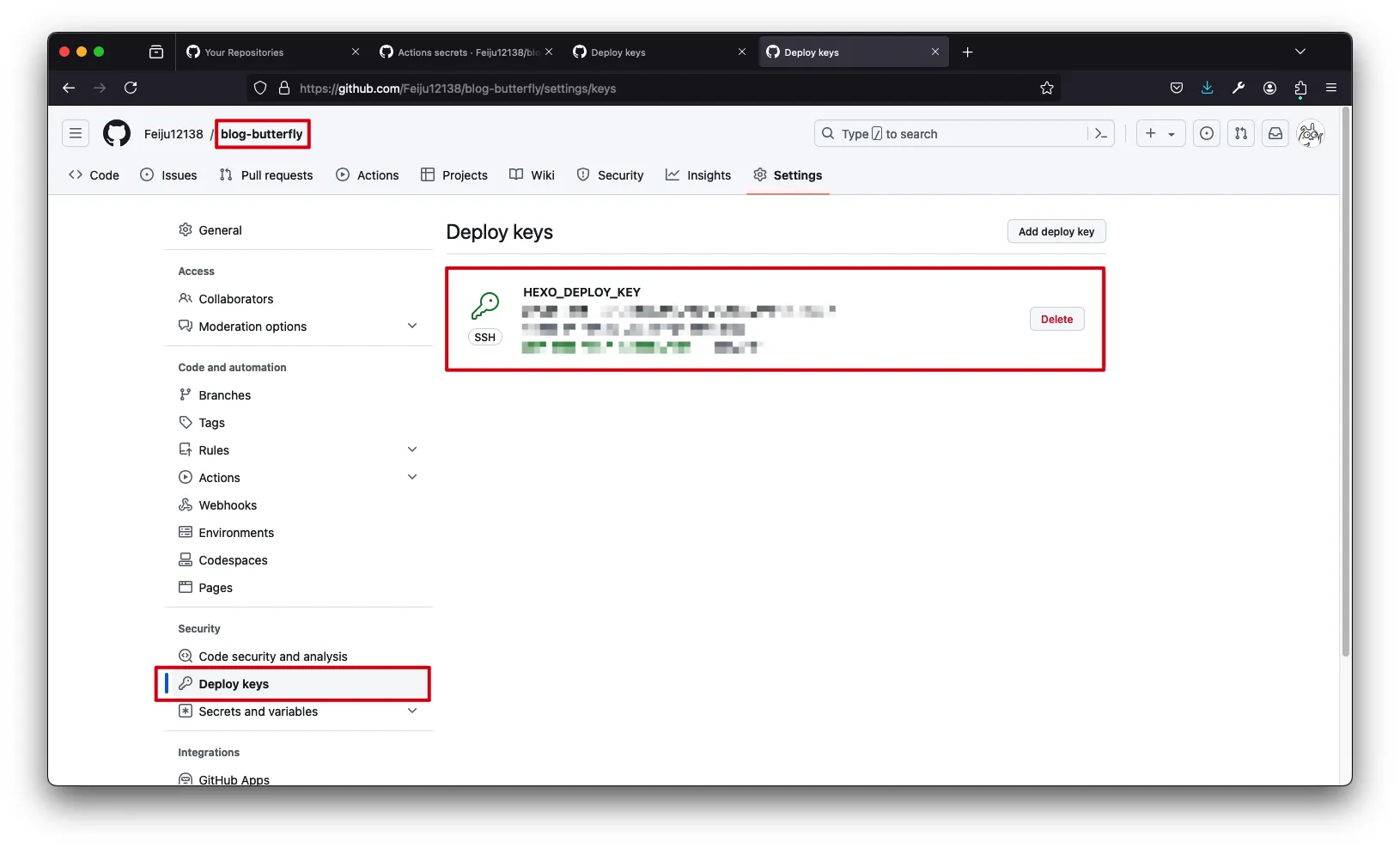
为Github仓库添加密钥
- 创建多个Github仓库用于存储不同主题生成的静态文件
Feiju12138/blog-next
Feiju12138/blog-butterfly
1
2
| ssh-keygen -t rsa -b 4096 -C "Hexo Deploy Key" -f github-deploy-key-next -N ""
ssh-keygen -t rsa -b 4096 -C "Hexo Deploy Key" -f github-deploy-key-butterfly -N ""
|
- 为Hexo工作仓库添加私钥,为所有主题的站点仓库添加其中一个公钥
在Hexo中添加多个主题
1
2
| yarn add hexo-theme-next
yarn add hexo-theme-butterfly
|
添加并修改主题配置文件
1
2
| cp node_modules/hexo-theme-next/_config.yml ./_config.next.yml
cp node_modules/hexo-theme-butterfly/_config.yml ./_config.butterfly.yml
|
生成多个用于部署的Hexo配置文件
1
2
| cp _config.yml _config-next.yml
cp _config.yml _config-butterfly.yml
|
- 将每个配置文件修改为对应的主题和对应的Github仓库
_config-next.yml1
2
3
4
5
6
7
8
9
10
11
12
13
|
theme: next
plugins:
deploy:
type: git
repo: git@github.com:Feiju12138/blog-next
branch: main
|
_config-butterfly.yml1
2
3
4
5
6
7
8
9
10
11
12
13
|
theme: butterfly
plugins:
deploy:
type: git
repo: git@github.com:Feiju12138/blog-butterfly
branch: main
|
本地编译测试(可选)
- 通过
--config <file>参数指定不同的配置文件进行推送
1
2
| hexo d --config _config-next.yml
hexo d --config _config-butterfly.yml
|
修改GithubAction配置
- 在
jobs定义多个工作流,每个工作流负责编译一个主题,分别推送到对应的Github仓库
- 每个工作流中要修改对应的secret键名
1
2
3
4
5
6
7
8
9
10
11
12
13
14
15
16
17
18
19
20
21
22
23
24
25
26
27
28
29
30
31
32
33
34
35
36
37
38
39
40
41
42
43
44
45
46
47
48
49
50
51
52
53
54
55
56
57
58
59
60
61
62
63
64
65
66
67
68
69
| name: 部署 Hexo 到 GithubPage
on:
push:
branches: [ "main" ]
jobs:
NEXT:
runs-on: ubuntu-latest
strategy:
matrix:
node-version: [18.x]
steps:
- uses: actions/checkout@v3
- name: 使用 Node.js ${{ matrix.node-version }} 环境
uses: actions/setup-node@v3
with:
node-version: ${{ matrix.node-version }}
- name: 配置 SSH 环境和 Git 环境
env:
ACTION_DEPLOY_KEY: ${{ secrets.NEXT }}
run: |
mkdir -p ~/.ssh/
echo "$ACTION_DEPLOY_KEY" > ~/.ssh/id_rsa
chmod 700 ~/.ssh
chmod 600 ~/.ssh/id_rsa
ssh-keyscan github.com > ~/.ssh/known_hosts
git config --global user.email "feijuxiaogege@foxmail.com"
git config --global user.name "FeiJu By Github Actions"
- name: 配置 Hexo 环境
run: |
export TZ='Asia/Shanghai'
npm install hexo-cli -g
- name: 下载 npm 依赖
run: |
npm install
- name: 部署博客
run: |
hexo d --config _config-next.yml
BUTTERFLY:
runs-on: ubuntu-latest
strategy:
matrix:
node-version: [18.x]
steps:
- uses: actions/checkout@v3
- name: 使用 Node.js ${{ matrix.node-version }} 环境
uses: actions/setup-node@v3
with:
node-version: ${{ matrix.node-version }}
- name: 配置 SSH 环境和 Git 环境
env:
ACTION_DEPLOY_KEY: ${{ secrets.BUTTERFLY }}
run: |
mkdir -p ~/.ssh/
echo "$ACTION_DEPLOY_KEY" > ~/.ssh/id_rsa
chmod 700 ~/.ssh
chmod 600 ~/.ssh/id_rsa
ssh-keyscan github.com > ~/.ssh/known_hosts
git config --global user.email "feijuxiaogege@foxmail.com"
git config --global user.name "FeiJu By Github Actions"
- name: 配置 Hexo 环境
run: |
export TZ='Asia/Shanghai'
npm install hexo-cli -g
- name: 下载 npm 依赖
run: |
npm install
- name: 部署博客
run: |
hexo d --config _config-butterfly.yml
|
Nginx反向代理
1
2
3
| cd /usr/share/nginx/
git clone git@github.com:Feiju12138/blog-next.git
git clone git@github.com:Feiju12138/blog-butterfly.git
|
1
2
3
4
5
6
7
8
9
10
11
12
13
14
15
16
17
18
19
20
21
22
23
24
25
26
27
28
29
30
31
| server {
listen 80;
server_name next.loli.fj.cn;
location / {
root /usr/share/nginx/blog-next;
index index.html;
}
location ~ (.db)$ {
return 404;
}
error_page 404 /404.html;
}
server {
listen 80;
server_name butterfly.loli.fj.cn;
location / {
root /usr/share/nginx/blog-butterfly;
index index.html;
}
location ~ (.db)$ {
return 404;
}
error_page 404 /404.html;
}
|
完成